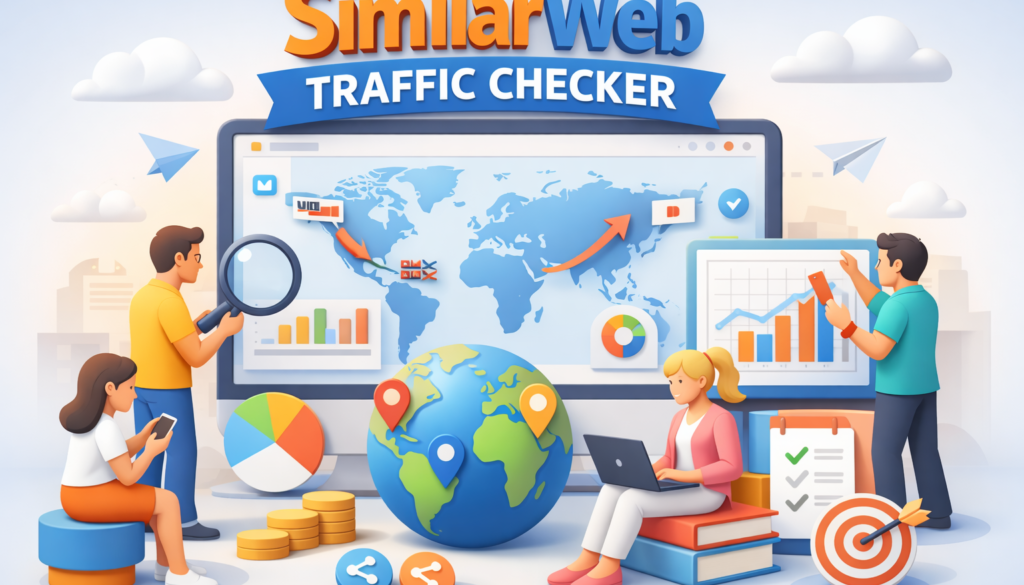
SimilarWeb Traffic Checker — How I Used It to Grow Peplio (2026 Guide)

📊 SimilarWeb Traffic Checker — Key Facts (2026):
Sources: SimilarWeb official product page, independent accuracy studies, tested directly by Sougan on Peplio, June 2026
The SimilarWeb traffic checker is one of the first free tools I used when I started building Peplio — and it taught me more about how websites actually grow than any course or blog post I read in my first year.
I am going to be honest about what happened when I first opened it. I expected a magic shortcut. I typed in a competitor’s URL, saw millions of monthly visits, and thought: “I will just copy what they are doing.” That approach gave me zero results for months. Not because the SimilarWeb traffic checker was wrong — but because I was reading the data wrong.
This guide covers exactly how to use the SimilarWeb traffic checker correctly — what each section actually tells you, three real experiments I ran on Peplio using SimilarWeb data (including what failed), and the specific workflow I now follow every time I analyse a competitor. If you want a broader set of free traffic tools, see my guide on the best free SEO tools for beginners. For understanding why organic traffic matters long-term, read my breakdown of why SEO is important in 2026.
📋 What this guide covers:
- What is the SimilarWeb traffic checker and what does it show?
- SimilarWeb free vs paid — what you actually get for free
- How to use the SimilarWeb traffic checker step by step
- Peplio Experiment 1 — Copy vs decode (what failed)
- Peplio Experiment 2 — Traffic source shift (what worked)
- Peplio Experiment 3 — Country targeting with SimilarWeb data
- How accurate is the SimilarWeb traffic checker?
- SimilarWeb alternatives — quick comparison
- Frequently asked questions
What Is the SimilarWeb Traffic Checker and What Does It Show?
The SimilarWeb traffic checker is a free web analytics tool that estimates any website’s monthly traffic, traffic sources, top keywords, audience geography, and competitor benchmarks — without requiring access to the website’s internal analytics. You type in any domain, and SimilarWeb returns a traffic intelligence report based on its panel data, ISP data, and machine learning models.
This is what makes the SimilarWeb traffic checker different from Google Analytics or Google Search Console. Those tools only show you data about your own website. SimilarWeb shows you estimated data about any website — including your competitors. That is the core use case: competitive traffic intelligence.
Here is what the SimilarWeb traffic checker shows for any domain on the free plan:
- Total monthly visits — estimated traffic volume for the last 3 months
- Traffic sources breakdown — split across direct, search, social, referral, email, and display advertising
- Top traffic countries — which countries send the most visitors
- Bounce rate and engagement metrics — average visit duration, pages per visit
- Top organic and paid keywords — the search terms driving the most traffic (limited to top 5 on free plan)
- Top referring websites — which sites are sending referral traffic (limited on free)
- Similar websites — competitors and related sites in the same niche
For a solo blogger or small business owner with no budget for paid tools, the free SimilarWeb traffic checker gives more competitive intelligence than any other free tool I have found. The data is estimated — not exact — but the patterns are reliable enough to make strategic decisions from, which I will explain in the experiments below.
SimilarWeb Free vs Paid — What You Actually Get for Free
Before going further, it is worth being clear about the limits of the free SimilarWeb traffic checker so you know what you are working with.
| Feature | Free Plan | Paid Plan |
|---|---|---|
| Monthly traffic estimate | ✅ Yes (last 3 months) | ✅ Up to 36 months |
| Traffic source breakdown | ✅ Yes (all 6 channels) | ✅ Full detail |
| Top keywords | ⚠️ Top 5 only | ✅ Full keyword list |
| Top referring sites | ⚠️ Top 5 only | ✅ Full list |
| Country traffic breakdown | ✅ Top 5 countries | ✅ All countries |
| Audience demographics | ❌ Not available | ✅ Age, gender, interests |
| Competitor comparison | ⚠️ Limited | ✅ Side-by-side |
| Account required | ❌ No | ✅ Yes |
My honest assessment: for a new or growing website, the free SimilarWeb traffic checker gives you more than enough to make strategic decisions. The traffic source breakdown and country data on the free plan are the two most valuable sections anyway — and both are fully available without paying. The keyword limit (top 5) is a real constraint, but for understanding patterns rather than building a keyword list, it is sufficient.
How to Use the SimilarWeb Traffic Checker — Step by Step
Here is the exact workflow I follow every time I use the SimilarWeb traffic checker to analyse a competitor. This took me several failed experiments to develop — the right order matters.
Step 1 — Go to SimilarWeb and Enter a Competitor Domain
Open similarweb.com and type a competitor’s domain into the search bar. No account needed for the free SimilarWeb traffic checker. Start with a website that is 2–3x larger than yours — not the biggest player in your niche, not a site your size. You want a competitor you can realistically study for patterns you can replicate, not one so large that their strategy is irrelevant to your stage.
Step 2 — Check the Traffic Source Breakdown First (Not Total Visits)
This is the most important habit change when using the SimilarWeb traffic checker. Most beginners look at total monthly visits first. That number is interesting but not actionable. The traffic source breakdown — direct, search, social, referral, email, display — tells you how the site actually grew. A competitor with 80% search traffic grew through SEO. One with 40% direct traffic built a brand. One with 30% referral traffic built distribution partnerships. That is the story you want to understand.
When I first used the SimilarWeb traffic checker on Peplio’s competitors, I noticed that the fastest-growing sites in my niche were getting 25–35% of traffic from referral sources — not search. That single insight changed my strategy more than any keyword research had.
Step 3 — Check the Top Traffic Countries
The SimilarWeb traffic checker shows which countries send the most visitors to any site. For Peplio, I target US and UK audiences for higher AdSense RPM. Checking which competitor sites were already getting US/UK-majority traffic showed me what kind of content those audiences preferred — actionable guides, comparison articles, and tool roundups — versus the more general informational content that dominated Indian traffic patterns.
Step 4 — Look at the Top 5 Organic Keywords
The free SimilarWeb traffic checker shows five organic keywords. Do not use these to build a keyword list — use them to understand intent patterns. If three of the five keywords for a competitor are “free [tool] no login” variants, that tells you their audience is transaction-oriented and prefers no-friction tools. That pattern is more useful than any single keyword.
Step 5 — Check Similar Sites for Competitor Discovery
The “Similar Sites” section of the SimilarWeb traffic checker is underused. It surfaces competitors you may not have found through search — sites in the same niche with similar traffic profiles. I have found several important competitor sites through this section that I had never come across through Google searches, simply because they ranked for different keywords than the ones I was targeting.

Peplio Experiment 1 — What Happened When I Copied Competitors Using SimilarWeb Data
This is the mistake I see most people make with the SimilarWeb traffic checker — and the one I made first.
What I did: I used the SimilarWeb traffic checker to find the top-performing articles on several competitor sites. I identified their most-visited pages by checking which keywords appeared in the top 5. Then I wrote similar articles on the same topics, thinking I would capture the same traffic.
Result: Zero meaningful clicks for three months. The articles ranked nowhere.
What went wrong: I was copying topics without understanding why those sites ranked for them. A site with 500,000 monthly visits and hundreds of backlinks ranking for “best SEO tools” is not a template I can replicate — it is a result of years of authority building. The SimilarWeb traffic checker shows you what is working for a site. It does not tell you whether you can replicate it at your current stage.
The lesson: Use the SimilarWeb traffic checker to decode patterns, not to copy content. The question is not “what are they writing about?” The question is “how are they getting traffic, and is there a version of that distribution strategy I can access right now?”
Peplio Experiment 2 — Traffic Source Shift That Actually Worked
After the failed copying experiment, I went back to the SimilarWeb traffic checker and looked specifically at traffic sources for five competitors — ignoring their content entirely.
What I found: The competitors growing fastest were not SEO-only sites. They were getting 20–35% of traffic from referral sources — Reddit, Quora, niche forums, and guest posts on larger blogs. Their search traffic was growing, but referral traffic was what spiked first.
What I did: I shifted from writing more articles to building distribution. I identified which referral sources showed up most consistently in the SimilarWeb traffic checker data across multiple competitors — Reddit (r/SEO, r/artificial, r/blogging) and Quora were the most common. I started contributing genuinely useful answers in those communities, with Peplio pages linked as resources where relevant.
Result: First real traffic spike within six weeks. Not massive — but the first sign that distribution mattered as much as content quality.
The lesson: The SimilarWeb traffic checker traffic source data is the single most actionable section for a new site. Search traffic takes months. Referral traffic can start within weeks if you go where your audience already is.
Peplio Experiment 3 — Using SimilarWeb Country Data to Target US and UK Audiences
One of the most valuable things the SimilarWeb traffic checker showed me was how differently successful competitors served different country audiences.
What I found: When I checked the country breakdown on competitors getting strong US and UK traffic, their content had specific characteristics — more specific data citations, actionable numbered steps, direct answers in the first paragraph, and comparison tables. Competitors getting mostly Indian traffic tended toward longer general explanations without those elements.
What I did: I rewrote the intros and structures of my best-performing articles to match the patterns the SimilarWeb traffic checker data pointed toward for US/UK audiences. Shorter introductions, direct answers earlier, data citations, and comparison tables where relevant.
Result: GSC impressions from the US improved within 60 days. My US traffic went from almost nothing to becoming the second-largest traffic source by country — behind India but ahead of all other markets. More importantly, US visitors have a significantly higher AdSense RPM, which directly improved Peplio’s revenue per visitor even as total traffic grew modestly.
The lesson: The country data in the SimilarWeb traffic checker is not just a vanity metric. It tells you which audience a competitor has successfully served — and what content format preferences that audience has. Use it to inform tone, structure, and content type, not just geographic targeting.
How Accurate Is the SimilarWeb Traffic Checker?
This is the most common question about the SimilarWeb traffic checker, and the honest answer is: accurate enough for strategic decisions, not accurate enough for financial planning.
SimilarWeb uses a combination of panel data (users who have installed the SimilarWeb browser extension or whose ISP data is part of the panel), ISP-level data partnerships, and machine learning models to estimate traffic. For larger websites with millions of monthly visits, the estimates are generally within 10–20% of actual traffic according to independent accuracy studies. For smaller websites under 50,000 monthly visits, the estimates are less reliable — SimilarWeb itself acknowledges this, and some small sites will show estimated traffic that is significantly higher or lower than actual.
For Peplio — a relatively new site in a competitive niche — I treat SimilarWeb traffic checker data as directional rather than precise. If SimilarWeb shows a competitor getting 80% of traffic from search and 10% from social, I trust that pattern even if the absolute visitor number is off. If it shows a competitor getting 300,000 monthly visits, I treat that as “large, but could be 200,000 or 400,000.” The pattern is reliable. The exact number is an estimate.
This is why the workflow I described above focuses on traffic source ratios and country distributions rather than raw visit counts. Those ratios are much more stable and reliable across SimilarWeb’s estimation methodology than absolute numbers.

SimilarWeb Traffic Checker Alternatives — Quick Comparison
The SimilarWeb traffic checker is not the only option for competitive traffic research. Here is how it compares to the main alternatives I have used:
| Tool | Free Plan? | Best For | Accuracy |
|---|---|---|---|
| SimilarWeb Traffic Checker | ✅ Yes | Traffic sources + country data | Medium (patterns reliable) |
| Ahrefs | ⚠️ Very limited | Backlinks + keyword depth | High for SEO data |
| SEMrush | ⚠️ 10 queries/day | Keyword + competitor SEO | High for organic keywords |
| Ubersuggest | ✅ Yes (3 searches/day) | Beginners, keyword ideas | Medium |
| Google Search Console | ✅ Fully free | Your own site only | Exact (your site only) |
My recommendation: use the SimilarWeb traffic checker for competitive intelligence (traffic sources, countries, referral patterns) and Google Search Console for your own site performance. They answer different questions and together give a much more complete picture than either alone. For a full breakdown of the best free tools available, see my guide on free SEO tools for beginners and my roundup of how to choose low competition keywords.
📌 SimilarWeb Traffic Checker — Key Takeaways
- The SimilarWeb traffic checker is free with no account needed for basic competitor traffic data
- Check traffic source breakdown first — this is the most actionable data for growing a new site
- Country data shows which audience a competitor has successfully served and what content format works for them
- Use SimilarWeb to decode competitor patterns, not copy their content topics
- Traffic estimates are directional — accurate enough for strategy, not for precise financial planning
- Combine the SimilarWeb traffic checker with Google Search Console for a complete picture of your market
- Referral traffic from SimilarWeb data is the fastest growth lever for new sites — search traffic takes months, referral can start in weeks
Frequently Asked Questions — SimilarWeb Traffic Checker
Is the SimilarWeb traffic checker free to use?
Yes — the basic SimilarWeb traffic checker is completely free with no account required. The free plan shows monthly traffic estimates for the last 3 months, traffic source breakdown across all 6 channels, top 5 traffic countries, top 5 organic keywords, and top 5 referring sites. Paid plans unlock longer date ranges, full keyword lists, audience demographics, and side-by-side competitor comparisons. For most solo bloggers and small business owners, the free plan provides enough data to make strategic decisions.
How accurate is the SimilarWeb traffic checker?
The SimilarWeb traffic checker is generally accurate within 10–20% for mid-to-large websites (100,000+ monthly visits). For smaller websites under 50,000 monthly visits, the estimates are less reliable and can vary significantly from actual traffic. The traffic source ratios and country distributions are more reliable than absolute visit counts — treat the numbers as directional estimates rather than precise measurements. For your own website, Google Search Console provides exact data and should always be your primary source for self-analysis.
What is the best way to use the SimilarWeb traffic checker for a new website?
For a new website, the most valuable use of the SimilarWeb traffic checker is analysing competitor traffic sources — not their content topics. Look at how established competitors in your niche are getting traffic: what percentage comes from search vs referral vs social vs direct. If successful competitors in your niche have significant referral traffic, that signals which distribution channels are working for your audience. Referral and social traffic can be built faster than search traffic for a new site, making this data immediately actionable in a way that keyword research is not.
Can the SimilarWeb traffic checker check my own website’s traffic?
Yes — you can enter your own domain into the SimilarWeb traffic checker to see how SimilarWeb estimates your traffic. However, this is not the recommended use for your own site. For your own website, Google Search Console (free, exact data on all organic queries and impressions) and Google Analytics (free, exact data on all traffic sources and user behaviour) give you precise real data rather than estimates. Use the SimilarWeb traffic checker for competitor research and use GSC/GA4 for your own site performance.
What is the difference between SimilarWeb and Google Analytics?
The core difference is that the SimilarWeb traffic checker shows estimated data for any website — including competitors — while Google Analytics only shows exact data for your own website. SimilarWeb is a competitive intelligence tool; Google Analytics is a self-analytics tool. They serve different purposes and should both be part of your toolkit. SimilarWeb estimates traffic patterns using panel and ISP data. Google Analytics tracks exact visitor behaviour using a JavaScript tag installed on your site. For a complete picture, you need both.
Final Thoughts — How to Actually Use the SimilarWeb Traffic Checker to Grow
After three years of using the SimilarWeb traffic checker while building Peplio, here is my honest summary: it is one of the most useful free tools available for competitive research, and most people use it completely wrong.
The mistake is treating the SimilarWeb traffic checker as a content research tool — looking at what competitors write about and trying to replicate it. The right use is treating it as a distribution intelligence tool — understanding how competitors acquire traffic and which channels are worth investing in at your current stage.
Start with traffic sources. Then country data. Then keywords — and when you look at keywords, look for intent patterns rather than specific terms to target. That workflow, which took me several failed experiments to develop, is what finally made the SimilarWeb traffic checker genuinely useful for Peplio’s growth.
Open the SimilarWeb traffic checker now, pick one competitor that is 2–3x larger than your site, and check their traffic source breakdown. That single data point will tell you more about how to grow than a week of reading SEO blogs.
For your next steps, read my guides on why SEO is important in 2026, the best free SEO tools for beginners, and how to choose low competition keywords.
📚 Related Guides on Peplio:
- 9 Best Free SEO Tools for Beginners (2026)
- Why Is SEO Important? 12 Powerful Reasons in 2026
- How to Choose Low Competition Keywords — Free Method
- What Does Google Analytics Do? Complete GA4 Guide (2026)
- Why Your Blog Is Not Getting Traffic — Real Reasons + Fixes
- What Is Generative Engine Optimization (GEO)? 2026 Guide