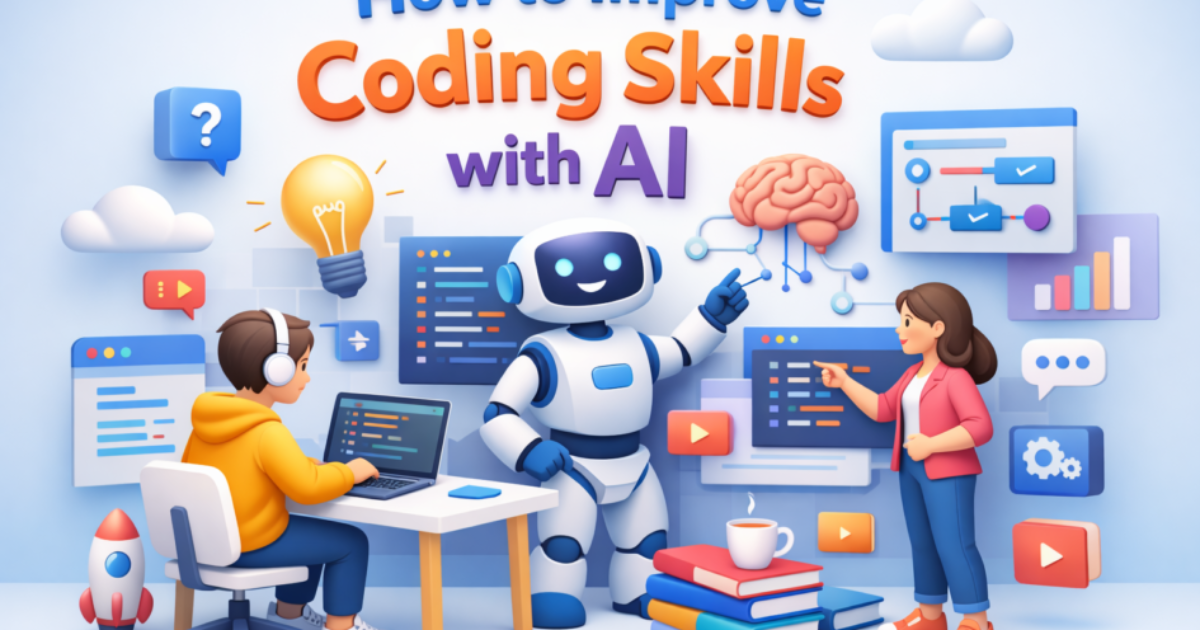
How to Improve Coding Skills with AI 2026
How to improve coding skills with AI — that’s exactly what I searched when I realized something wasn’t working.
I was coding every day… or at least I thought I was.
Watching tutorials, copying snippets, following along.
But the moment I tried to build something on my own?
Everything collapsed.
That’s when I understood a hard truth — I wasn’t improving coding skills, I was just consuming content.
Then AI entered my workflow.
Not as a shortcut… but as a learning partner.
And honestly, that’s where things started to shift.
What This Article Will NOT Do
-
This is NOT a list of random AI tools
-
This will NOT promise “learn coding in 7 days”
-
This is NOT beginner theory
This is real, tested, Peplio-style learning using AI — especially for global developers trying to compete in high-level markets.
Peplio Reality Check
-
Expected: AI will make coding easier
-
Happened: AI exposed how weak my fundamentals were
-
Surprised: AI became my best coding teacher, not just a tool
Why AI is Changing How Developers Learn (Global Perspective)
In global markets like the US, UK, and Europe, developers aren’t just coding — they’re solving problems faster.
AI is now part of that workflow.
If you’re not using AI to improve coding skills, you’re competing at a disadvantage. If you’re also trying to grow globally, understanding how traffic works is important — here’s how I approached it in my guide on how to increase website traffic
But here’s the catch…
Most people use AI wrong.
They use it to generate code, not to learn coding.
Big mistake.
The Peplio Rule: Don’t Use AI to Replace Thinking
Let me be blunt.
If you’re just copying AI-generated code, your coding skills will decrease, not improve.
Instead, use this rule:
👉 AI should challenge your thinking, not replace it.
🧪 Peplio Experiment #1: AI as a Coding Mentor
Goal: Improve problem-solving skills Action: Asked AI to explain code instead of generating full solutions Result: Better understanding of logic Next Change: Started asking “why” and “what if” questions
1. Learn Coding with AI by Asking Better Questions
Most developers ask AI:
“Write a Python function for sorting.”
That’s lazy learning.
Instead, try this:
-
“Explain how sorting algorithms work step by step”
-
“Why is quicksort faster than bubble sort?”
-
“What happens if input size increases?”
Now AI becomes a teacher, not a shortcut.
2. Break Problems Before Solving Them
Global developers are strong because they think before coding.
Use AI like this:
-
Paste a problem
-
Ask AI to break it into steps
-
Try solving each step yourself
This builds real coding skills.
🧪 Peplio Experiment #2: Step-by-Step Coding
Goal: Stop relying on full solutions Action: Used AI only for hints, not answers Result: Slower progress, but deeper learning Next Change: Timed practice sessions
3. Use AI for Code Review (Game Changer)
This is where AI becomes powerful.
After writing your code, ask:
-
“What are the mistakes in this code?”
-
“How can I optimize this?”
-
“Is this production-ready?”
AI will point out:
-
Logic errors
-
Performance issues
-
Bad practices
This is how global developers improve fast.
4. Build Projects with AI — But Smartly
Here’s what most people do:
👉 “Build me a full website”
Wrong approach.
Instead:
-
Build project yourself
-
Use AI only when stuck
-
Ask for explanations, not solutions
Peplio Shortcut: The 70-30 Rule
-
70% effort → You
-
30% help → AI
This balance is key to improving coding skills with AI.
5. Practice Coding Daily with AI Challenges
Ask AI to generate:
-
Beginner problems
-
Intermediate challenges
-
Real-world scenarios
Example:
“Give me a backend API challenge with increasing difficulty”
Then solve it step by step. You can also practice real-world coding challenges on platforms like LeetCode to strengthen your problem-solving skills alongside AI guidance.
🧪 Peplio Experiment #3: Daily AI Practice
Goal: Build consistency Action: Solved 3 AI-generated problems daily Result: Improved logic speed Next Change: Focused on weak areas
6. Learn Debugging with AI (Underrated Skill)
Debugging is where real developers shine.
Instead of fixing errors instantly, ask AI:
-
“Why is this error happening?”
-
“What’s the root cause?”
-
“How can I avoid this in future?”
This builds deep understanding.
7. Use AI to Understand Global Coding Standards
If you want global traffic, global clients, or global jobs…
Your code must meet global standards. To understand industry-level coding standards, refer to official documentation like MDN Web Docs, which global developers rely on.
Ask AI:
-
“Is this code following best practices?”
-
“How would a senior developer write this?”
-
“Is this scalable?”
8. Build a Learning Loop (Peplio System)
Here’s the system that worked for me:
-
Learn concept
-
Try coding
-
Get stuck
-
Ask AI
-
Understand deeply
-
Repeat
This loop compounds your coding skills.
If you’re a solo developer with no audience, no money, and only a laptop…
AI is your biggest advantage.
You don’t need expensive courses.
You don’t need mentors.
You just need the right approach.
Common Mistakes While Using AI for Coding
Let’s be honest… I made these too.
-
Copy-pasting code blindly
-
Not understanding logic
-
Overusing AI for simple tasks
-
Skipping fundamentals
These kill long-term growth.
How to Actually Improve Programming Skills Fast
Here’s what worked for me (Peplio-style decisions):
What others suggest:
“Use AI to generate code quickly”
Why I didn’t:
It reduces thinking ability
What I did:
Used AI for explanations, debugging, and learning
AI Coding Tools You Can Use (Global Focus)
-
ChatGPT (for explanations & learning)
-
GitHub Copilot (for suggestions)
-
Codeium (free AI coding assistant)
-
Replit AI (interactive coding help)
But remember…
Tools don’t improve coding skills.
Usage does.
Questions I struggled with while building Peplio
1. Can AI replace developers? No. But developers using AI will replace those who don’t.
2. How long does it take to improve coding skills? Depends on practice, not time.
3. Should beginners use AI? Yes — but only as a teacher, not a shortcut.
SEO + SERP + AI Overview Strategy (Behind This Article)
This article is designed to rank globally by:
-
Targeting the keyword: how to improve coding skills with AI
-
Using LSI keywords naturally
-
Providing real experience (E-E-A-T)
-
Structuring for AI Overview (clear answers + sections)
-
Avoiding generic content
Final Thoughts (What I’m Testing Next)
Right now, I’m testing something new:
👉 Using AI to simulate real coding interviews
Because coding skill isn’t just about writing code…
It’s about thinking under pressure.
One Action for You
Don’t read more articles.
Open your code editor.
Pick one problem.
Use AI the right way.
That’s where real growth starts.