
SimilarWeb Traffic Checker — How I Used It to Grow Peplio (2026 Guide)
Last updated: September 2026
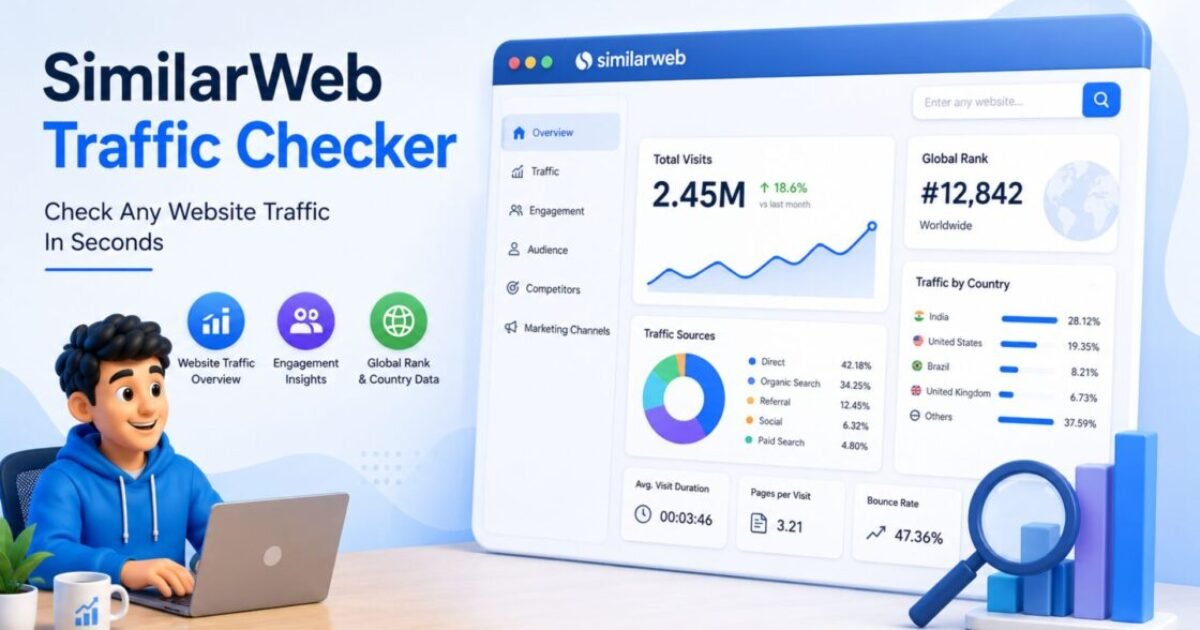
The SimilarWeb traffic checker is a free tool that estimates any website’s monthly visitors, traffic sources, top keywords, and audience geography — no login or account required. Go to similarweb.com, type any domain, and get a full traffic intelligence report instantly. It works on any competitor’s website, not just your own.
Let me be honest about what happened the first time I opened the SimilarWeb traffic checker.
I typed in a competitor’s URL, saw millions of monthly visits, and thought: “I’ll just copy what they’re doing.” I spent two months doing exactly that. Zero results. Not because the SimilarWeb traffic checker was wrong — because I was reading the data completely wrong.
Three experiments later, I figured out the right way to use the SimilarWeb traffic checker to actually grow Peplio. This guide covers all of it — including the experiment that failed embarrassingly — so you don’t waste two months like I did.
In Episode 2 of Peplio Originals, Sougan told Mitu to stop guessing what the café next door was doing and start reading the data. SimilarWeb is exactly that — the data tool Sougan would open first before making any move.
If you want the full picture of free tools for competitor research, also read my guide on the best free SEO tools for beginners. And if you’re wondering why organic traffic matters at all, start with why is SEO important in 2026.
- What is the SimilarWeb traffic checker and what does it show?
- Free vs paid — what you actually get for free
- How to use the SimilarWeb traffic checker step by step
- Experiment 1 — What failed when I copied competitors
- Experiment 2 — Traffic source shift that actually worked
- Experiment 3 — Using country data to target US audiences
- How accurate is the SimilarWeb traffic checker?
- SimilarWeb alternatives — quick comparison
- People also asked
- Full FAQ
What Is the SimilarWeb Traffic Checker and What Does It Actually Show?
The SimilarWeb traffic checker is a free web analytics tool that estimates any website’s monthly traffic, traffic sources, top keywords, audience geography, and competitor benchmarks — without needing access to that website’s internal analytics.
You type in any domain. The SimilarWeb traffic checker returns a full traffic intelligence report based on its panel data, ISP partnerships, and machine learning models. This is what makes it completely different from Google Analytics or Google Search Console — those tools only show data about your own website. The SimilarWeb traffic checker shows estimated data about any website. That is the core use case: competitive intelligence.
Here is exactly what the free SimilarWeb traffic checker shows for any domain:
- Total monthly visits — estimated traffic volume for the last 3 months
- Traffic source breakdown — split across direct, search, social, referral, email, and display
- Top traffic countries — which countries send the most visitors
- Engagement metrics — bounce rate, average visit duration, pages per visit
- Top 5 organic and paid keywords — search terms driving the most traffic (top 5 on free plan)
- Top 5 referring websites — which sites are sending referral traffic
- Similar websites — competitors and related sites in the same niche
For a solo creator or small business with no budget for paid tools, the free SimilarWeb traffic checker gives more competitive intelligence than any other free option I have tested. The data is estimated — not exact — but the patterns are reliable enough to build real strategy from. I will prove this with three actual experiments below.
SimilarWeb Traffic Checker Free vs Paid — What You Get Without Spending a Rupee
Before diving into how to use the SimilarWeb traffic checker, here is an honest breakdown of what is and isn’t available on the free plan — so you know exactly what you are working with.
| Feature | Free Plan | Paid Plan |
|---|---|---|
| Monthly traffic estimate | ✅ Last 3 months | ✅ Up to 36 months |
| Traffic source breakdown | ✅ All 6 channels | ✅ Full detail |
| Top keywords | ⚠️ Top 5 only | ✅ Full keyword list |
| Referring websites | ⚠️ Top 5 only | ✅ Full list |
| Country traffic breakdown | ✅ Top 5 countries | ✅ All countries |
| Audience demographics | ❌ Not available | ✅ Age, gender, interests |
| Account required | ❌ No login needed | ✅ Yes |
My honest assessment: the free SimilarWeb traffic checker gives you more than enough to make strategic decisions. The traffic source breakdown and country data are the two most valuable sections — and both are fully available without paying. The keyword limit of top 5 is a real constraint, but for identifying patterns rather than building keyword lists, it is completely sufficient for a growing site.
How to Use the SimilarWeb Traffic Checker — My Step-by-Step Workflow
Here is the exact workflow I follow every time I use the SimilarWeb traffic checker. This took me three failed experiments to develop — the order matters more than most guides tell you.
Step 1 — Open the SimilarWeb Traffic Checker and Pick the Right Competitor
Go to similarweb.com and type a competitor domain into the search bar. No account needed. The key: choose a site that is 2–3x larger than yours — not the biggest player in your niche. You want a competitor you can realistically learn from, not one so large that their strategy is irrelevant to where you are right now.
Step 2 — Check the Traffic Source Breakdown First (Not Total Visits)
This is the single most important habit when using the SimilarWeb traffic checker. Most beginners look at total monthly visits first. That number is interesting but not actionable. The traffic source breakdown — direct, search, social, referral, email, display — tells you how a site actually grew.
Step 3 — Check Top Traffic Countries
The SimilarWeb traffic checker shows which countries send the most visitors to any site. For Peplio, I target US and UK audiences for higher AdSense RPM. Checking which competitors were already getting US/UK-majority traffic showed me exactly what content format those audiences preferred — actionable numbered guides, comparison tables, and direct answers — versus the more general content that dominated Indian traffic patterns.
Step 4 — Read the Top 5 Keywords for Intent Patterns (Not Keyword Ideas)
The free SimilarWeb traffic checker shows only five organic keywords. Do not use these to build a keyword list — use them to identify intent patterns. If three of the five keywords are “free [tool] no login” variants, that tells you the audience is tool-oriented and prefers zero friction. That pattern is more useful than any single keyword for strategic planning.
Step 5 — Use “Similar Sites” for Competitor Discovery
The Similar Sites section of the SimilarWeb traffic checker is the most underused feature. It surfaces competitors you may never find through Google search — sites in the same niche with similar traffic profiles but ranking for completely different keywords. I have found several key Peplio competitors through this section that I had never come across in search results.
Peplio Experiment 1 — What Happened When I Used the SimilarWeb Traffic Checker to Copy Competitors
This is the mistake almost everyone makes with the SimilarWeb traffic checker — and the one I made first.
I was copying topics without understanding why those sites ranked for them. A site with 500,000 monthly visits and hundreds of backlinks ranking for “best SEO tools” is not a template — it is the result of years of authority building. The SimilarWeb traffic checker shows you what is working for a site at its current stage. It does not tell you whether that same thing is possible for you right now.
The right question is not: “What are they writing about?”
The right question is: “How are they distributing content, and is there a version of that strategy I can execute today?”
Peplio Experiment 2 — The Traffic Source Shift That Actually Worked
After the failed copying experiment, I went back to the SimilarWeb traffic checker and looked only at traffic sources across five competitors — ignoring their content entirely.
The fastest-growing competitors were not SEO-only sites. They were getting 20–35% of traffic from referral sources — Reddit, Quora, niche forums, and guest posts on larger blogs. Their search traffic was growing, but referral traffic was what spiked first and fastest.
What I did: I shifted from writing more articles to building distribution. I identified which referral sources appeared most consistently across multiple competitors in the SimilarWeb traffic checker data — Reddit (r/SEO, r/blogging, r/artificial) and Quora were the most common. I started contributing genuinely useful answers in those communities, with relevant Peplio pages linked as resources where appropriate.
Result: First real traffic spike within 6 weeks. Not massive — but the first sign that distribution mattered as much as content quality. The SimilarWeb traffic checker traffic source data gave me a map of where to go. I just had to actually go there.
The lesson: For a new site, search traffic takes months. Referral traffic can start within weeks if you go where your audience already is. The SimilarWeb traffic checker’s source breakdown is the fastest path to identifying those channels — and it is completely free. This is the same insight I cover in my guide on how to build micro-tool website traffic.
Peplio Experiment 3 — Using SimilarWeb Traffic Checker Country Data to Win US Audiences
One of the most underrated features of the SimilarWeb traffic checker is country-level traffic data. This experiment changed Peplio’s revenue-per-visitor significantly — without any increase in total traffic.
What I found: When I checked country breakdowns on competitors getting strong US and UK traffic through the SimilarWeb traffic checker, their content had specific structural differences from competitors getting mostly Indian traffic:
- Direct answer in first paragraph
- Specific data citations with sources
- Actionable numbered steps
- Comparison tables
- Short intros — under 100 words
- Long general introductions
- Fewer specific statistics
- Explanatory rather than actionable
- Minimal comparison content
- Broad topic coverage
What I did: I rewrote the intros and structures of Peplio’s best-performing articles to match the patterns the SimilarWeb traffic checker data pointed toward for US/UK audiences. Shorter introductions, direct answers earlier, data citations, and comparison tables where relevant.
Result: US impressions in Google Search Console improved within 60 days. US traffic went from near-zero to becoming Peplio’s second-largest traffic source by country. More importantly, US visitors have a significantly higher AdSense RPM — which directly improved revenue per visitor even as total traffic grew modestly. The SimilarWeb traffic checker country data is not a vanity metric. It is a content format signal.
How Accurate Is the SimilarWeb Traffic Checker? The Honest Answer
This is the most common question about the SimilarWeb traffic checker, and the honest answer is: accurate enough for strategic decisions, not accurate enough for financial planning.
According to Semrush’s independent analysis and multiple accuracy studies, SimilarWeb estimates are generally within 10–20% of actual traffic for larger websites (100,000+ monthly visits). For smaller websites under 50,000 monthly visits, accuracy drops — some sites will show estimates significantly higher or lower than actual.
SimilarWeb uses a combination of:
- Panel data from users with the SimilarWeb browser extension installed
- ISP-level data partnerships
- Machine learning models to fill gaps and estimate patterns
For Peplio — a relatively new site — I treat SimilarWeb traffic checker data as directional rather than precise. If SimilarWeb shows a competitor getting 80% of traffic from search and 10% from social, I trust that pattern even if the absolute visitor number is off by 30%. The ratios are reliable. The exact numbers are estimates.
This is why the workflow I described focuses on traffic source ratios and country distributions rather than raw visit counts. Those ratios are far more stable and reliable across SimilarWeb’s estimation methodology than absolute numbers — and they are the most actionable data for building strategy anyway.
SimilarWeb Traffic Checker Alternatives — Quick Comparison for 2026
The SimilarWeb traffic checker is not the only option for competitive traffic research. Here is how it compares to the main alternatives I have personally tested while building Peplio.
| Tool | Free Plan | Best For | Accuracy |
|---|---|---|---|
| SimilarWeb Traffic Checker | ✅ Yes, no login | Traffic sources + country data | Medium (patterns reliable) |
| Ahrefs | ⚠️ Very limited | Backlinks + keyword depth | High for SEO data |
| Semrush | ⚠️ 10 queries/day | Keyword + competitor SEO | High for organic keywords |
| Ubersuggest | ✅ 3 searches/day | Beginners, keyword ideas | Medium |
| Google Search Console | ✅ Fully free | Your own site only | Exact (your site only) |
My recommendation: use the SimilarWeb traffic checker for competitive intelligence and Google Search Console for your own site performance. They answer different questions and together give a far more complete picture than either alone. For a full breakdown of every free tool I use, read my guide on the best free SEO tools for beginners.
I wasted 2 months copying competitors before I realised I was reading SimilarWeb wrong.
The number most people look at first — total monthly visits — is the least useful number on the page. What changed everything for Peplio was looking at the traffic source split. One competitor had 35% referral traffic. That told me they were getting links and community mentions, not just ranking. I shifted my focus from writing more articles to building distribution — and got my first real traffic spike in 6 weeks. Look at sources first. Always.
My Honest Opinion: The Right and Wrong Way to Use the SimilarWeb Traffic Checker
After three years of using the SimilarWeb traffic checker while building Peplio, here is my honest summary: it is one of the most useful free tools available for competitive research, and most people use it completely wrong.
The mistake is treating it as a content research tool — looking at what competitors write about and trying to replicate it. The right use is treating it as a distribution intelligence tool — understanding how competitors acquire traffic and which channels are worth investing in at your current stage.
Start with traffic sources. Then country data. Then keywords — and when you look at keywords, look for intent patterns, not specific terms to copy. That workflow took me three experiments and six wasted months to develop. Now you have it for free.
- The SimilarWeb traffic checker is free with no account or login required
- Check traffic source breakdown first — it is the most actionable data for any growing site
- Country data reveals content format preferences, not just geographic targeting
- Use SimilarWeb to decode competitor distribution patterns, not to copy content topics
- Traffic estimates are directional — accurate for strategy, not for financial planning
- Referral traffic from SimilarWeb data is the fastest growth lever for new sites — search takes months, referral can start in weeks
- Combine the SimilarWeb traffic checker with Google Search Console for a complete market picture
People Also Asked About the SimilarWeb Traffic Checker
Can I check any website’s traffic for free with SimilarWeb?
Yes — the SimilarWeb traffic checker is completely free for basic use with no login required. Simply go to similarweb.com and type any domain. You will get monthly traffic estimates, traffic source breakdown across 6 channels, top 5 countries, and top 5 organic keywords — all without creating an account. This is enough data to make real strategic decisions for most small business owners and bloggers.
Is SimilarWeb more accurate than Ahrefs or Semrush for traffic estimates?
Not necessarily. According to Ahrefs’ own accuracy research, each tool uses different methodologies and each has blind spots. The SimilarWeb traffic checker is stronger for overall traffic source breakdown and multi-channel data. Ahrefs and Semrush are stronger for organic keyword-level accuracy. For most solo creators, SimilarWeb’s free plan gives better multi-channel insight while Ahrefs/Semrush give better keyword-level detail. Use both if possible — they answer different questions. Read my full breakdown in the free SEO tools guide.
Does SimilarWeb show AI referral traffic from ChatGPT or Perplexity?
Not reliably. The SimilarWeb traffic checker categorises most AI tool referral traffic under “referral” or “direct” — it does not yet distinguish ChatGPT.com or Perplexity.ai as separate tracked sources in most reports. For monitoring AI referral traffic specifically, use Google Analytics 4 filtered for those domains, or use Peplio’s free AI Visibility Tracker to check whether AI tools are actively recommending your site.
Frequently Asked Questions — SimilarWeb Traffic Checker
Is the SimilarWeb traffic checker free to use?
Yes — the basic SimilarWeb traffic checker is completely free with no account required. The free plan shows monthly traffic estimates for the last 3 months, traffic source breakdown across all 6 channels, top 5 traffic countries, top 5 organic keywords, and top 5 referring sites. For most solo bloggers and small business owners, the free plan provides more than enough data to make strategic decisions about content and distribution.
How accurate is the SimilarWeb traffic checker?
The SimilarWeb traffic checker is generally accurate within 10–20% for mid-to-large websites (100,000+ monthly visits). For smaller websites under 50,000 monthly visits, estimates are less reliable. Traffic source ratios and country distributions are more accurate than absolute visit counts — treat the numbers as directional estimates rather than precise measurements. For your own website, Google Search Console provides exact data and should always be your primary self-analysis source.
What is the best way to use the SimilarWeb traffic checker for a new website?
For a new website, the most valuable use of the SimilarWeb traffic checker is analysing competitor traffic sources — not their content topics. Look at how established competitors in your niche are getting traffic: what percentage comes from search vs referral vs social vs direct. Referral and social traffic can be built significantly faster than search traffic for a new site, making this data immediately actionable in a way that keyword research alone is not.
Can the SimilarWeb traffic checker check my own website’s traffic?
Yes — you can enter your own domain into the SimilarWeb traffic checker to see how it estimates your traffic. However, this is not recommended as your primary self-analysis tool. Google Search Console (free, exact keyword and impression data) and Google Analytics 4 (free, exact traffic source and user behaviour data) give you precise real data rather than estimates. Use SimilarWeb for competitor research and GSC/GA4 for your own site performance.
What is the difference between SimilarWeb and Google Analytics?
The core difference: the SimilarWeb traffic checker shows estimated data for any website — including competitors — while Google Analytics only shows exact data for your own website. SimilarWeb is a competitive intelligence tool. Google Analytics is a self-analytics tool. They serve completely different purposes and should both be in your toolkit. SimilarWeb estimates patterns using panel and ISP data. Google Analytics tracks exact visitor behaviour using a JavaScript tag installed on your site.
Does SimilarWeb show keyword rankings or just traffic estimates?
The SimilarWeb traffic checker free plan shows the top 5 organic and paid keywords driving traffic to any site — these are keywords the site currently gets traffic from, not all the keywords it ranks for. For a full keyword ranking list, you would need Ahrefs, Semrush, or Google Search Console (for your own site only). Use SimilarWeb keyword data to identify intent patterns rather than building a target keyword list — it is more valuable used that way at the free plan’s data limit.
Final Thoughts — How to Actually Use the SimilarWeb Traffic Checker to Grow
The SimilarWeb traffic checker is genuinely one of the most useful free tools available for competitive research. The mistake most people make — the one I made — is using it as a content idea tool. It is not. It is a distribution intelligence tool.
Open the SimilarWeb traffic checker right now, pick one competitor that is 2–3x larger than your site, and check their traffic source breakdown. That single data point will tell you more about how to grow than a week of reading SEO blogs.
For your next steps: understand why SEO is important as the long-term foundation, then explore how to choose low-competition keywords to find the gaps your competitors are missing. And if you want to know whether AI tools are already sending traffic your way, check your AI visibility for free.
- 9 Best Free SEO Tools for Beginners (2026)
- Why Is SEO Important? 10 Brutally Honest Reasons Your Blog Is Invisible Without It
- How to Choose Low-Competition Keywords — My Exact Free Method
- What Does Google Analytics Do? Complete GA4 Guide (2026)
- Why Your Blog Is Not Getting Traffic — Real Reasons + Fixes
- How to Build Micro-Tool Website Traffic in 2026
- AEO vs SEO vs GEO — The Complete 2026 Comparison Guide


Digital Marketing for Beginners: The Complete 2026 Guide That Actually Makes Sense
September 23, 2026 @ 4:38 am
[…] Peplio Similarweb Traffic Checker […]