
 A
AAllSubConverter
Free subtitle converter and toolkit for SRT, VTT, ASS and more.
Peplio's take
Most online subtitle converters do one job and upload your file to their server. AllSubConverter takes a smarter approach: one workspace where your file moves through every step, from format conversion to timing fixes to translation, without jumping between five different sites.
The privacy-first design is the real standout. Standard tools run locally in the browser, and the AI tools use a bring-your-own-key model, so there’s no middleman holding your files or your content. That’s a big plus for creators and translators working with unreleased videos.
The trade-off is that AI features need your own API key, which may confuse non-technical users. With 117+ tools, beginners might also take a minute to find their way around. Best for content creators, subtitle translators, video editors and developers working with subtitle files.
Tested by Sougan Kumar Mandi, October 2026
What is AllSubConverter?
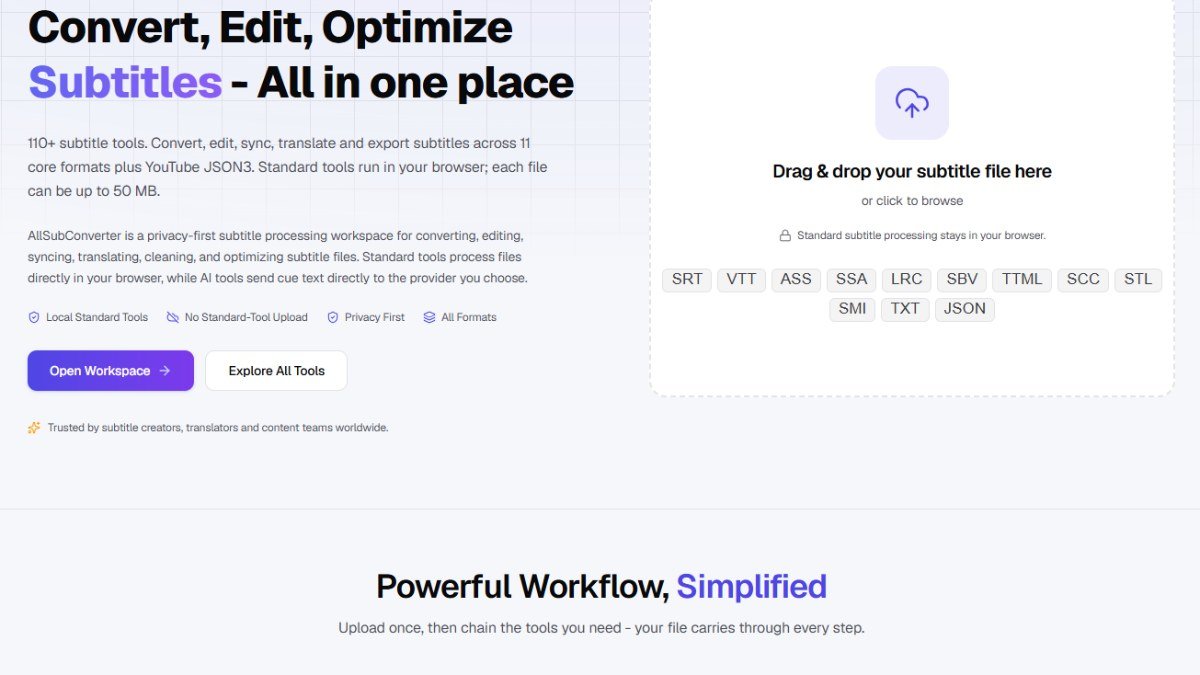
AllSubConverter is a free, browser-based toolkit designed for comprehensive subtitle file management. It offers a wide array of tools for converting, editing, cleaning, syncing, translating, and optimizing subtitle files. The platform supports numerous formats including SRT, VTT, ASS, SSA, LRC, TTML, SCC, STL, and YouTube JSON, catering to a variety of user needs.
This tool is ideal for subtitle creators, translators, developers, and language learners who frequently work with subtitle files. Whether you need to change file formats, correct text and timing issues, synchronize subtitles with video, or enhance their quality, AllSubConverter provides a centralized solution. Its privacy-first approach ensures that standard subtitle processing occurs directly within your browser, meaning your files remain on your device.
Key features include over 40 conversion routes, more than 30 editing, syncing, QA, and AI tools, and batch workflow capabilities. Users can chain multiple tools together for a powerful, simplified workflow. The platform emphasizes local processing for standard tools, offering speed, privacy, and offline functionality. AI tools are available, but they send only cue text and an API key to the chosen provider.
Getting started is straightforward. Users can drag and drop their subtitle files directly into the workspace or browse to upload them. Once uploaded, they can select from the extensive list of tools to convert, edit, sync, enhance, or analyze their subtitle files before exporting them in the desired format.
Key features
- 117+ subtitle toolsConvert, edit, sync, clean, translate and export subtitles in one place.
- 11 core formatsSupports SRT, VTT, ASS, SSA, LRC, SBV, TTML, SCC, STL, SMI, TXT and YouTube JSON3.
- Local processingStandard tools run in your browser, so subtitle files are never uploaded.
- Works offlineMany tools keep working even without an internet connection.
- Chained workflowUpload once and pass your file through convert, edit, enhance and export steps.
- Sync and timing toolsShift timestamps, adjust speed, resync and convert frame rates.
- Clean and fixRemove duplicates, fix spacing, repair timing and balance subtitle lines.
- AI translatorTranslate subtitles into 19 languages using your own API key.
- AI rewriter and annotatorImprove or shorten dialogue and add furigana, pinyin or ruby annotations.
- QA and analysisCheck reading speed, overlaps, timing and consistency before publishing.
- Batch processingProcess multiple subtitle files at once in the workspace.
Who should use AllSubConverter?
- YouTubers and video creators adding subtitles
- Subtitle translators working on multilingual content
- Video editors who need to fix subtitle timing
- Language learners using subtitles with annotations
- Developers handling subtitle file formats
- Anyone converting SRT, VTT or ASS files privately
How to use AllSubConverter
- Open AllSubConverter and click Open Workspace
- Drag and drop your subtitle file or click to browse
- Choose a tool like Convert, Edit, Sync or Translate
- Chain more tools if needed, your file carries through every step
- Preview the result in the live preview panel
- Export the finished subtitles in the format you need
AllSubConverter FAQ
Is AllSubConverter free?
Yes, the standard subtitle tools are free. A Pro plan is available for extra features.
Does AllSubConverter upload my subtitle files?
No. Standard tools run in your browser, so your files stay on your device.
Which subtitle formats does AllSubConverter support?
SRT, VTT, ASS, SSA, LRC, SBV, TTML, SCC, STL, SMI, TXT and YouTube JSON3.
How do the AI subtitle tools work?
You add your own API key, and requests go directly from your browser to the AI provider.
Free alternatives to AllSubConverter
See all Video and audio toolsAllSubConverter is listed as a free alternative to Subtitle Edit, Aegisub, Subtitle Tools, Kapwing subtitle editor. Here are more free tools from the PeplioHUB community.
 C Companies Builder : Free AI SEO & Performance AuditorCompanies Builder offers a free AI-powered SEO and performance auditor. Paste your website URL and it instantly analyses your Core Web Vitals,...Other
 A AI Visibility TrackerAI Visibility Tracker helps you check if your website or content is being cited by AI tools like ChatGPT, Perplexity, and Google...SEO
 M MangaTranslate Review: AI Comic and Manga TranslatorAI comic translator that reads, translates and re-letters manga dialogue in imagesAI tools
 Z ZOQENA Coverage Gap CalculatorFree calculators to see how much revenue missed calls and failed payments cost youMarketing
Reviews from makers
Makers who list on PeplioHUB test each other's tools. Be the first to review AllSubConverter.
Have you tried AllSubConverter?
Share what worked, what did not, or ask the maker a question.