
 U
UUseFreeTools Image Compressor
Prepare smaller JPG, PNG and WebP images without an upload...
Peplio's take
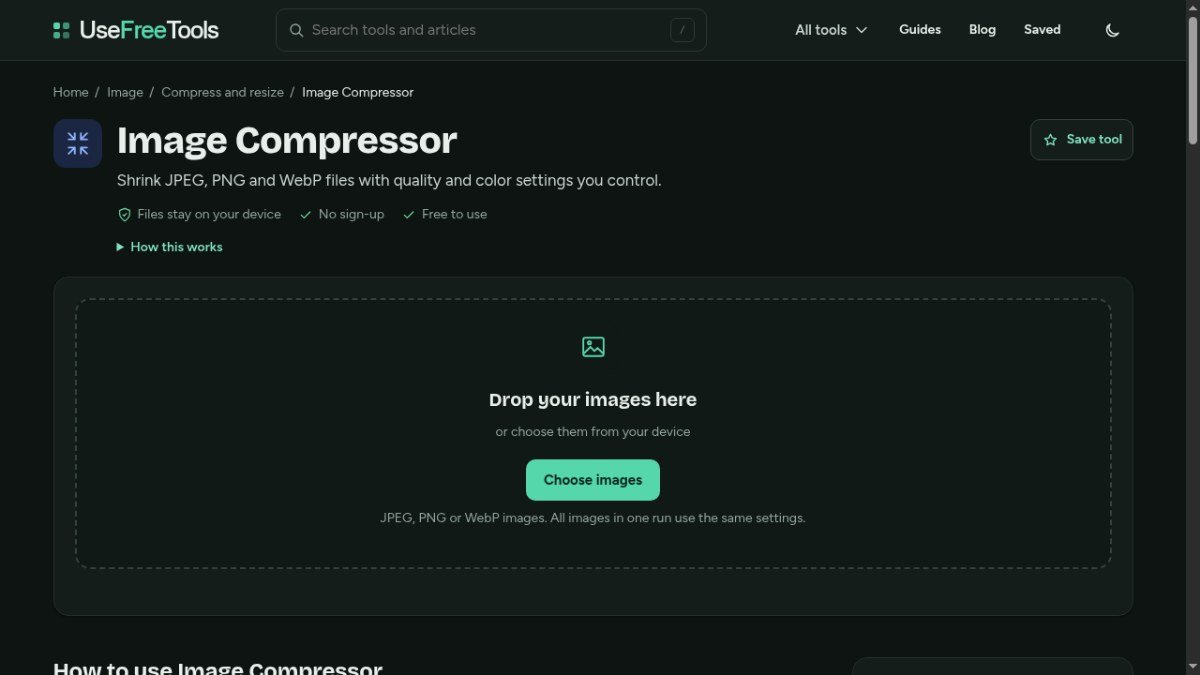
Most image compressors either upload your photos to their server or hide the settings behind a single “compress” button. This tool does both things better: it works in your browser and gives you real control over quality, format, size and colors.
Two features stand out. The target size option is great for anyone who needs an image under a specific limit, like a form upload or email attachment. The option to remove location data is a smart privacy touch, since many photos quietly carry GPS details. The page also explains clearly why PNGs sometimes don’t shrink, which saves a lot of confusion.
The trade-off is that PNG compression works mainly by reducing colors, which can cause slight banding on photos and gradients, and all images in one batch use the same settings. Best for bloggers, website owners, students and anyone who needs smaller images quickly and privately.
Tested by Sougan Kumar Mandi, October 2026
What is UseFreeTools Image Compressor?
UseFreeTools Image Compressor is a web-based tool designed to help you reduce the file size of your images without needing to upload them to a server. This is particularly useful for bloggers, creators, and marketers who need to optimize images for websites, social media, or email newsletters. By compressing images, you can improve page load times, save bandwidth, and ensure a better user experience for your audience.
The tool addresses the common problem of large image files slowing down websites and consuming storage space. It allows you to select JPEG, PNG, or WebP files directly from your device and adjust compression settings like quality and color options. Since the processing happens entirely in your browser, your images remain private and secure on your local machine, and there's no need to create an account to use it.
Best forBloggers, creators, and marketers who need to quickly reduce image file sizes for web use without uploading files or signing up.
Key features
- Compress JPEG, PNG, and WebP filesReduce the size of common image formats.
- Adjustable quality settingsControl the level of compression for JPEG and WebP images.
- PNG color optionsChoose between full color (lossless) or fewer colors (lossy) for PNGs.
- Batch processingCompress up to 20 images in a single run.
- No upload requiredImages are processed directly in your browser for privacy.
- No sign-up neededStart compressing images immediately without an account.
Who should use UseFreeTools Image Compressor?
- Optimizing photos for a blog post to improve page load speed.
- Shrinking PNG graphics for a website banner.
- Reducing the file size of product images for an online store.
- Preparing images for social media sharing to save data.
How to use UseFreeTools Image Compressor
- Select your image files (JPEG, PNG, or WebP) or drag and drop them into the tool.
- Adjust the quality slider for JPEG/WebP or choose PNG color options if needed.
- Select your desired output format or keep the original.
- Click 'Compress' and then download the compressed images, usually in a ZIP file.
UseFreeTools Image Compressor FAQ
Is UseFreeTools Image Compressor really free to use?
Yes, the tool is completely free to use. There are no hidden costs or premium features locked behind a paywall.
Who would benefit most from this image compressor?
This tool is ideal for bloggers, website owners, content creators, and digital marketers who frequently need to optimize images for web performance and storage.
Do I need to upload my images to use this tool?
No, you do not need to upload your images. The image compression happens directly in your web browser, ensuring your files stay on your device.
What image formats does it support?
It supports common web image formats including JPEG, PNG, and WebP. You can also choose to convert between these formats during compression.
Free alternatives to UseFreeTools Image Compressor
See all Other toolsUseFreeTools Image Compressor is listed as a free alternative to TinyPNG, Squoosh, Compressor.io, iLoveIMG. Here are more free tools from the PeplioHUB community.
 C Companies Builder : Free AI SEO & Performance AuditorCompanies Builder offers a free AI-powered SEO and performance auditor. Paste your website URL and it instantly analyses your Core Web Vitals,...Other
 T Telescopios Inteligentes: Free Smart Telescope Guide for SpainFree Spanish editorial guide comparing smart telescopes: prices with VAT, stock, optics, aOther
D Dcmat’s Tool SubmissionRoyaleTools is a free Clash Royale toolkit by Dcmat: Daily Brief, deck finder, war decks,Other
T Telescopios Inteligentes: Free Smart Telescope Guide for SpainFree Spanish editorial guide comparing smart telescopes: prices with VAT, stock, optics, aOther
D Dcmat’s Tool SubmissionRoyaleTools is a free Clash Royale toolkit by Dcmat: Daily Brief, deck finder, war decks,Other
 S Shipcheck : Free Pre-Launch Page Checker by TaskDiversShipcheck is a free pre-launch page checker built by TaskDivers. Paste any public URL and it runs 13 deterministic checks covering reachability,...Other
 F FailFlowFast date calculators and practical utilities.Other
A AI Visibility TrackerAI Visibility Tracker helps you check if your website or content is being cited by AI tools like ChatGPT, Perplexity, and Google...SEO
F FailFlowFast date calculators and practical utilities.Other
A AI Visibility TrackerAI Visibility Tracker helps you check if your website or content is being cited by AI tools like ChatGPT, Perplexity, and Google...SEO
Reviews from makers
Makers who list on PeplioHUB test each other's tools. Be the first to review UseFreeTools Image Compressor.
Have you tried UseFreeTools Image Compressor?
Share what worked, what did not, or ask the maker a question.