
 V
VVidmoat
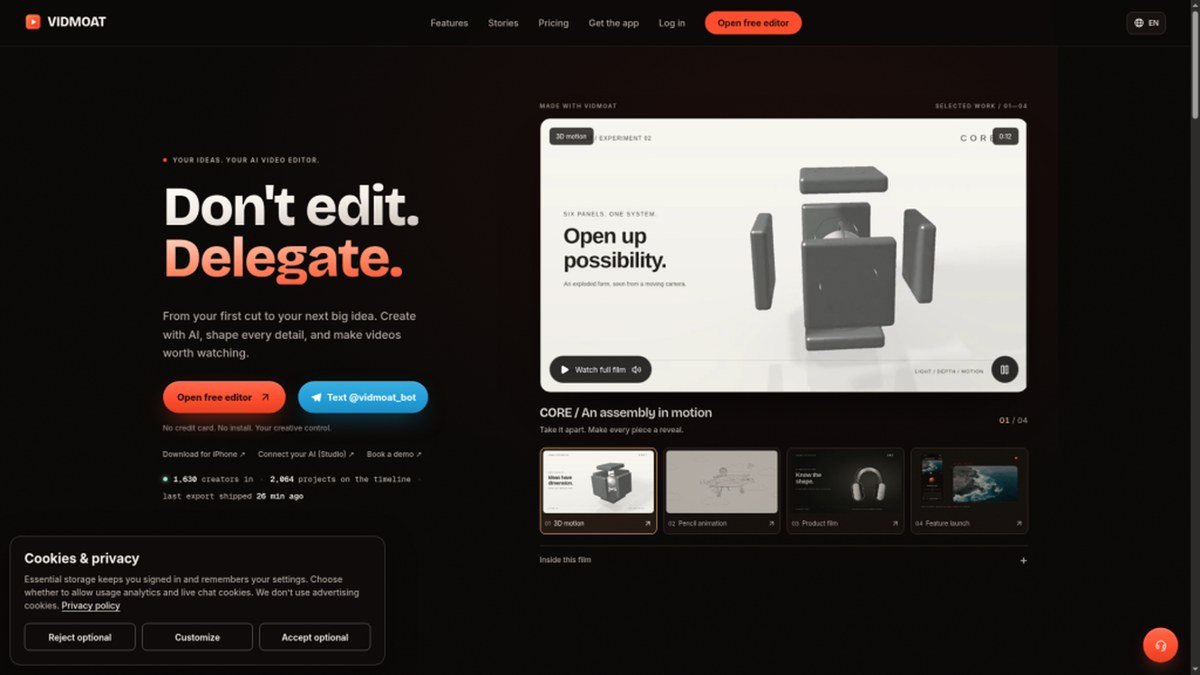
Hosted AI video editor with a real, reviewable timeline...
Peplio's take
AI video tools usually fall into two camps: fully automatic ones that give you a finished video you can’t fix, and manual editors that still take hours. Vidmoat sits in the middle, and that’s its strength. The agent does the boring work, but everything shows up on a normal timeline where you can adjust it.
The live call feature is the most unique part. Talking through an edit while the agent makes changes feels more like working with a real editor than typing prompts. Showing credit costs before every AI action is also a fair touch, since surprise credit drain is a common complaint with AI tools.
The trade-off is that the free plan exports only 720p with a watermark and limits projects, so serious creators will need the Creator plan. Best for YouTubers, podcasters, social media creators, gaming streamers and small teams making lots of short videos.
Tested by Sougan Kumar Mandi, October 2026
What is Vidmoat?
Vidmoat is a hosted AI video editor that simplifies the video creation process. Instead of navigating complex timelines and tools, you simply describe the edits you want in plain English. An AI agent then interprets your instructions, such as adding captions, removing silence, or reframing for social media, and applies them to a real, reviewable multi-track timeline.
This tool solves the problem of steep learning curves and time-consuming manual editing in traditional video software. Whether you're a beginner or an experienced creator looking for efficiency, Vidmoat allows you to delegate editing tasks. You can start edits in the web app, send clips to a Telegram bot, or even connect AI agents via MCP for advanced automation, all while retaining the ability to manually adjust the AI's work.
Best forCreators and marketers who want to quickly edit videos using AI prompts without a steep learning curve.
Key features
- AI-powered editingDescribe your desired edits in plain English and let the AI agent perform them.
- Reviewable timelineAll AI-generated edits are applied to a multi-track timeline that you can manually adjust.
- Multi-platform reframingAutomatically reframe videos for TikTok, Reels, Shorts, and YouTube.
- Automated content cleanupFeatures like silence and filler-word removal streamline editing.
- Telegram bot integrationSend clips and edit commands directly through a Telegram bot.
- API accessConnect AI agents via MCP to control the editing timeline programmatically.
Who should use Vidmoat?
- Quickly generating social media clips from longer footage.
- Adding captions and removing dead air from podcasts or interviews.
- Repurposing a single video edit for multiple social platforms.
- Beginners who need an easy entry into video editing.
- Automating repetitive editing tasks with AI.
How to use Vidmoat
- Describe your desired edits in plain English on the Vidmoat web app or via the Telegram bot.
- Let the AI agent process your request and apply edits to the timeline.
- Review the AI's edits on the multi-track timeline and make any manual adjustments.
- Render and download your final MP4 video.
Vidmoat FAQ
Is Vidmoat free to use?
Vidmoat offers a freemium model. There is a free Hobby plan available, with paid plans starting at $19/month for more extensive use.
Who is Vidmoat best suited for?
It's ideal for marketers, bloggers, creators, and anyone who wants to simplify video editing. Beginners will appreciate the ease of use, while experienced users can leverage it for faster workflows.
How does Vidmoat compare to CapCut or Descript?
Vidmoat is positioned as a free alternative to tools like CapCut and Descript. It focuses on AI-driven editing through natural language prompts on a reviewable timeline, offering a different approach to automated video editing.
Do I need to sign up to use Vidmoat?
Yes, you will need to sign up to use Vidmoat. This allows you to manage your projects, credits, and access the editing features across different platforms.
Free alternatives to Vidmoat
See all Video and audio toolsVidmoat is listed as a free alternative to CapCut, Descript, Premiere Pro. Here are more free tools from the PeplioHUB community.
 A AllSubConverterFree subtitle converter and toolkit for SRT, VTT, ASS and more.Video and audio
 B beREELBrand Reels from your website. 170 free credits, no cardVideo and audio
 J Jinverse ChaptersFix YouTube chapters that won't show upVideo and audio
 C Cutroom AI Video EditorAI video editor that cuts by chat : approve the plan, then renderVideo and audio
 S SerpaioRank on Google. Get cited by AI.SEO
 M MangaTranslate Review: AI Comic and Manga TranslatorAI comic translator that reads, translates and re-letters manga dialogue in imagesAI tools
Reviews from makers
Makers who list on PeplioHUB test each other's tools. Be the first to review Vidmoat.
Have you tried Vidmoat?
Share what worked, what did not, or ask the maker a question.