
 P
PPDF Metadata Remover
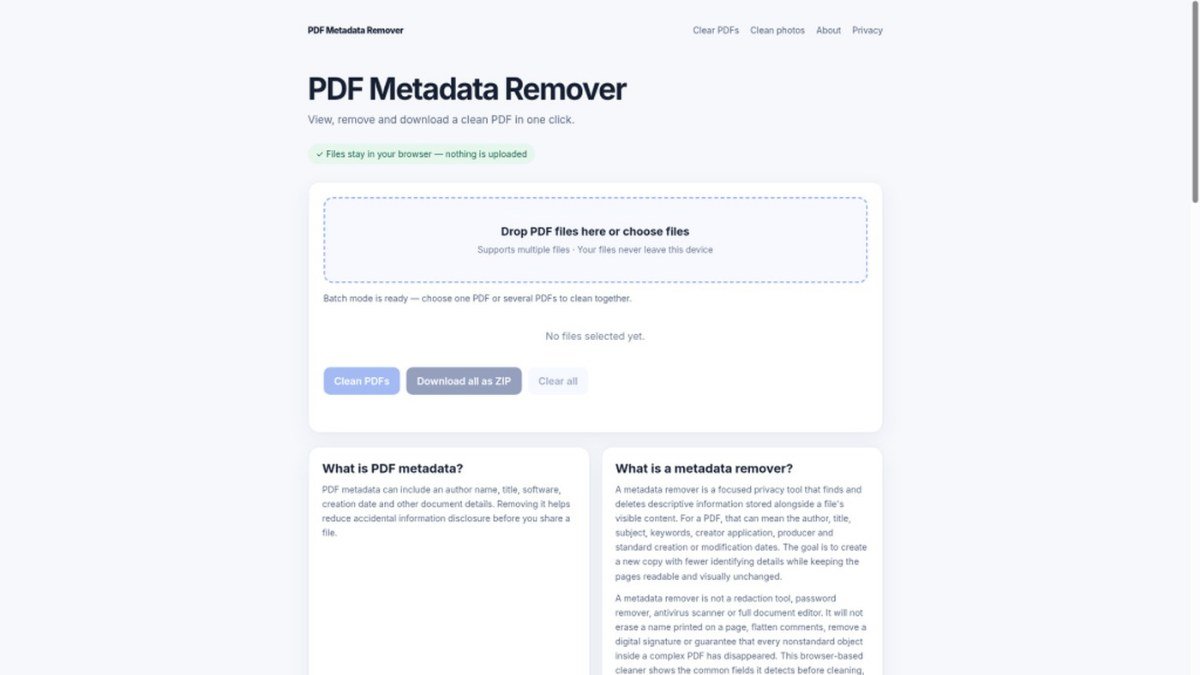
View and remove PDF metadata in your browser. Nothing is uploaded.
Peplio's take
This tool is a straightforward solution for anyone needing to quickly clean metadata from PDFs before sharing. Its biggest strength is the browser-based processing, ensuring your files never leave your device. Before relying on it for sensitive documents, remember it's not a redaction tool and won't remove visible content or guarantee removal of all non-standard metadata.
Peplio summary based on the maker's details and the tool's website, October 2026
What is PDF Metadata Remover?
PDF Metadata Remover is a free, browser-based tool designed to help you clean up your PDF files before sharing them. It allows you to view and remove common metadata fields such as author, title, subject, keywords, creator application, and creation or modification dates. This is crucial for privacy, as these details can inadvertently reveal information about the document's origin, creation process, or author.
The tool solves the problem of accidental information disclosure that can occur when sharing documents. By processing files locally within your browser, it ensures that your sensitive documents are never uploaded to a server, providing a secure and private way to enhance your document sharing workflow. You can process single files or multiple files in batches, and the original document remains untouched.
Best forAnyone who needs to share PDF documents and wants to protect their privacy by removing identifying metadata.
Key features
- View metadataInspect common document properties like author, title, and creation dates before removal.
- Remove metadataClear standard PDF metadata fields to protect your privacy.
- Browser-based processingAll file operations happen locally in your web browser.
- No uploads requiredYour files never leave your device, ensuring maximum privacy.
- Batch processingClean metadata from multiple PDF files simultaneously.
- Original file unchangedThe tool creates a new, cleaned copy, leaving your original PDF untouched.
Who should use PDF Metadata Remover?
- Preparing a resume or CV for online submission.
- Sharing a report or proposal with external clients.
- Distributing legal documents or invoices.
- Publishing research papers or articles online.
How to use PDF Metadata Remover
- Go to the PDF Metadata Remover website.
- Drag and drop your PDF file(s) into the browser window or select them from your device.
- Review the detected metadata fields.
- Click the 'Clean PDFs' button to remove the metadata.
- Download the cleaned PDF file(s).
PDF Metadata Remover FAQ
Is PDF Metadata Remover completely free to use?
Yes, PDF Metadata Remover is a free tool. You can use it to view and remove metadata from your PDF files without any cost.
Who benefits most from using this tool?
Individuals and professionals who frequently share PDF documents, such as job seekers, consultants, legal professionals, and content creators, will find this tool particularly valuable for protecting their privacy.
How does PDF Metadata Remover ensure my privacy?
The tool processes your files entirely within your web browser. Nothing is uploaded to any server, and no account is required, ensuring your documents remain private and secure.
What kind of metadata can be removed?
It can remove common metadata fields including author, title, subject, keywords, creator application, producer, and creation or modification dates. It does not redact text or remove digital signatures.
Free alternatives to PDF Metadata Remover
See all Other tools U UseFreeTools Image CompressorPrepare smaller JPG, PNG and WebP images without an uploadOther
 F FailFlowFast date calculators and practical utilities.Other
 S SerpaioRank on Google. Get cited by AI.SEO
 M MangaTranslate Review: AI Comic and Manga TranslatorAI comic translator that reads, translates and re-letters manga dialogue in imagesAI tools
 Z ZOQENA Coverage Gap CalculatorFree calculators to see how much revenue missed calls and failed payments cost youMarketing
 I Image Color RemoverPick a color and download a transparent PNG. Runs in your browser.Design and images
Reviews from makers
Makers who list on PeplioHUB test each other's tools. Be the first to review PDF Metadata Remover.
Have you tried PDF Metadata Remover?
Share what worked, what did not, or ask the maker a question.