
 P
PPipp
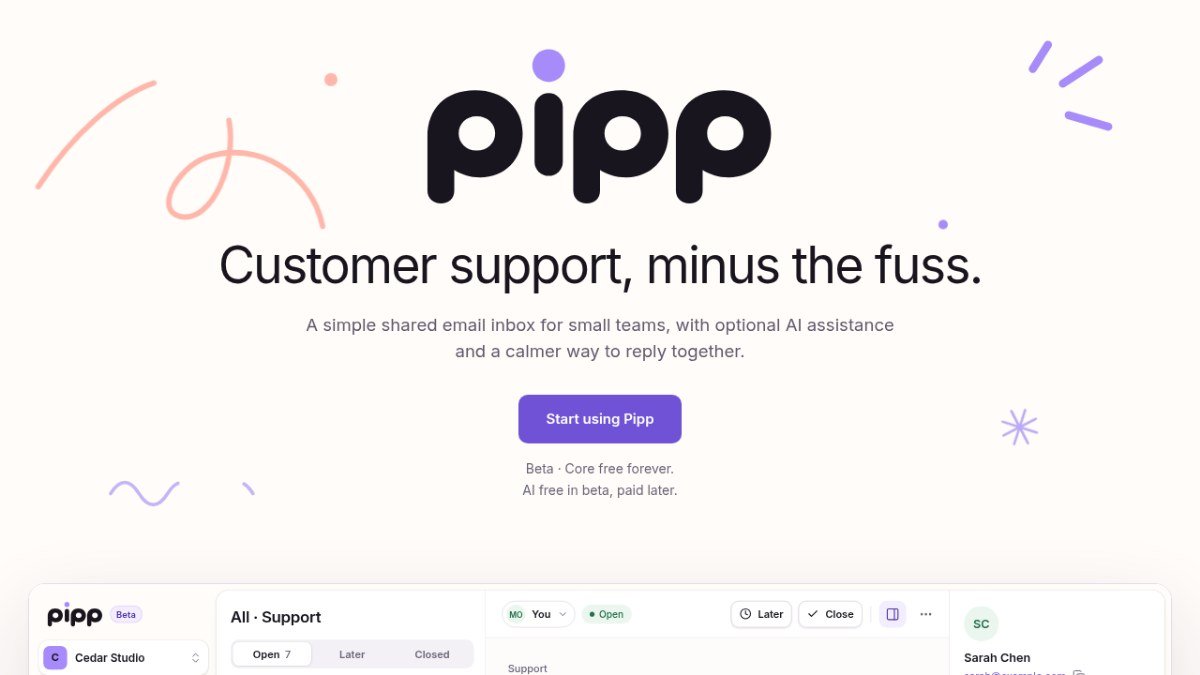
Customer support, minus the fuss.
Peplio's take
Most helpdesk tools are built for big support teams, with complex ticket systems, per-seat pricing and features small businesses never use. Pipp goes back to basics: one calm, shared inbox where a small team can sort, assign and reply to customer emails without confusion over who’s replying.
The free-forever core inbox is the biggest draw. Tools like Help Scout and Front charge per user every month, which adds up quickly for a small team. Pipp also handles AI in a thoughtful way: it’s optional, it’s off unless an admin turns it on, and customer emails aren’t sent to an AI provider without that choice. That’s reassuring for businesses that care about privacy.
The trade-off is that Pipp is still in beta, with daily sending limits, and it only supports email for now, with chat coming later. You’ll also need access to your domain’s DNS settings to set up sending. Best for founders, small businesses and small support teams who want a simple shared inbox without paying per seat.
Tested by Sougan Kumar Mandi, October 2026
What is Pipp?
Pipp offers a streamlined approach to customer support, specifically designed for small teams. It provides a shared email inbox where team members can collaborate on responding to customer inquiries. This eliminates the need for individual inboxes and ensures that no customer message falls through the cracks. The platform aims to simplify the support process, making it easier for growing businesses to manage customer communication effectively.
The tool addresses the common challenge of managing customer emails efficiently, especially for smaller operations that may not have dedicated support staff. With Pipp, teams can work together in a unified space, keeping conversations organized and responses consistent. It also introduces optional AI assistance to further enhance productivity, helping with the everyday tasks of customer support. Pipp is built with the modern creator and builder in mind, offering a simpler way to stay connected with users.
Best forSmall teams and builders who want a simple, collaborative email support solution.
Key features
- Shared inboxA single place for your team to manage all customer emails.
- Collaborative repliesWork together on customer conversations to ensure consistent communication.
- Optional AI assistanceGet help with everyday customer support tasks.
- Domain verificationSecurely connect your own domain for sending replies.
- Calm interfaceA focused design that prioritizes customer communication.
Who should use Pipp?
- A small startup managing customer feedback via email.
- A SaaS company coordinating support responses from multiple team members.
- A creator responding to inquiries about their products or services.
- Teams looking for a central hub for all customer email communication.
How to use Pipp
- Create a Pipp account to start your workspace.
- Set up your shared inbox and invite your team members.
- Verify your sending domain by adding DNS records.
- Start receiving, drafting, and replying to customer emails.
Pipp FAQ
Is Pipp free to use?
Pipp's core inbox functionality is free forever. AI features are currently free during the beta period and will be fairly priced afterward.
Who is Pipp designed for?
Pipp is built for founders, developers, and small teams who want a simple way to manage customer support without a complicated setup.
How does Pipp handle sending replies?
To send replies, you need to verify a domain you control by adding specific DNS records. Once verified, you can select that domain for your inbox.
Does Pipp require signup?
Yes, you need to create an account to use Pipp. You can set up an inbox and draft emails before verifying a domain.
Free alternatives to Pipp
See all AI tools M MangaTranslate Review: AI Comic and Manga TranslatorAI comic translator that reads, translates and re-letters manga dialogue in imagesAI tools
 A AI Readiness Check by SIMPLY.AIFree 15-question test that scores how ready your company is to use AI.AI tools
I ImageToSTLFreemium photo-to-textured-printable-3D-STL tool for makers. Convert photos into printableAI tools
D Dola AIGenerate short AI video clips from text prompts or reference images in a browser. SupportsAI tools
A AI Readiness Check by SIMPLY.AIFree 15-question test that scores how ready your company is to use AI.AI tools
I ImageToSTLFreemium photo-to-textured-printable-3D-STL tool for makers. Convert photos into printableAI tools
D Dola AIGenerate short AI video clips from text prompts or reference images in a browser. SupportsAI tools
 A AICostIndependent LLM API price desk: compare AI model pricing across providers.AI tools
 S Stivio Review: Image to Video AI With No SubscriptionImage to video AI that turns any photo into an HD MP4 clip from a simple promptAI tools
Reviews from makers
Makers who list on PeplioHUB test each other's tools. Be the first to review Pipp.
Have you tried Pipp?
Share what worked, what did not, or ask the maker a question.