
 R
About this tool
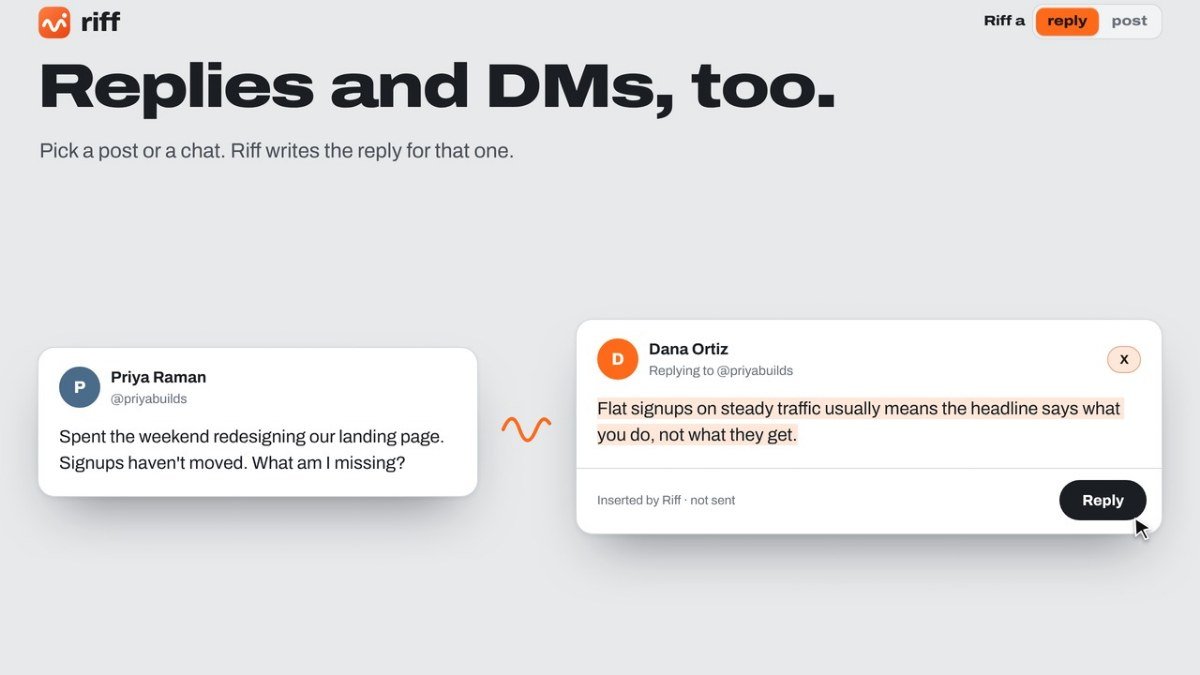
Riff is a free Chrome extension designed to help you craft thoughtful and relevant replies to social media posts. It solves the problem of spending too much time thinking of the perfect response or feeling stuck when trying to engage with content online. Whether you want to comment on a public post, reply to a direct message, or even draft your own social media updates, Riff assists you in generating fresh content.
The tool uses Gemini Nano, an AI integrated directly into Chrome, which means all processing happens on your computer. This approach ensures your privacy and security, as no account or API key is needed, and your data never leaves your device. Riff helps you articulate your thoughts clearly and effectively, making your online interactions more meaningful and efficient without any cost or complex setup.
Best for: Social media users who want to write better replies and posts quickly without needing an account.
Key features
AI powered repliesGenerates fresh replies based on your input and the context of the post.
DM and post draftingAssists in answering direct messages and composing new posts.
On device processingUses Gemini Nano built into Chrome for privacy and speed.
No account neededWorks directly from your browser without requiring signup.
Customizable toneAllows adjustments for tone, salesiness, and creativity.
Context awareAnalyzes the post and conversation to provide relevant responses.
Perfect for
Replying to a follower's question on X.
Commenting on a LinkedIn post about industry news.
Drafting a Facebook post about a new product launch.
Responding to a direct message on Instagram.
How to use Riff
- Install the Riff Chrome extension.
- Navigate to a post or direct message on X, LinkedIn, Facebook, or Instagram.
- Click the Riff icon or button to open the extension.
- Enter your basic point or leave it blank for DMs, then press Enter.
- Review and send the generated reply or post.
Pricing
Riff FAQ
Is Riff completely free to use?
Yes, Riff is a free Chrome extension. It does not require any payment or subscription.
Do I need to create an account to use Riff?
No, Riff does not require any account creation or login. It works directly from your Chrome browser.
How does Riff work without sending data to servers?
Riff utilizes Gemini Nano, an AI model built into Chrome. This allows it to process text directly on your computer, ensuring your data remains private and secure.
What social media platforms does Riff support?
Riff supports X (formerly Twitter), LinkedIn, Facebook, and Instagram for replying to posts and messages.
Reviews from makers
Makers who list on PeplioHUB test each other's tools. Be the first to review Riff.
Have you tried Riff?
Share what worked, what did not, or ask the maker a question.