
 B
Bad Quality Image Maker
Make any image look intentionally bad : blurry, pixelated, or deep fried.
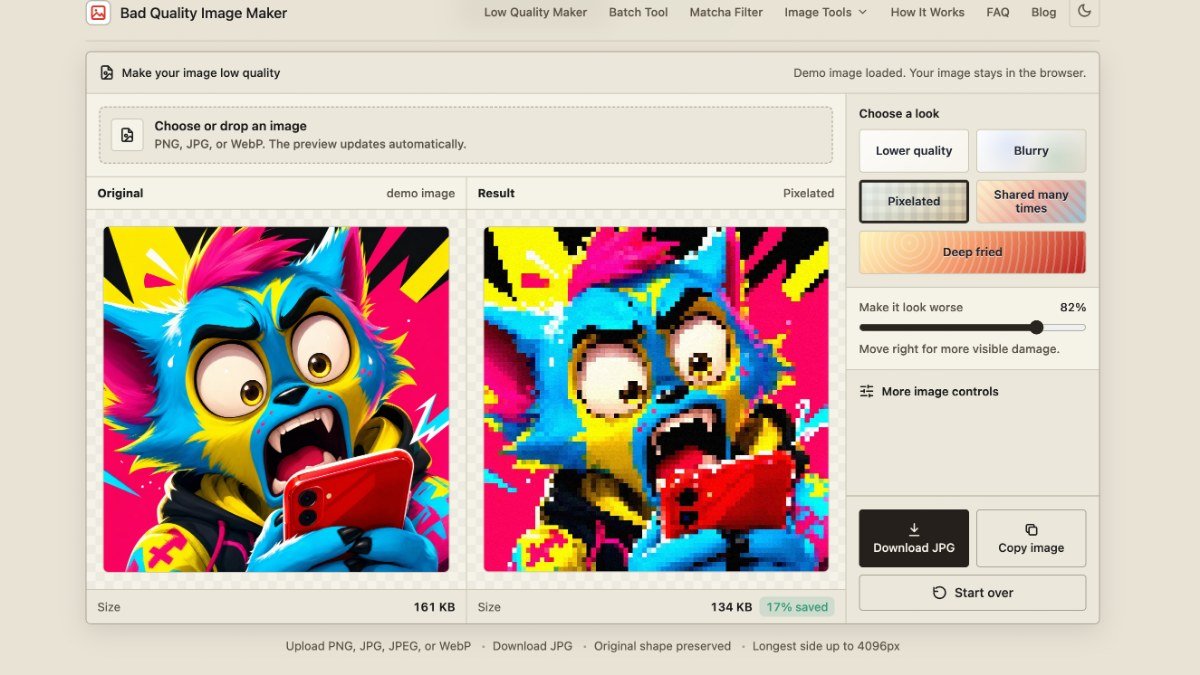
About this tool
Bad Quality Image Maker is a free web app that lets you intentionally degrade the quality of your images. You can upload a photo and choose from several effects like Lower quality, Blurry, Pixelated, or Deep fried. It's designed to give your images a specific, distressed aesthetic, making them look like they've been compressed, shared many times, or heavily edited.
This tool solves the problem of needing a specific low-quality look for creative projects, memes, or artistic purposes without complex editing software. It offers a straightforward way to achieve these effects quickly. The entire process happens in your browser, ensuring your original files remain private and on your device, with no signup required and no watermarks added to your creations.
Best for: Creators, meme makers, and artists who need to give their images a deliberately degraded or retro look.
Key features
Multiple degradation effectsChoose from lower quality, blurry, pixelated, shared many times, or deep fried looks.
Adjustable strengthControl how intensely the chosen effect is applied to your image.
Multiple output formatsDownload your processed image as JPG, PNG, or WebP.
Local browser processingYour images are processed directly on your device, ensuring privacy.
No signup or watermarksUse the tool freely without needing an account or worrying about branding.
Before and after comparisonEasily compare your original image with the modified version.
Perfect for
Creating memes with a classic compressed or forwarded-message look.
Designing graphics for a retro or vintage aesthetic.
Adding intentional visual noise or distortion to artwork.
Making images appear as if they've been through multiple rounds of low-quality compression.
How to use Bad Quality Image Maker
- Upload your image to the tool.
- Select a desired low-quality effect (e.g., Pixelated, Deep fried).
- Adjust the strength slider to control the intensity of the effect.
- Choose your preferred output format (JPG, PNG, or WebP) and download the result.
Pricing
Bad Quality Image Maker FAQ
Is Bad Quality Image Maker free to use?
Yes, Bad Quality Image Maker is completely free. There are no costs associated with using its features to degrade your images.
Do I need to create an account to use it?
No, you do not need to sign up or create an account. The tool is accessible directly through your web browser.
How does this tool compare to a standard image compressor?
Unlike a standard compressor that aims to reduce file size while maintaining quality, this tool intentionally degrades image quality for aesthetic purposes. It adds visible compression, blur, or pixelation on purpose.
Are my uploaded images kept private?
Yes, your images are processed locally in your browser. Nothing is uploaded to a server, and your files stay on your device.
Reviews from makers
Makers who list on PeplioHUB test each other's tools. Be the first to review Bad Quality Image Maker.
Have you tried Bad Quality Image Maker?
Share what worked, what did not, or ask the maker a question.