
 R
About this tool
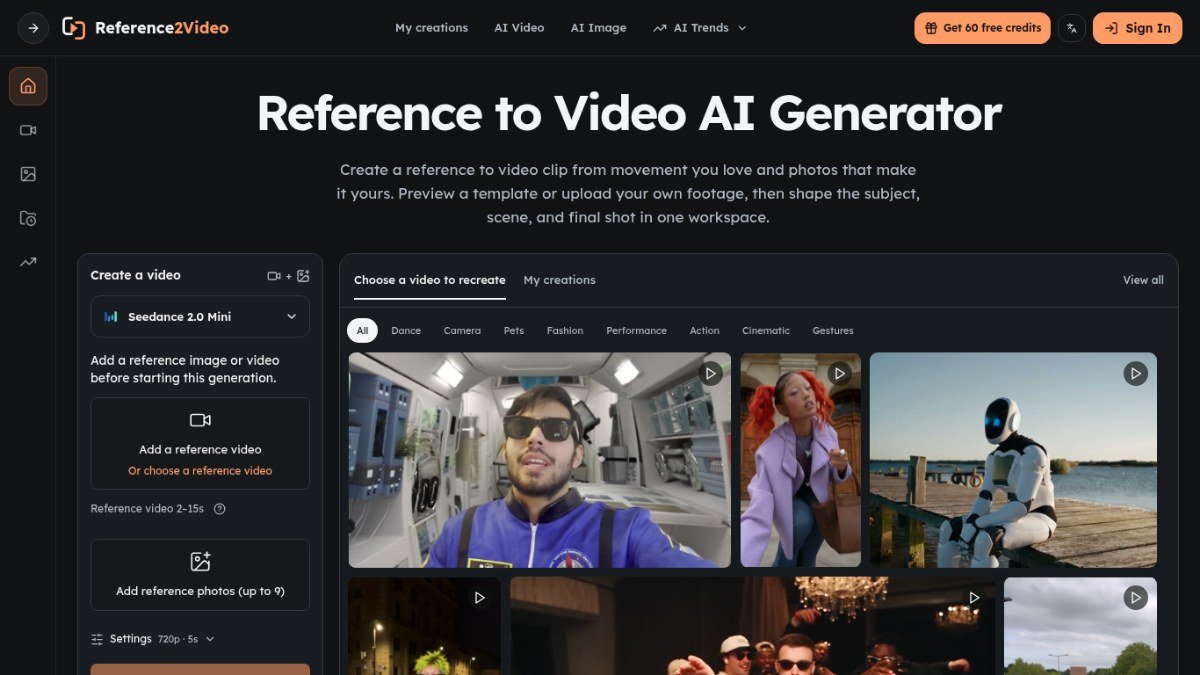
Reference to Video is an AI tool that lets you create new videos using a reference clip and your own photos. It solves the problem of needing complex video editing software or skills to replicate specific movements or styles. You can start with a template or upload your own footage, making it accessible for users who want to experiment with AI video generation without a steep learning curve.
The platform allows you to define the subject, scene, and camera work, giving you creative control over the final output. Whether you want to capture a specific dance move, a product reveal, or a unique camera path, Reference to Video provides a workspace to bring your vision to life. It's designed to make AI video creation intuitive, enabling you to generate and refine clips efficiently.
Best for: Creators and marketers who want to generate AI videos based on existing video movements and their own photos.
Key features
AI video generationCreate new video clips from a reference video and your photos.
Template libraryBrowse pre-made templates for various styles like fashion, product reveals, and camera moves.
Customizable outputShape the subject, scene, and final shot of your generated video.
Workspace environmentGenerate and review your video creations in a single workspace.
Photo inputUse up to 9 of your own photos to personalize the generated video.
Reference video inputUse a video clip between 2 to 15 seconds as a motion reference.
Perfect for
Recreating a specific dance move from a reference video with your own photos.
Generating product reveal videos with unique camera movements.
Creating social media clips that mimic popular video trends.
Experimenting with AI to visualize different camera angles for a scene.
How to use Reference to Video
- Choose a motion from a template or upload your own reference video.
- Add your photos (up to 9) of the subject you want to feature.
- Select a model (Seedance 2.0, Fast, or Mini) and adjust settings like resolution and length.
- Generate the video, review the result, and download your preferred version.
Pricing
Reference to Video FAQ
Is Reference to Video free to use?
Reference to Video offers a freemium pricing model. This means there are likely free options available, possibly with limitations, alongside paid tiers for more features or usage.
Who can benefit most from Reference to Video?
This tool is ideal for marketers, bloggers, creators, and anyone looking to experiment with AI video generation without needing advanced editing skills. It's great for those who want to replicate specific video styles or movements.
How does Reference to Video compare to other AI video tools?
Reference to Video focuses specifically on transforming reference clips and photos into new AI videos, emphasizing motion replication and user-friendly customization within a dedicated workspace.
Do I need to sign up to use Reference to Video?
The provided information does not specify if a signup is required. Typically, freemium tools may require an account for saving creations or accessing full features.
Reviews from makers
Makers who list on PeplioHUB test each other's tools. Be the first to review Reference to Video.
Have you tried Reference to Video?
Share what worked, what did not, or ask the maker a question.