
 V
VideoTextRemover
Erase burned-in subtitles and on-screen text from video, no blur or crop.
About this tool
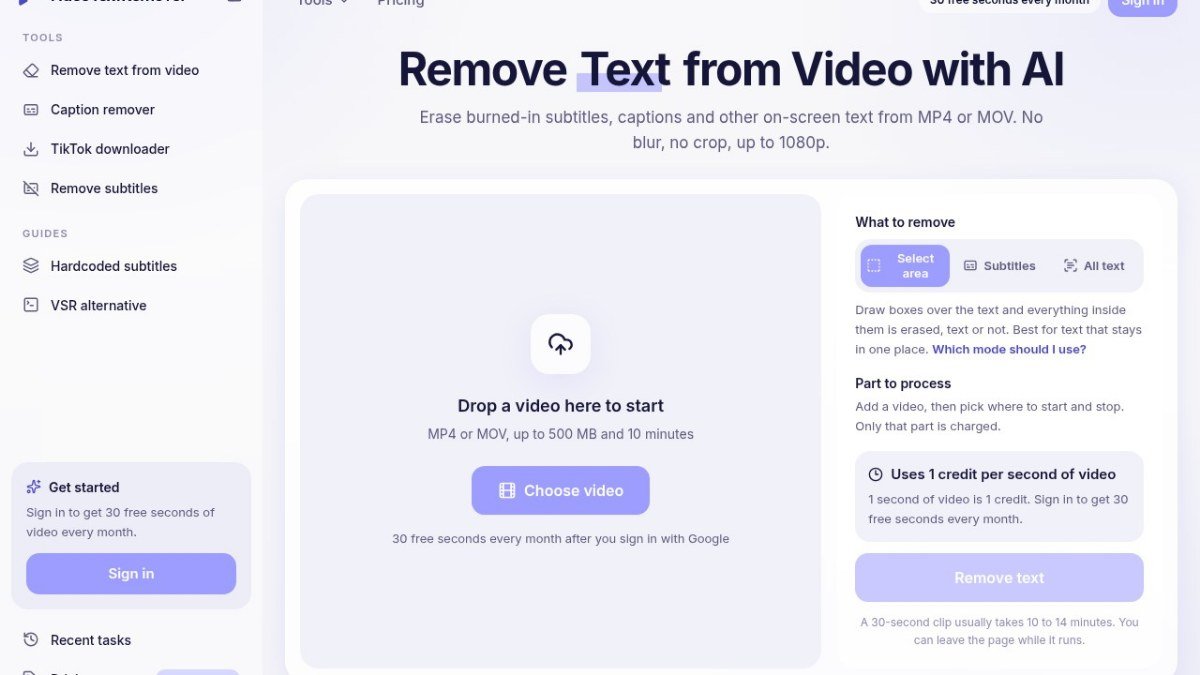
VideoTextRemover is an AI-powered online tool designed to remove burned-in subtitles, captions, and other on-screen text from your video files. It addresses the common problem creators face when video content has text permanently embedded, which cannot be easily removed through standard editing software without blurring or cropping the image. This tool reconstructs the background behind the text, aiming to make the video appear untouched.
The platform supports MP4 and MOV file formats and processes videos up to 1080p resolution. It offers a freemium model, providing a limited number of free seconds each month for users to try out its capabilities. This makes it accessible for those needing to clean up specific clips without a significant investment, allowing for the creation of cleaner, more professional-looking videos.
Best for: Creators and editors who need to remove burned-in text like subtitles or captions from their MP4 or MOV video files without affecting the video quality.
Key features
AI-powered text removalUses artificial intelligence to erase burned-in text from video.
No blur or cropRebuilds the background behind the text, avoiding image distortion.
Supports MP4 and MOVWorks with two of the most common video file formats.
Up to 1080p outputDelivers cleaned video in high definition.
Monthly free creditsOffers 30 free seconds of processing per month after signing in.
Pay-per-second processingCharges are based on the duration of the video segment processed.
Perfect for
Removing burned-in subtitles from foreign language films.
Erasing timestamp overlays from recorded footage.
Cleaning up video clips with unwanted on-screen captions.
Preparing product demonstration videos with no distracting text.
How to use VideoTextRemover
- Upload your MP4 or MOV video file.
- Select the specific part of the video you want to process.
- Draw boxes over the text you wish to remove.
- Start the removal process and wait for the video to be processed.
- Download your cleaned video file.
Pricing
VideoTextRemover FAQ
Is VideoTextRemover completely free to use?
VideoTextRemover offers a freemium model. You can sign in with Google to receive 30 free seconds of video processing every month. For more extensive use, there are paid options.
Who is the target audience for VideoTextRemover?
This tool is designed for creators and editors who need to remove permanently embedded text, such as subtitles or captions, from their video content.
What file formats does VideoTextRemover support?
The tool supports MP4 and MOV video file formats for processing.
Do I need to create an account to use VideoTextRemover?
You can start processing videos without an account, but signing in with Google grants you 30 free seconds of processing each month.
Reviews from makers
Makers who list on PeplioHUB test each other's tools. Be the first to review VideoTextRemover.
Have you tried VideoTextRemover?
Share what worked, what did not, or ask the maker a question.