
 C
CConverly Colors
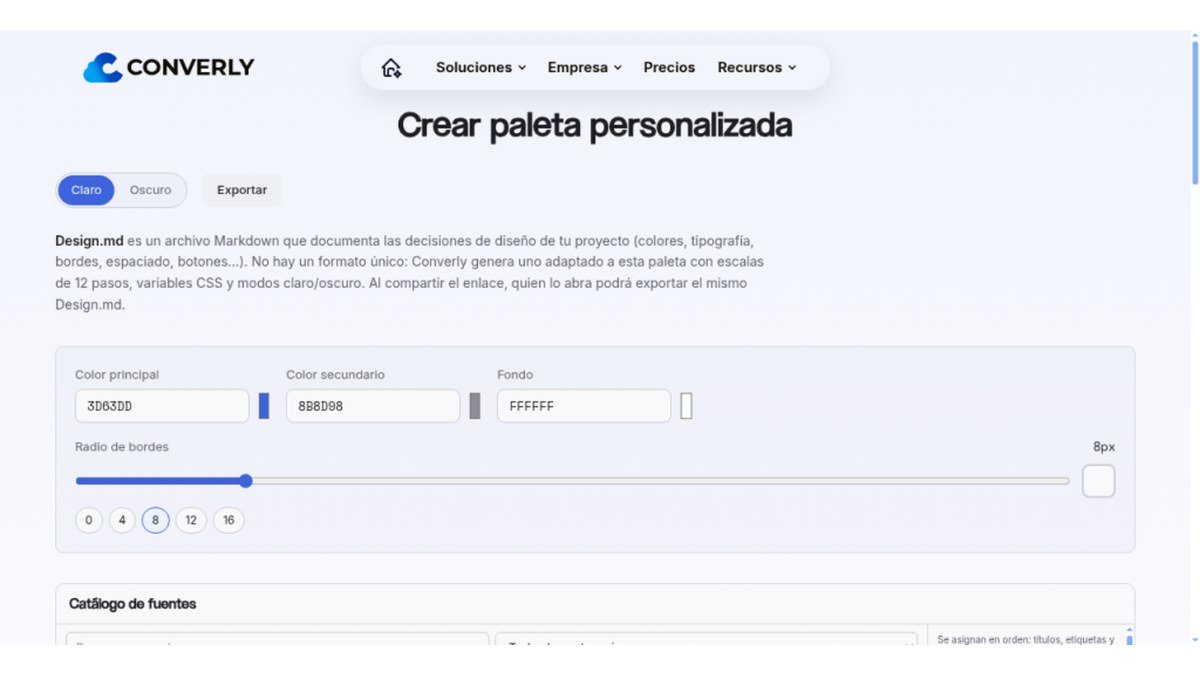
Free custom color palette generator with CSS and Design.md export...
Peplio's take
Converly Colors is a straightforward tool for anyone needing to create and export color palettes. Its ability to generate CSS variables and a Design.md file directly from the palette is its clearest strength. Before relying on it for complex projects, check if the generated scales and documentation meet all your specific workflow requirements.
Peplio summary based on the maker's details and the tool's website, October 2026
What is Converly Colors?
Converly Colors is a free web application that helps you generate custom color palettes for your design projects. It solves the problem of manually creating harmonious color schemes by providing an intuitive interface to select and refine colors.
The tool offers features like light and dark modes, 12-step color scales, and the ability to export your palettes as CSS variables or a Design.md file. This makes it easy to integrate your chosen colors into your workflow, whether you're a web developer, graphic designer, or content creator.
Best forDesigners, developers, and creators who need to quickly generate and export custom color palettes.
Key features
- Custom color palette generationCreate unique color schemes for your projects.
- Light and dark modesPreview your palettes in both light and dark themes.
- 12-step color scalesGenerate a range of shades for each primary color.
- CSS variables exportEasily integrate your color palette into web development projects.
- Design.md exportGenerate a Markdown file documenting your design decisions, including colors.
Who should use Converly Colors?
- Generating a color scheme for a new website.
- Creating a consistent visual identity for a brand.
- Finding complementary colors for a graphic design project.
- Exporting color variables for a frontend development project.
How to use Converly Colors
- Visit the Converly Colors web app.
- Select your primary and secondary colors.
- Adjust the 12-step scales and choose light/dark modes.
- Export your palette as CSS variables or a Design.md file.
Converly Colors FAQ
Is Converly Colors free to use?
Yes, Converly Colors is completely free to use. You can generate and export color palettes without any cost.
Who can benefit from using Converly Colors?
This tool is ideal for web designers, UI/UX designers, frontend developers, bloggers, and content creators who need to establish or refine the color schemes for their projects.
What kind of export options are available?
Converly Colors allows you to export your generated color palettes as CSS variables, which are useful for web development, and as a Design.md file, which documents your design decisions.
Do I need to sign up to use Converly Colors?
Based on the information provided, there is a registration option, but it is not explicitly stated if it is required to use the core features of the color palette generator.
Free alternatives to Converly Colors
See all Design and image tools I Image Color RemoverPick a color and download a transparent PNG. Runs in your browser.Design and images
 S Sticker Printer HubFree 4x7 sticker sheet maker and cost calculatorDesign and images
 P Pretty QRCreate branded QR codes freeDesign and images
 A AppScreenLay out App Store screenshot sets on one wide canvas in your browserDesign and images
 T TeslaWrapsFree browser editor for Tesla Paint Shop wraps with 3D preview and PNG exportDesign and images
 P PromptImageFree AI image & video generator with a prompt libraryDesign and images
Reviews from makers
Makers who list on PeplioHUB test each other's tools. Be the first to review Converly Colors.
Have you tried Converly Colors?
Share what worked, what did not, or ask the maker a question.