
 I
Invert Image
Invert image colors locally, edit selected areas and export batches as ZIP.
About this tool
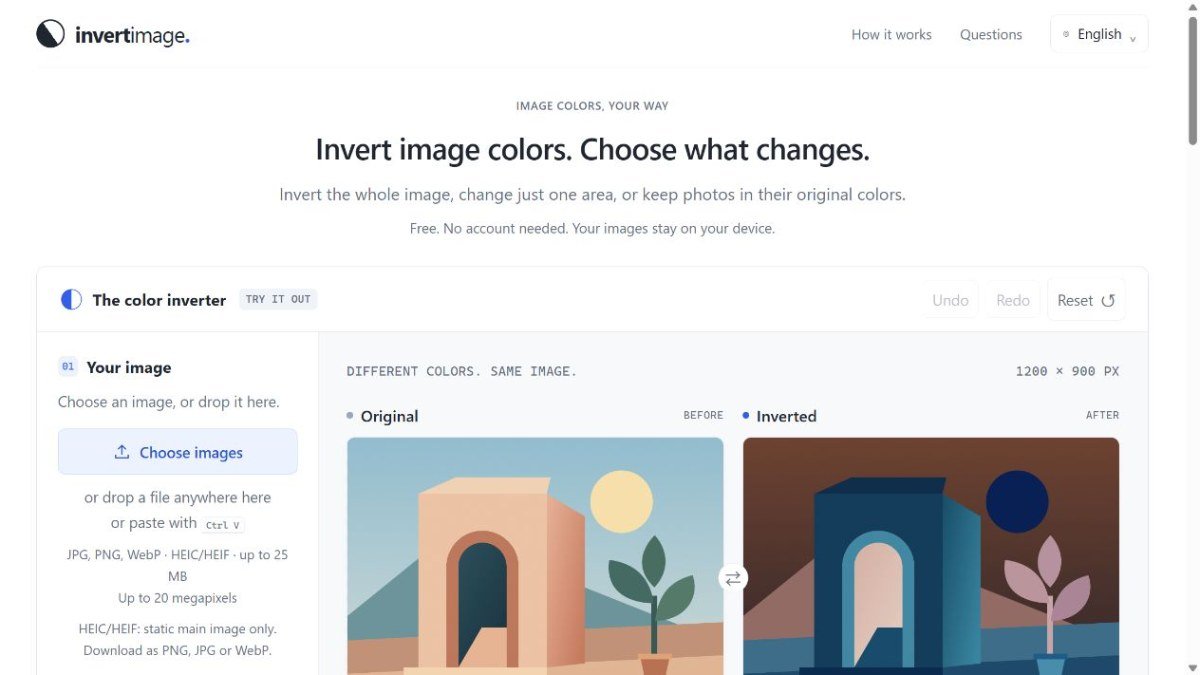
Invert Image is a free, browser-based tool that lets you easily change the colors of your images. You can invert the entire image to create a negative effect, or use selection tools like rectangles, ellipses, or a freehand brush to invert only specific parts of your picture. This is perfect for making dark screenshots lighter, reversing line art, or protecting certain areas of a photo from color changes.
The tool solves the problem of needing complex software for simple color adjustments. Since it runs entirely in your web browser, your images are processed locally, meaning no sensitive files are uploaded to a server and no account signup is required. You can also process multiple images at once in a batch, making it efficient for larger projects, and then download them all together in a ZIP file.
Best for: Creators, bloggers, and marketers who need to quickly invert image colors or specific areas without installing software or signing up.
Key features
Whole image inversionInvert the colors of the entire image at once.
Area selection inversionUse shapes or a brush to invert colors in specific parts of an image.
Batch processingUpload and process up to 20 images simultaneously.
Multiple export formatsDownload your edited images as PNG, JPG, or WebP files.
Local processingAll image editing happens in your browser, ensuring privacy.
No signup requiredStart editing immediately without creating an account.
Perfect for
Making dark screenshots easier to read.
Creating artistic negative effects on photos.
Adjusting colors in specific sections of a logo or graphic.
Quickly preparing multiple images for a blog post.
How to use Invert Image
- Upload your image or drop it directly into the tool.
- Choose to invert the whole image or use selection tools to define specific areas for inversion.
- Select your desired output format (PNG, JPG, WebP) and adjust quality settings if needed.
- Download your edited image individually or as a ZIP file if you processed multiple images.
Pricing
Invert Image FAQ
Is Invert Image completely free to use?
Yes, Invert Image is a free tool. You can use all its features without any cost.
Do I need to create an account to use Invert Image?
No, there is no signup required. The tool processes your images locally in your browser, so you can start editing immediately.
How does Invert Image handle my privacy?
Your images are processed locally on your device. They are not uploaded to any servers, ensuring your files remain private.
What file types can I upload and download?
You can upload JPG, PNG, WebP, and HEIC/HEIF (static main image only) files. You can download your edited images as PNG, JPG, or WebP.
Reviews from makers
Makers who list on PeplioHUB test each other's tools. Be the first to review Invert Image.
Have you tried Invert Image?
Share what worked, what did not, or ask the maker a question.