
 R
ReactionMetric
Measure browser-observed reaction time in repeatable five-trial sessions.
About this tool
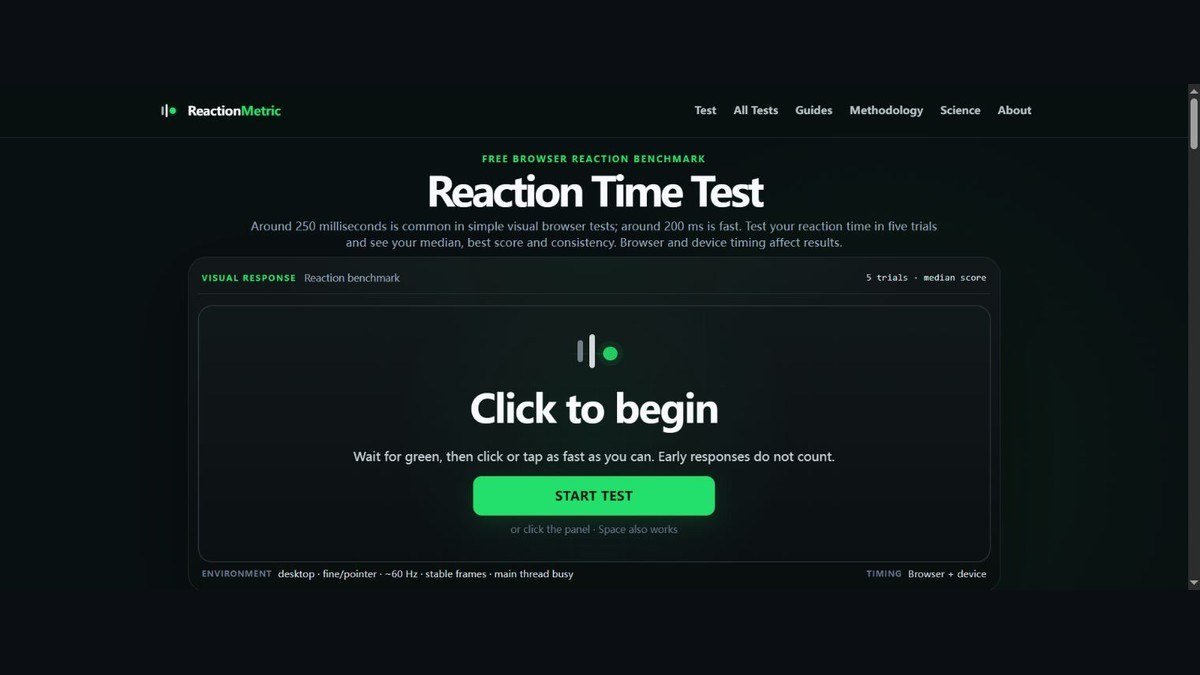
ReactionMetric is a free, browser-based tool designed to measure your reaction time. It presents a simple visual cue and records how quickly you can respond by clicking, tapping, or pressing a key. The test is conducted over five repeatable trials to provide a more accurate and consistent measure, moving beyond the influence of a single lucky or unlucky click.
The tool helps you understand your response speed in milliseconds, offering context for what constitutes a common or fast reaction time in a browser environment. It also educates users about how factors like browser latency and device hardware can affect the recorded measurements, encouraging fair comparisons by considering your specific setup.
Best for: Anyone curious about their visual reaction time in a browser setting, from casual users to those interested in performance metrics.
Peplio's take
ReactionMetric is a straightforward tool for anyone wanting to gauge their visual reaction speed in a web browser. Its strength lies in its simple, no-fuss approach and its explanation of how device factors influence results. Users should note that the scores are browser-observed and not a clinical measure of neurological reaction time.
Peplio summary based on the maker's details and the tool's website, November 2026
Key features
Five-trial benchmarkMeasures reaction time over five sessions for a more consistent score.
Median score reportingProvides the middle result from five trials, reducing the impact of outliers.
Best score reportingShows your fastest individual reaction time within the five trials.
Consistency reportingHelps you understand how repeatable your reaction times are.
Latency explanationDetails how browser and device timing influence test results.
Free to useNo cost to access and run the reaction time test.
Perfect for
Testing your quickness for gaming.
Understanding your baseline reaction speed.
Comparing your reaction time across different devices.
Learning about factors affecting online performance tests.
How to use ReactionMetric
- Visit the ReactionMetric website.
- Follow the on-screen instructions to start the visual test.
- Click or tap as quickly as possible when the signal appears.
- Review your median, best, and consistency scores after five trials.
Pricing
ReactionMetric FAQ
Is ReactionMetric free to use?
Yes, ReactionMetric is a free browser-based tool. There is no cost to run the reaction time benchmark.
Who can benefit from using ReactionMetric?
Anyone interested in measuring their visual reaction time in a browser environment can benefit. This includes gamers, students, or individuals curious about their response speed.
How does ReactionMetric measure reaction time?
It measures the time from when a visual signal appears on screen to when your click, tap, or key press is detected by the browser. It accounts for browser and device latency in its reporting.
Do I need to sign up to use ReactionMetric?
No, the core test works without mandatory signup, allowing you to quickly start measuring your reaction time.
Reviews from makers
Makers who list on PeplioHUB test each other's tools. Be the first to review ReactionMetric.
Have you tried ReactionMetric?
Share what worked, what did not, or ask the maker a question.