
 T
TTeslaWraps
Free browser editor for Tesla Paint Shop wraps with 3D preview and PNG export
About this tool
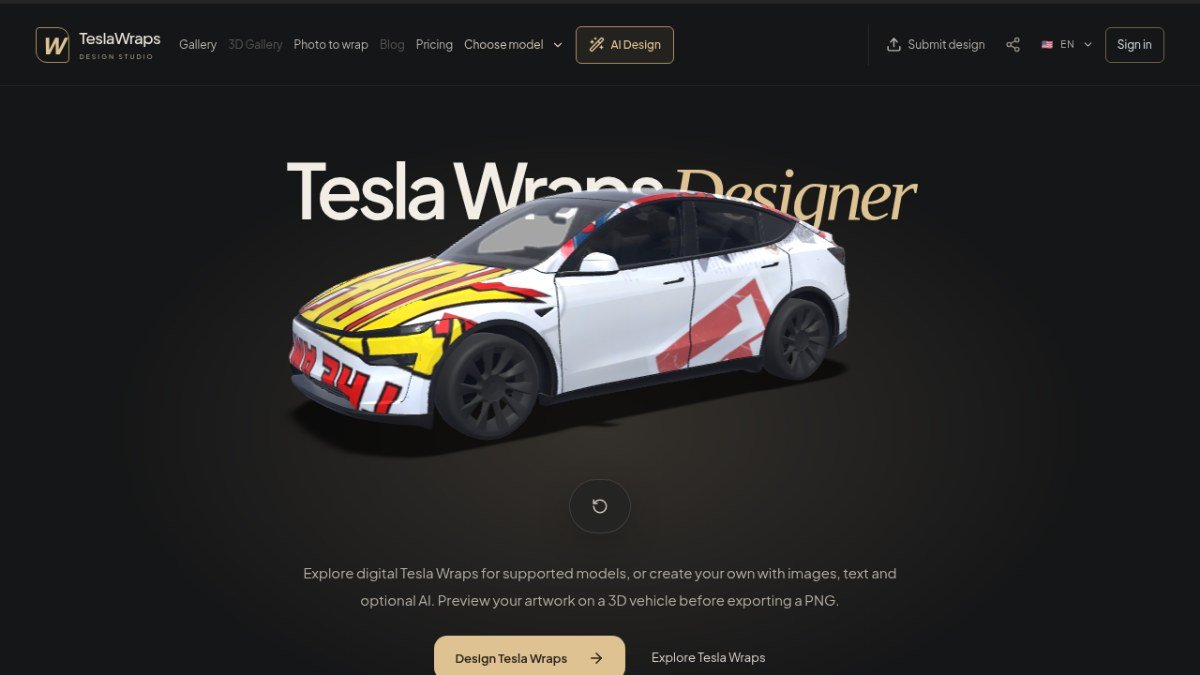
TeslaWraps is a free, browser-based tool that lets you design custom digital wraps for your Tesla vehicle. It solves the problem of easily visualizing and creating unique car wrap designs without needing complex design software or professional help. You can choose a template for your specific Tesla model, add your own images, text, and shapes, or adapt existing gallery concepts to create a personalized look.
The tool offers a 3D preview so you can see how your design will look on the actual car before exporting. This allows for easy iteration and ensures you are happy with the final result. Once satisfied, you can export your design as a PNG file, ready to be used with Tesla's Paint Shop workflow. The core editing and export features are available for free, making it accessible for anyone wanting to personalize their Tesla's appearance digitally.
Best for: Tesla owners who want to design and preview custom digital car wraps for their vehicles.
Peplio's take
Designing a Tesla digital wrap usually means downloading a UV template, figuring out which part of a flat image becomes the door or bonnet, and testing over and over in Photoshop. TeslaWraps removes all that guesswork with a real 3D preview, so you see exactly how the design wraps around the car before exporting.
The model-specific templates and automatic panel masking are the smartest parts. Each Tesla model and trim has a different layout, and getting it wrong means a messy result on screen. The editor and export tools are free with no account needed, which makes it easy to try. The AI option is a fun bonus for people who don’t want to design from scratch.
Keep in mind these are digital wraps for the on-screen car only, not physical vinyl. It’s also an unofficial tool, not made by Tesla, and availability depends on your model and software. Best for Tesla owners who want to personalise their car’s on-screen look.
Written by Sougan Kumar Mandi, October 2026
Key features
Browser-based editorDesign Tesla wraps directly in your web browser without installing any software.
Model-specific templatesChoose from templates tailored to specific Tesla models, years, and trims.
3D car previewVisualize your wrap design on a 3D model of your Tesla before exporting.
Image, text, and shape toolsAdd and customize various design elements to create your unique wrap.
Automatic panel maskingEnsures your artwork clips correctly to the car's paintable areas.
PNG exportDownload your finished design as a PNG file optimized for Tesla's Paint Shop.
Perfect for
Designing a custom racing-themed wrap for a Model 3.
Creating a unique graphic wrap for a Model Y using personal photos.
Experimenting with abstract art designs for a Model S.
Visualizing a new color scheme for a Cybertruck before applying it.
How to use TeslaWraps
- Select your Tesla model and year from the available templates.
- Add images, text, or shapes, and adjust them on the car template.
- Use the 3D preview to see how your design looks on the vehicle.
- Export your final design as a PNG file.
Pricing
TeslaWraps FAQ
Is TeslaWraps completely free to use?
Yes, the core editor and PNG export features are free to use without an account. Optional paid credits are only for advanced AI generation features.
Who can get the most value from TeslaWraps?
Tesla owners who want to design and preview custom digital car wraps for their vehicles will find this tool most useful.
How do I apply the exported PNG to my Tesla?
The exported PNG can be imported through a supported mobile app or USB workflow and then applied in Tesla's Paint Shop. The specific steps may vary by model and software.
Do I need to create an account to use the editor?
No, new users can use the core editor and PNG export for free with no account required.
Reviews from makers
Makers who list on PeplioHUB test each other's tools. Be the first to review TeslaWraps.
Related tools
View allTeslaWraps is listed as an alternative to Designing wraps manually in Photoshop with Tesla UV templates. More tools from the PeplioHUB community:
 P
P S
S W
W M
M A
A N
NHave you tried TeslaWraps?
Share what worked, what did not, or ask the maker a question.