Free Image to Image AI No Login — 6 Best Tools (2026)
Sources: Imagera AI Research (2026), Forrester TEI Study, OmniBound AI Statistics (2026)
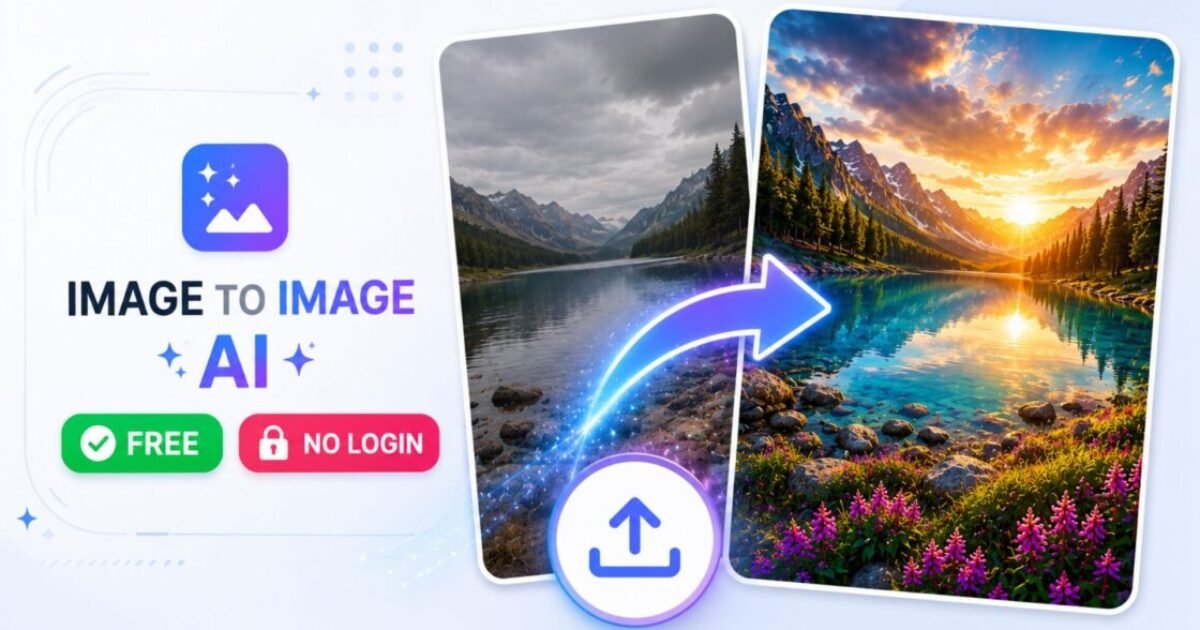
If you are searching for a image to image ai free no login tool that actually works in 2026 — no sign-up wall, no watermark, no daily cap that runs out in 10 minutes — this is the only guide you need. Image-to-image AI (img2img) lets you upload an existing photo or sketch and transform it into something completely new using AI. Change the art style, swap the background, turn a rough drawing into polished artwork — all guided by your original image. The problem is that most popular tools bury this feature behind a paid plan or a login wall.
I have personally tested 6 of the best free image to image AI no login tools available right now — using the same source image and prompt across every tool so you get a real, honest comparison. Over 150 million people use AI image tools every month in 2026, and the free no-login tier has genuinely matured to the point where you do not need to pay for quality img2img generation anymore.
Already familiar with free AI image generators and want the full list beyond img2img? See our complete guide: Free Image to Image AI Generator Without Login — Every Tool Worth Using. In this article we go deeper specifically into the img2img workflow, tool-by-tool comparison, and how to get the best results from each one.
- What is image to image AI and how does it work?
- 6 best free image to image AI no login tools (2026)
- Quick comparison table — all 6 tools at a glance
- How to use image to image AI step by step
- img2img vs text-to-image — which should you use?
- Tips to get better results every time
- My honest take — what actually worked best
- FAQ
What Is Image to Image AI and How Does It Work?
Before jumping to the tools, it helps to understand exactly what a free image to image AI no login tool is doing under the hood — because this directly changes how you use it and what results you can expect. Standard text-to-image AI generates from nothing — you write a prompt and the AI creates something entirely new. Image to image AI free no login works differently. You provide:
- An input image — your photo, sketch, screenshot, or reference artwork
- A text prompt (optional but recommended) — describing what you want the output to look like
- A denoising/strength setting — controlling how much the AI transforms your input vs. preserves it
The AI uses your input image as a structural guide. It reads the edges, composition, lighting, and spatial relationships in your photo — then applies your prompt on top of that foundation. The result is a new image that follows your original in structure but transforms it in style, medium, or content. What image to image AI free no login tools are best for:
- Turning a pencil sketch into polished digital artwork
- Changing the art style of a photo (anime, oil painting, watercolour, cyberpunk)
- Swapping or regenerating image backgrounds
- Making a realistic photo look like an illustration or comic panel
- Enhancing image quality and adding fine detail
- Creating product mock-ups from rough reference photos
- Generating multiple visual variations of the same scene
The underlying technology is Stable Diffusion — a diffusion model that works by gradually adding and then removing noise from your image in a controlled way, guided by both your input image and your text prompt. Most image to image AI free no login tools you will find today are built on top of Stable Diffusion or its newer variants including SDXL and Flux.
6 Best Free Image to Image AI No Login Tools (2026)
I tested all 6 of these free image to image AI no login tools with the same input: a medium-quality photo of a city street, with the prompt “anime style, warm golden hour lighting, detailed Studio Ghibli aesthetic.” Here is exactly what I found.
1. Mage.space — Best Overall Free Image to Image AI Without Login
Mage.space is the strongest overall pick for anyone looking for a image to image ai free no login experience. It runs Stable Diffusion models directly in the browser with a proper image upload slot, denoising strength slider, and negative prompt field — everything you need for real img2img work without creating any account whatsoever. The free no-login experience gives you access to SD 1.5 and a selection of fine-tuned community models spanning photorealistic, anime, and artistic styles. Open the site, click img2img, upload your image, write your prompt, and generate. Nothing else required.
What makes it stand out: Model variety. You can switch between a photorealistic model and an anime model with a single dropdown — no need to use separate tools. For the style transfer test, Mage produced the most consistent results across multiple runs of any tool in this list. Limitation: Generation speed slows during peak hours on the free tier. For faster results, try early morning or late evening IST.
Best for: Style transfer, anime conversion, creative exploration, beginners who want proper img2img controls without a sign-up wall. 👉 Try Mage.space free — no login required
2. Dezgo — Fastest Free img2img AI No Login
Dezgo is a minimalist Stable Diffusion interface built for speed. Upload image, write prompt, generate — that is the entire experience. No account, no setup, no friction. It supports negative prompts, multiple aspect ratios, and a denoising strength setting, all accessible in under 30 seconds from a cold start. Models available include SD 1.5, DreamShaper, Realistic Vision, and epiCRealism — giving it a meaningful edge for users who need realistic outputs rather than purely artistic ones.
What makes it stand out: Speed. Dezgo consistently produced results in 8–12 seconds during testing — the fastest of any image to image ai free no login tool in this list. For rapid iteration through multiple prompt variations, nothing else keeps pace.
Limitation: Intentionally bare interface. No image history, no gallery, no model fine-tuning beyond the dropdown. What you see is all you get.
Best for: Fast iteration, testing prompt variations quickly, users who know what they want and need a frictionless execution tool. 👉 Try Dezgo free — no login required
3. Stable Diffusion via Hugging Face Spaces — Best for Full Control
Hugging Face hosts dozens of publicly deployed Stable Diffusion Spaces — browser-based versions of the full Automatic1111 interface that anyone can use without installing anything or creating an account. The img2img tab here is the same one used by professional AI artists: full denoising strength control, seed settings, batch generation, and negative prompts. This is the closest you can get to running Stable Diffusion locally without any setup.
For anyone who has outgrown simpler free image to image AI no login tools and wants professional-level parameter control, this is the right step up.
What makes it stand out: Full parameter control. Set the exact seed for reproducibility, adjust CFG scale, choose sampling method, and batch generate 4 variations simultaneously. Deliberate and controlled generation rather than guesswork.
Limitation: Queue times can be significant when a Space is busy. Spaces also go offline when not in use and may take 30–60 seconds to wake up.
Best for: Advanced users, artists who need reproducible results, anyone who wants full Stable Diffusion functionality without a local installation. 👉 Browse Stable Diffusion Spaces on Hugging Face
4. Clipdrop Reimagine XL — Best for Generating Image Variations
Clipdrop is Stability AI’s own consumer product — which means it always runs the latest official Stable Diffusion models, currently SDXL and SD 3.0. Its Reimagine XL tool is a streamlined image to image ai free no login experience: upload an image and it generates four distinct visual variations automatically, no prompt required.
The Replace Background tool is separately impressive — upload a product or portrait photo, describe the new background in text, and Clipdrop generates a professional-quality composite. Genuinely useful for ecommerce product photography without a studio.
What makes it stand out: Output quality. Because it runs official Stability AI models with Stability’s own optimisations, Clipdrop’s outputs consistently look more polished than community-hosted tools at the same resolution.
Limitation: Free usage is capped at 3–5 uses per tool per day without login. Best used for final renders rather than exploratory iteration.
Best for: Ecommerce sellers needing product photo variations, marketers creating social media visuals, anyone who wants high-quality output with minimal prompt effort. 👉 Try Clipdrop free — no login required
5. Perchance — Best Free Image to Image AI No Login for Beginners
Perchance is the most beginner-friendly free image to image AI no login option available. No account, no friction, genuinely unlimited — and it supports image upload as a reference for guided generation. If you are completely new to img2img and want to start without any technical setup, Perchance is the right entry point. It runs Stable Diffusion variants with fewer content restrictions than corporate platforms.
The interface is clean, fast, and requires no prompt engineering knowledge to get a useful result. We cover Perchance in much more detail — including its text-to-image capabilities, model options, and full limitations — in our complete guide: Free Image to Image AI Generator Without Login — Complete Breakdown.
What makes it stand out: Zero barrier to entry. No account, no daily limit, no setup of any kind. The fastest path from idea to output for a casual user.
Limitation: Less precise control than Dezgo or Hugging Face Spaces. Denoising and sampling settings are more abstracted — easier to use but harder to get highly specific results from.
Best for: Beginners, casual users, quick results without learning generation parameters. 👉 Try Perchance free — no login required
6. Adobe Firefly Free Tier — Best for Commercial-Safe img2img Output
Adobe Firefly is a partial exception to the no-login rule — it requires a free Adobe account, not a paid subscription. We include it because it fills a gap no other image to image ai free no login tool covers: commercially safe AI image output. All Firefly outputs are generated by models trained exclusively on licensed Adobe Stock images, openly licensed content, and public domain material.
You can use Firefly outputs in client work, product listings, advertisements, and commercial publications without copyright risk — something most open-source Stable Diffusion tools cannot claim. The Generative Fill tool on the free tier is a powerful img2img experience: upload an image, select a region, describe what you want to replace it with, and Firefly regenerates that area seamlessly.
What makes it stand out: Legal safety combined with output quality. Firefly produces some of the most photorealistic, contextually coherent inpainting results of any free tool.
Limitation: 25 free credits per month runs out quickly. One-time account creation is required. If neither is a dealbreaker, Firefly is worth the sign-up for commercial work.
Best for: Freelancers, agencies, small business owners, anyone using AI images in client work or commercial contexts. 👉 Try Adobe Firefly free
Quick Comparison — All 6 Free Image to Image AI No Login Tools
| Tool | Login? | Daily Limit | Watermark | Control Level | Best For |
|---|---|---|---|---|---|
| Mage.space | ❌ No | Unlimited | ❌ None | ⭐⭐⭐⭐ | Style transfer, anime |
| Dezgo | ❌ No | Unlimited | ❌ None | ⭐⭐⭐ | Fast iteration |
| HF Spaces (SD) | ❌ No | Free (queued) | ❌ None | ⭐⭐⭐⭐⭐ | Advanced users |
| Clipdrop | ❌ No | 3–5/tool/day | ❌ None | ⭐⭐⭐ | Product photos |
| Perchance | ❌ No | Unlimited | ❌ None | ⭐⭐ | Beginners |
| Adobe Firefly | ⚠️ Free account | 25 credits/month | ❌ None | ⭐⭐⭐⭐ | Commercial use |
How to Use Image to Image AI Free No Login — Step by Step
Whether you are using Mage.space, Dezgo, or any Stable Diffusion interface, the image to image ai free no login workflow is the same across all tools. Here is the exact process I follow every time:
Step 1 — Prepare your source image. Use a clear image with a simple composition. The AI reads the edges, shapes, and spatial layout of your input. A cluttered or blurry source produces cluttered output. Crop tightly around your subject. Aim for 512×512 or 768×768 pixels — larger files slow generation without improving quality on most free tools.
Step 2 — Write a prompt that describes your output, not your input. Your prompt should describe what you want the generated image to look like — not what your source image contains. Turning a city photo into anime? Write “anime style, golden hour, Studio Ghibli aesthetic, warm colours, detailed backgrounds” — not “a city street.”
Step 3 — Set your denoising strength.
| Strength Setting | What It Does | Best For |
|---|---|---|
| 0.2 – 0.4 | Light changes — stays very close to input | Quality enhancement, minor style shifts |
| 0.5 – 0.7 | Balanced — keeps structure, applies new style | Style transfer, most use cases |
| 0.8 – 1.0 | Major transformation — loosely based on input | Creative reimagining, sketch-to-art |
Step 4 — Generate and compare multiple outputs. Run the same prompt 2–3 times. Diffusion models are random — each generation is slightly different. Batch generating 3–4 variations gives you real options to choose from.
Step 5 — Download immediately. Most free image to image AI no login tools do not save your history. The moment you close the tab, your outputs are gone. Download everything you want to keep before navigating away.
Image to Image AI vs Text-to-Image — Which Should You Use?
| Text-to-Image | Image to Image AI Free No Login | |
|---|---|---|
| Starting point | Prompt only — generates from nothing | Existing image + optional prompt |
| Best for | Creating from scratch with no reference | Transforming and restyling existing images |
| Composition control | Low — random each time | High — follows your input’s structure |
| Output consistency | Variable | More predictable |
| Use when | You have an idea but no reference image | You already have an image to transform |
The practical rule: use text-to-image to explore, use image to image AI to refine. Many professional AI artists start with text-to-image to find a composition they like, then switch to a free image to image AI no login tool to restyle that output in multiple ways until they reach the final version.
Tips to Get Better Results From Any Free Image to Image AI No Login Tool
Match your prompt to your image’s content. If your source image is a portrait, your prompt should reference a portrait. Writing a landscape prompt against a portrait source confuses the model and produces inconsistent output. The prompt guides style and mood — not subject matter, which comes from your input image. Use negative prompts wherever the tool allows. The most underused feature in free img2img tools is the negative prompt field. Adding “blurry, low quality, deformed, watermark, text, extra limbs” consistently cleans up outputs without changing your main prompt at all. Start at 0.6 denoising strength for style transfer.
This is the sweet spot for most use cases across every image to image ai free no login tool. It keeps your composition intact while applying the new style convincingly. Run the same prompt at 3 different strength values. Try 0.4, 0.6, and 0.8 in sequence with the same prompt and image.
This 2-minute test immediately shows you which strength setting matches your vision — and replaces hours of guesswork. Download before closing anything. Free no-login tools do not save your generation history. Build the habit of downloading immediately after every generation you might want to keep.
My Honest Take — Which Free Image to Image AI No Login Tool Performed Best
After testing all 6 tools with the same input image and prompt, here is what I would actually use for each scenario:
For everyday creative work with no account at all: Mage.space. The combination of model variety, no login, and genuine img2img controls makes it the most practically useful free image to image AI no login tool available. Consistent results, zero friction.
For speed above everything else: Dezgo. Eight seconds per generation is remarkable for a free tool. If you are iterating rapidly through prompt variations, nothing else in this list keeps pace.
For professional commercial output: Adobe Firefly, despite the free account requirement. The quality and copyright clarity are both meaningful when output is going into client work or a business context.
What surprised me most: Perchance is excellent for general text-to-image generation — genuinely unlimited and capable for that use case. But for image to image AI free no login use specifically, the output quality and control are noticeably lower than Mage or Dezgo. Start with Perchance if you are brand new to AI image tools. Graduate to Mage.
space the moment you want real img2img control. The broader point: in 2026 there is no legitimate reason to pay for basic img2img capability. The tools in this list produce outputs that would have required professional software two years ago — all free, most with no login required at all. For the complete list of every free no-login AI image tool — text-to-image, upscalers, background removers and more — see our full breakdown: Free Image to Image AI Generator Without Login — Complete Guide.
- Mage.space — best overall free image to image AI no login, unlimited, full controls
- Dezgo — fastest generation (8–12 seconds), multiple SD models, no account needed
- Hugging Face Spaces — full Automatic1111 controls in the browser, no install
- Clipdrop — best output quality, official Stability AI models, 3–5 free uses/day
- Perchance — easiest for beginners, unlimited, no login, less precise control
- Adobe Firefly — commercial-safe, free account required, 25 credits/month
- Use denoising strength 0.5–0.7 for style transfer in most cases
- Always download outputs immediately — free tools do not save your history
Frequently Asked Questions
What is image to image AI free no login?
Which is the best image to image AI free no login tool in 2026?
What is denoising strength in image to image AI?
Can I use image to image AI free no login tools for commercial projects?
Do free image to image AI no login tools save my generated images?
What image formats can I upload for image to image AI generation?
Is image to image AI better than text-to-image generation?
Final Thoughts on Free Image to Image AI No Login Tools in 2026
Finding the right image to image ai free no login tool comes down to what you need from it. Start with Mage. space for real img2img controls without any account. Move to Dezgo when you need speed. Use Stable Diffusion on Hugging Face Spaces when you want professional-level parameter control. And reach for Adobe Firefly the moment your output is going anywhere commercial.
The key point for 2026: the free tier of image to image AI no login generation is genuinely powerful. Over 150 million people use these tools every month. India has the highest AI adoption rate in the world at 59%. You do not need to pay or sign up for anything to transform your images with AI — you just need to know which tool fits your goal. Want the complete picture of every free no-login AI image tool — text-to-image, upscalers, background removers and beyond? Our full guide has everything: Free Image to Image AI Generator Without Login — Complete Guide.
-
- Free Image to Image AI Generator Without Login — Complete Guide
- How to Write Prompts for AI Image Generators — Full Guide
- Best Prompts to Generate Realistic AI Images
- Why Do AI Images Look Fake — And How to Fix It
- Perchance AI Image Generator Review — Tested and Honest
- AI Image Generation for Businesses — Practical Use Cases
Want to Use AI for Your Marketing?
Now that you know how to use AI image tools, here’s what to do next on Peplio:
-
-
- 🎨 Try the Best Free AI Image Generator Without Login — unlimited generations, no signup needed.
- 🛠️ Explore Free SEO & Marketing Tools — built for bloggers and small businesses.
- 📖 Read Digital Marketing Comics — learn SEO and marketing through fun stories.
-