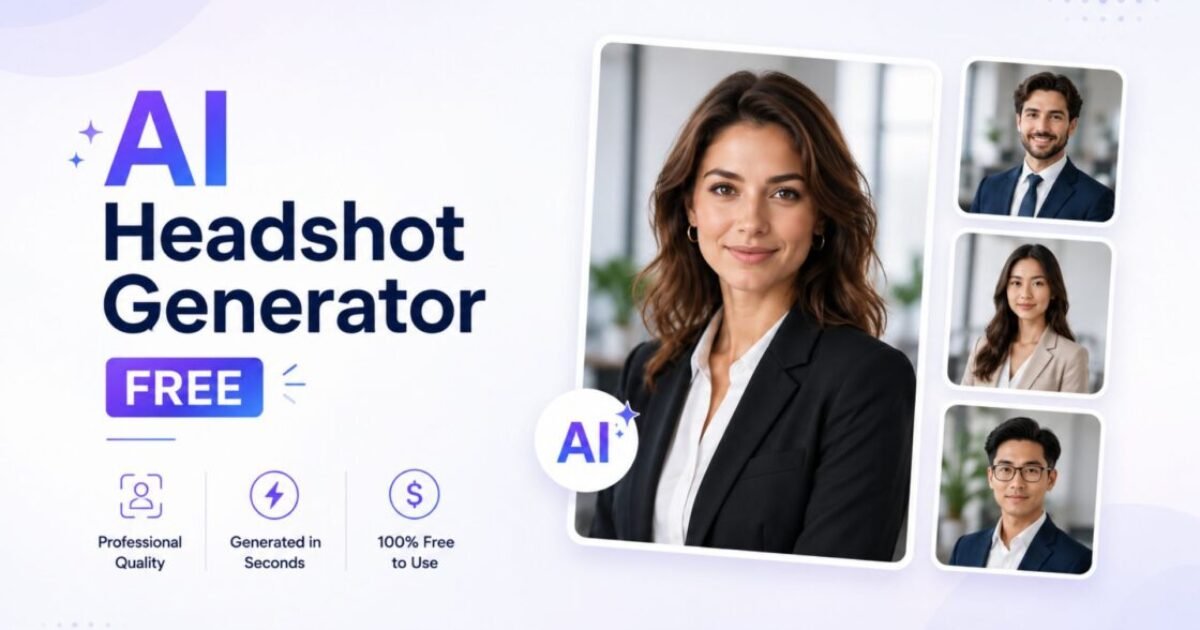
AI Headshot Generator Free — Professional Photos Without a Photographer (2026)
Sources: tool websites and pricing pages, tested directly by Sougan, June 2026
Need an AI headshot generator free of cost that actually produces something you’d put on LinkedIn? I tested six of the most-used options with my own selfie — same photo, every tool — to see which ones deliver a usable professional headshot without paying $150-500 for a studio session.
A polished headshot used to mean booking a photographer, renting studio time, and waiting days for edited files. Most freelancers, job seekers, and small business owners skip it entirely and use a cropped selfie instead — and it shows. AI headshot generators have closed that gap, but the “free” claims vary wildly. Some genuinely need zero signup. Others give you 3 free credits and then ask for an email, a card, or a subscription.
This guide covers exactly what I found when I tested each tool — what’s actually free, what the output looked like, and direct links so you can try them yourself. If you want more free AI image tools beyond headshots, see my guide on the best free AI image generators without login.
- What to look for in a free AI headshot generator
- The 6 best AI headshot generator free tools — tested 2026
- HeadshotPro — best for instant LinkedIn-ready results
- Magic Hour — fastest, single photo, no signup
- Aragon AI — best for multiple style variations
- Pixelbin — no signup, 3 free per month
- AiProPortrait — best for quick background swap
- Upsampler — best for full creative control
- Quick comparison table
- Tips for better results
- FAQ
What to Look for in a Free AI Headshot Generator
Before testing, I set four criteria for what counts as a genuinely useful AI headshot generator free tool — not just one that advertises “free” in its title:
- No mandatory signup for at least one usable result — entering an email shouldn’t be required just to see what the tool can do
- No visible watermark on the free output — a watermarked headshot is unusable for LinkedIn or a resume
- Realistic, not obviously AI-looking results — distorted faces or uncanny skin textures defeat the purpose
- Resolution good enough for profile photos — at least 1000px on the long edge for crisp display on LinkedIn and printed materials
Only the tools below met at least most of these criteria during my testing. I’ve noted where each one falls short so you know exactly what to expect.
The 6 Best AI Headshot Generator Free Tools — Tested 2026
1. HeadshotPro — Best for Instant LinkedIn-Ready Results
URL: headshotpro.com/tools/free-headshot-generator
HeadshotPro’s free tool lets you upload one photo and generates a free HD headshot with no sign-up and no credit card. In my test, I uploaded a casual selfie and got back a result that looked notably more polished — better lighting, cleaner background, more “professional photo” feel — within about a minute.
My honest experience: The free tier gives you one download in HD. If you want more variations — different outfits, backdrops, or poses — you’ll need to unlock credits. For a single LinkedIn profile photo update, the free result alone was good enough that I didn’t feel pushed to pay.
Best for: A quick, single professional photo for LinkedIn or a resume with minimal effort.
Limitation: One free HD download; additional variations require unlocking paid credits.
2. Magic Hour — Fastest, Single Photo, No Sign-Up
URL: magichour.ai/products/ai-headshot-generator
Magic Hour’s free AI headshot generator free tool needs just one photo and claims a 10-second turnaround with no sign-up required. In my test this was genuinely the fastest of the six — upload, click generate, and the result appeared almost immediately.
My honest experience: You get 3 free headshots per day with no account. The output quality was solid for a quick professional look, though for more refined results across multiple outfits and scenes, the tool nudges you toward signing up for bonus credits. For a same-day need — updating a LinkedIn photo before an interview, for example — this is the fastest option I tested.
Best for: Speed — when you need a usable headshot in under a minute with zero setup.
Limitation: 3 free generations per day; more variety requires signup for bonus credits.
3. Aragon AI — Best for Multiple Style Variations
URL: aragon.ai/free-headshot-generator
Aragon’s free tier is included with every account — no payment information required to use it. The catch is that free generations are limited per day and can land you on a waitlist during busy periods.
My honest experience: When my generation went through, the quality difference between the free and paid “Professional” tier was noticeable — the free version is good but not quite studio-photorealistic. Still, for casual professional use (internal team directories, smaller resumes, social profiles) the free output was perfectly serviceable. If you can tolerate a short wait during peak times, this is worth trying.
Best for: People who want to try multiple style directions without committing to a paid plan first.
Limitation: Free generations are rate-limited and may queue during high demand.
4. Pixelbin — No Signup, 3 Free HD Headshots Per Month
URL: pixelbin.io/ai-tools/professional-headshots
Pixelbin lets you generate up to three HD professional headshots per month completely free, with no signup required for those three. It transforms a selfie or casual portrait into a properly-sized headshot for LinkedIn, resumes, business cards, and company directories.
My honest experience: The output was crisp and free of watermarks — exactly what I’d expect from a “studio-grade” claim for a quick edit. Three free headshots per month is a real limitation if you need to iterate a lot, but for getting one solid profile photo updated, it’s more than enough, and the no-signup aspect for those three is genuinely true in my test.
Best for: A clean, no-fuss headshot once a month with zero account creation.
Limitation: Capped at 3 free generations per month; more requires signup for additional credits.
5. AiProPortrait — Best for Quick Background Swap
URL: aiproportrait.com/tools/free-ai-headshot-generator
This tool takes a different approach — instead of fully regenerating your face, it removes the background from your existing photo and swaps in a solid color, gradient, or studio backdrop, then exports at 1200×1200px. No sign-up, no email, runs entirely in-browser.
My honest experience: If your existing photo is decent but the background is messy (a cluttered room, an outdoor setting that looks too casual), this is the fastest fix. It won’t change your pose, outfit, or lighting on your face — it’s a background and framing upgrade, not a full AI regeneration. For people who already have a reasonably good photo and just need it “office-ready,” this worked well and the 1200×1200px output was sharp.
Best for: Fixing the background of an already-decent photo without changing anything else.
Limitation: Doesn’t regenerate your face, outfit, or pose — background and framing only.
6. Upsampler — Best for Full Creative Control
URL: upsampler.com (Free AI Image Generator)
Upsampler’s free AI image generator gives access to multiple models — including Flux 2 Klein, Wan 2.2, and Qwen Image — with no signup, no watermark, and free daily generation minutes. Unlike the dedicated headshot tools above, this works by prompting: describe the headshot you want (e.g. “professional corporate headshot, navy suit, soft studio lighting, neutral grey background”) and it generates from scratch or from a reference image.
My honest experience: This requires more effort than the one-click tools, but gives you the most control over style — useful if you want a specific look (creative portfolio vs. corporate) rather than whatever the dedicated tool defaults to. I paired it with Upsampler’s free upscaler to bring the result to print-ready resolution, which the dedicated headshot tools above don’t offer for free.
Best for: Anyone comfortable writing prompts who wants a specific style rather than a generic “professional” default. For prompt-writing tips, see my guide on how to write prompts for AI image generators.
Limitation: Requires prompt-writing rather than a simple upload-and-go workflow.
Quick Comparison: Which AI Headshot Generator Free Tool Should You Use?
| Tool | No Signup? | Free Limit | Best For |
|---|---|---|---|
| HeadshotPro | ✅ Yes | 1 HD download | LinkedIn-ready in one shot |
| Magic Hour | ✅ Yes | 3/day | Fastest result (~10 sec) |
| Aragon AI | ✅ Yes | Limited/day + waitlist | Multiple style options |
| Pixelbin | ✅ Yes | 3/month | Clean HD, no watermark |
| AiProPortrait | ✅ Yes | Unlimited (bg swap only) | Background fix only |
| Upsampler | ✅ Yes | Daily GPU minutes | Full prompt control + upscale |
Every tool I tested for this AI headshot generator free roundup worked without forcing signup for at least an initial result — that’s rarer than you’d expect after testing tools that advertise “free” but gate the actual output behind an email wall.
Tips for Getting Better Results From a Free AI Headshot Generator
The source photo matters more than the tool. Across all six tests, here’s what consistently improved the output:
- Use a well-lit, front-facing photo — natural daylight facing a window works best. Shadows and backlighting confuse every tool I tested.
- Make sure your face is clearly visible — no sunglasses, no hats casting shadows over your eyes, hair not covering your face.
- Higher resolution input = higher resolution output — don’t use a heavily compressed or screenshot-quality photo as your source.
- Try more than one source photo — different angles and expressions on the same tool can produce noticeably different results. I got my best HeadshotPro result on my second attempt with a slightly different photo.
- Match the tool to your need — if your existing photo is already decent, AiProPortrait’s background swap is faster than a full regeneration. If you want a specific creative direction, Upsampler’s prompt control beats the one-click tools.
- Best overall: HeadshotPro — one free HD download, no signup, LinkedIn-ready
- Fastest: Magic Hour — 3/day, ~10 second turnaround, no signup
- Best for variety: Aragon AI — multiple style options, free tier on every account
- Best for monthly use: Pixelbin — 3 free HD headshots/month, no watermark
- Best for background fixes: AiProPortrait — instant background swap, 1200×1200px
- Best for control: Upsampler — full prompt control plus free upscaling
Frequently Asked Questions
Is there a truly free AI headshot generator with no signup?
Yes — in my testing, HeadshotPro, Magic Hour, Pixelbin, and AiProPortrait all produced a usable headshot without requiring an account or email. Each has free-tier limits (ranging from one HD download to a few per day or month), but the initial result requires no signup.How many photos do I need for an AI headshot generator free tool?
This varies by tool. Magic Hour and HeadshotPro’s free tier work from a single photo. Some paid headshot services request 6-12 selfies from different angles for the most photorealistic results, but the free tools I tested all worked from one source photo.Will a free AI headshot have a watermark?
Of the six tools tested, none added a visible watermark to the free output. This is worth double-checking with any new tool, since watermarked results are common among lesser-known “free” generators not covered here.What’s the best free AI headshot generator for LinkedIn specifically?
HeadshotPro’s free tool was the most LinkedIn-ready result in my test — proper headshot framing, professional lighting, and clean background in one HD download with no signup. Pixelbin’s output was similarly clean if you want to save HeadshotPro’s single free credit for later.Can I use an AI headshot generator free tool for a resume photo?
Yes — all six tools tested produce results suitable for resume photos. AiProPortrait’s 1200×1200px export is particularly good for printed resumes where resolution matters. For digital resumes and online profiles, any of the six should look sharp.Is it worth paying for a headshot tool instead of using the free tier?
For a single updated profile photo, the free tiers I tested were sufficient — I didn’t feel the need to upgrade for basic LinkedIn or resume use. If you need multiple outfits, backdrops, or a full set of 20-40 variations for team photos or a portfolio, the paid tiers (typically $19-29 for a batch) become more worthwhile.
Want to Use AI for Your Marketing?
Now that you know how to use AI image tools, here’s what to do next on Peplio:
-
-
- 🎨 Try the Best Free AI Image Generator Without Login — unlimited generations, no signup needed.
- 🛠️ Explore Free SEO & Marketing Tools — built for bloggers and small businesses.
- 📖 Read Digital Marketing Comics — learn SEO and marketing through fun stories.
-