
 P
PPicOnTap
Quick creative passes on product photos, travel snaps, and social posts...
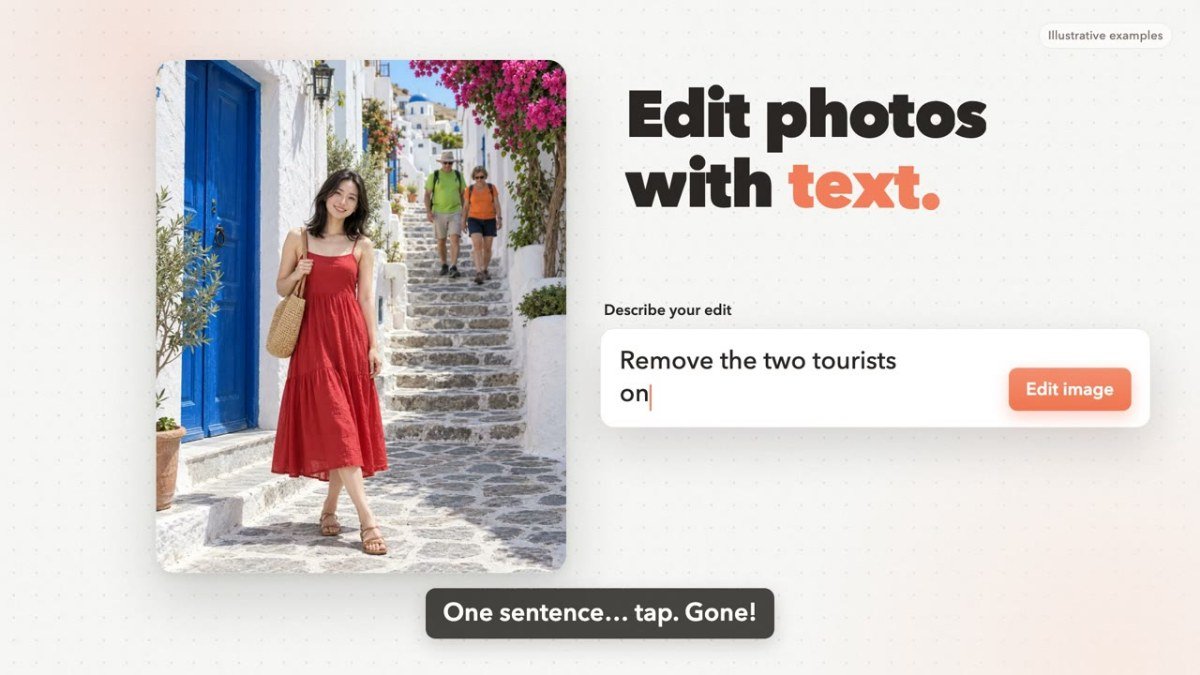
Peplio's take
PicOnTap is a great option for anyone needing to make quick, impactful edits to images without a steep learning curve. Its ability to perform selective edits via text prompts is its clearest strength. Users should be aware that results can vary based on the complexity of the image and prompt, and it's best to check the output carefully before relying on it for critical applications.
Peplio summary based on the maker's details and the tool's website, October 2026
What is PicOnTap?
Built for quick creative passes on product photos, travel snaps, and social posts — studio backdrops, cleaner backgrounds, bolder colorways. Turn everyday photos into campaign-ready images: keep the subject, rewrite the scene, remove clutter, or recolor products with a short prompt. Mark an area for a local change; pixels outside the blend stay intact. Compare before and after, then download or keep editing.
Best forMarketers, bloggers, and creators who need to make quick, creative edits to product photos, travel snaps, and social posts without complex software.
Key features
- AI Image EditingEdit photos using text prompts to describe desired changes.
- Selective Area EditingMark specific areas of an image for localized edits.
- Background ReplacementChange the backdrop of your photos to create different scenes.
- Object RemovalRemove unwanted clutter or distractions from your images.
- RecoloringChange the color of specific objects within a photo.
- No Sign Up RequiredStart editing immediately with free daily credits without needing an account.
Who should use PicOnTap?
- Transforming product photos with new studio backdrops.
- Removing photobombers or distractions from travel pictures.
- Changing the color of products for different marketing campaigns.
- Cleaning up cluttered backgrounds in social media posts.
How to use PicOnTap
- Upload your image or drop it into the editor.
- Describe the desired edit in the text prompt box.
- Optionally, mark a specific area for a local change.
- Review the before and after versions of your image.
- Download your edited image or continue editing.
PicOnTap FAQ
Is PicOnTap free to use?
Yes, PicOnTap offers a freemium model. You can use it for free with daily credits and no sign up is required for basic editing. Paid plans are available for more extensive use.
Do I need to create an account to use PicOnTap?
No, you do not need to sign up for an account to start editing. You can upload your image and begin making edits right away in your browser.
What kind of edits can I make with PicOnTap?
You can make various creative edits, including replacing backgrounds, removing objects, recoloring items, and adding elements, all guided by text prompts. You can also apply changes to specific marked areas of your image.
What platforms does PicOnTap support?
PicOnTap is a web application, meaning it can be accessed and used directly through your web browser on any device with internet access.
Free alternatives to PicOnTap
See all Design and image tools C Converly ColorsFree custom color palette generator with CSS and Design.md exportDesign and images
 I Image Color RemoverPick a color and download a transparent PNG. Runs in your browser.Design and images
 S Sticker Printer HubFree 4x7 sticker sheet maker and cost calculatorDesign and images
 P Pretty QRCreate branded QR codes freeDesign and images
 A AppScreenLay out App Store screenshot sets on one wide canvas in your browserDesign and images
 T TeslaWrapsFree browser editor for Tesla Paint Shop wraps with 3D preview and PNG exportDesign and images
Reviews from makers
Makers who list on PeplioHUB test each other's tools. Be the first to review PicOnTap.
Have you tried PicOnTap?
Share what worked, what did not, or ask the maker a question.