
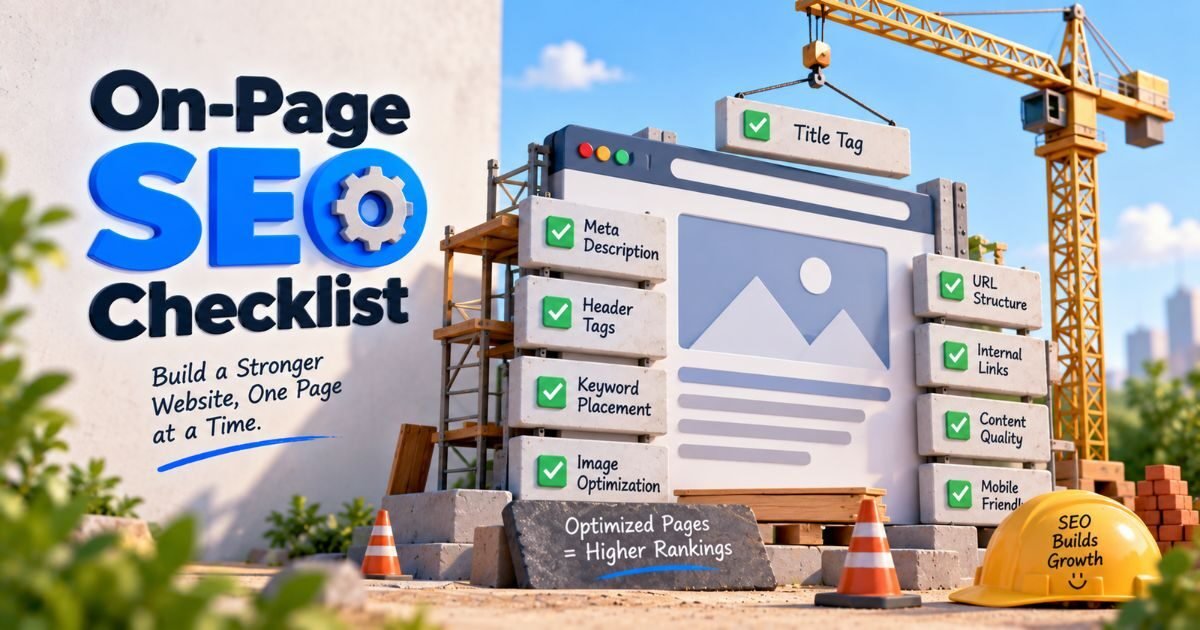
On Page SEO Checklist: 15 Steps to Optimise Every Article in 2026
Sougan Kumar Mandi | Founder, Peplio | Digital Marketing Executive, Demech Chemical Products, Durgapur | Last updated: September 2026
The on page SEO checklist every article needs before publishing: focus keyword in the title tag (under 60 chars), keyword in first 100 words, one H1 matching the title, keyword in 2-3 H2s, meta description under 160 chars with a CTA, clean URL slug with keyword, 3-5 internal links, compressed images with keyword alt text, and a minimum content length that fully satisfies the search intent. On-page SEO accounts for roughly 30-40% of Google’s ranking decision. Get these basics right and you’ve already done more than most of your competition.
On page SEO checklist — this is the exact list I run on every single Peplio article before hitting publish. I’ve been doing digital marketing at Demech Chemical Products in Durgapur for three years and building Peplio as a solo founder since 2024. In that time I’ve published, ranked, and updated hundreds of articles. The pattern is always the same: the articles that follow this checklist get indexed, get impressions, and eventually get clicks. The articles that don’t — no matter how well-written — sit invisible. This checklist is the difference between publishing and actually ranking.
On-page SEO is everything you optimise directly on your page — title tag, URL, headings, content, images, internal links — to signal clearly to Google what the page is about and why it deserves to rank. It accounts for roughly 30-40% of Google’s ranking decision. This checklist covers all 15 elements, in the order I check them, with the exact spec for each one.
Table of Contents
What is on-page SEO and why does the checklist matter in 2026?
On-page SEO is the set of optimisations you make directly on a web page to help it rank. Unlike off-page SEO (backlinks, brand mentions) or technical SEO (site speed, crawlability), on-page SEO is entirely within your control on every single page you publish. That makes it the most actionable part of the SEO system — and the part most beginners skip or do inconsistently.
Without an on page SEO checklist
- Title tag has no keyword or is over 60 chars
- URL is /post-12345/ or too long
- No meta description — Google writes one for you (usually bad)
- Images are 2MB each with no alt text
- No internal links — every page is an island
- Published and forgotten — never updated
With this on page SEO checklist
- Title: keyword + power word + under 60 chars
- URL: /on-page-seo-checklist/ — clean, short, keyword
- Meta description: 150-160 chars with keyword + CTA
- Images: compressed, descriptive file names, keyword alt text
- 3-5 internal links per 1,000 words to relevant articles
- Reviewed and updated when data shows opportunity
In 2026, on-page SEO also includes signals that didn’t exist five years ago — E-E-A-T (Experience, Expertise, Authoritativeness, Trustworthiness), AI search optimisation, and Core Web Vitals as ranking signals. This checklist covers all of them in the order that matters. For the broader SEO picture before diving into on-page: what is SEO and why is it important.
The complete on page SEO checklist — 15 steps before every publish
Before optimising anything else — confirm your focus keyword. This is the exact phrase your reader types into Google. Use Google Keyword Planner or Google Autocomplete to verify real search volume. Check the SERP — does search intent match your content type? If people searching your keyword want a listicle and you wrote an opinion piece, no amount of on-page optimisation will save it. Keyword confirmed = intent matched. See the full keyword process: what is keyword research.
Spec: search volume confirmed, intent type matched (informational / commercial / transactional)
The title tag is the single most impactful on-page element. In 2026, Google rewrites approximately 61% of title tags — most because they are too long or don’t match the page’s actual content. Your title must include the focus keyword (ideally in the first 3-4 words), stay under 60 characters, and accurately reflect what the page contains. Adding a number, a year, or a power word (“complete”, “proven”, “ultimate”) improves click-through rate from the SERP.
Bad: “SEO Tips and Tricks for Your Website in the Modern Digital Era”
Good: “On Page SEO Checklist: 15 Steps to Rank in 2026” (52 chars)
Spec: under 60 characters | keyword in first 4 words | unique across site
Your URL is a lightweight but real ranking signal. Keep it short (3-5 words maximum), use hyphens not underscores, include the focus keyword, and remove stop words (a, the, and, for, in). Never use auto-generated WordPress URLs like /?p=1234 — set your permalink structure to Post Name in Settings before publishing anything.
Bad: peplio.com/the-complete-guide-to-on-page-seo-for-beginners-in-2026/
Good: peplio.com/on-page-seo-checklist/
Spec: 3-5 words | hyphens only | keyword included | no stop words
Meta descriptions do not directly affect rankings — Google has confirmed this. But they directly affect click-through rate, which indirectly affects rankings through engagement signals. A well-written meta description tells the searcher exactly what they’ll get and gives them a reason to click over other results. Include the focus keyword, mention a specific benefit, and end with a soft CTA like “Read the full checklist” or “Updated September 2026.”
Spec: 150-160 characters | includes focus keyword | specific benefit mentioned | unique per page
Every page needs exactly one H1. It is the main headline readers and crawlers see first. In WordPress, your post title becomes your H1 automatically when using a well-coded theme. The H1 can be slightly longer and more descriptive than your title tag since it doesn’t get truncated. It must include the focus keyword — ideally near the beginning. Never use multiple H1 tags on the same page; this confuses both readers and crawlers about which topic is primary.
Spec: exactly one H1 per page | focus keyword included | matches topic of the page | slightly longer than title tag is fine
H2s are your main section headings. H3s are sub-sections within those sections. Use one keyword variation or related term naturally in 2-3 of your H2s — not all of them, and never forced. The heading hierarchy tells Google’s crawlers what your article covers, in what depth, and in what order. A well-structured heading hierarchy also makes your article scannable — critical for the 70% of readers who skim before deciding whether to read fully.
Spec: H2 for main sections | H3 for sub-points | keyword in 2-3 H2s | no skipping levels (H1 to H3 without H2)
Google’s crawlers read the beginning of your page first. Including your focus keyword naturally within the first 100 words tells the algorithm immediately what this page is about. This doesn’t mean stuffing — it means writing an intro that genuinely addresses the topic. If your keyword is “on page SEO checklist” and your first paragraph discusses the history of search engines, you’ve already sent a weak relevance signal. The intro should start on-topic and stay on-topic.
Spec: focus keyword appears naturally within first 100 words | not forced | intro matches search intent
Keyword density as a hard number is no longer a ranking factor — Google confirmed this years ago. What matters is that the focus keyword appears naturally throughout the content and that semantically related terms appear alongside it. For “on page SEO checklist,” Google expects to see related terms like “title tag,” “meta description,” “heading structure,” “internal links,” “image alt text” — entities that confirm topical depth. RankMath’s content analysis checks both density and semantic coverage in real time. Aim for a green score, not a specific percentage.
Spec: keyword in intro + conclusion + 2-3 H2s | semantically related terms present throughout | no keyword stuffing
Internal links are one of the most consistently skipped items on any on page SEO checklist — and they have direct ranking consequences. Every article you publish should link to 3-5 relevant existing articles on your site using descriptive anchor text. Never use “click here” or “read more” as anchor text — these tell Google nothing. Use the actual topic: “see the full guide on how to get backlinks for free.” Internal links distribute authority from established pages to newer ones, keep readers on your site longer, and help Google’s crawlers discover and understand your site’s content structure.
Spec: 3-5 internal links per 1,000 words | descriptive keyword-rich anchor text | links to relevant related content only
Linking out to high-authority, relevant external sources is a positive E-E-A-T signal — it shows you are referencing credible information rather than making claims in a vacuum. Link to official sources (Google’s own documentation, government sites, recognised industry publications), not to competitor articles on the same keyword. Use rel=”noopener” on external links (never nofollow on editorial outbound links — nofollow is for paid or sponsored links). 2-5 outbound links per article is a good target.
Spec: 2-5 outbound links | high-authority relevant sources only | rel=”noopener” target=”_blank” | never nofollow on editorial links
Image optimisation is where most beginners lose significant page speed without realising it. Three rules for every image: compress before uploading (use Squoosh or ShortPixel — target under 100KB per image), rename the file before uploading (not IMG_2031.jpg — use “on-page-seo-checklist-guide.jpg”), and write descriptive alt text that includes the focus keyword on the main image. Alt text is read by Google’s crawlers and by screen readers — it serves both SEO and accessibility simultaneously.
Spec: under 100KB per image | descriptive filename with hyphens | keyword alt text on main image | WebP format preferred
Content length is not a direct ranking factor — depth of coverage is. Check the top 3 results for your target keyword. What topics do they cover? What format do they use? What questions do they answer? Your article should cover all of those — plus at least one angle or specific detail they miss. For a checklist article like this, longer and more comprehensive wins. For a simple definition query (“what is a meta description”), 400 well-written words beats 2,000 padded ones. Match the depth to the search intent, not to a word count target.
Spec: covers all sub-topics the top 3 results cover | adds at least one unique angle | no padding | format matches intent
Experience, Expertise, Authoritativeness, Trustworthiness — Google’s quality framework for evaluating content. In 2026, E-E-A-T is not an algorithm that fires automatically but a framework Google’s quality raters use to evaluate pages, and it directly influences which pages survive algorithm updates. For a beginner: add your real experience (a specific result from your own work), a clearly identified author with credentials, an author bio with real details, and at least one original screenshot, data point, or case study per article. Articles that look like they could have been written by anyone about anything rank lower than articles with a clear expert voice.
Spec: identified author + bio | personal experience added to content | original data or screenshot | credentialing information visible
A FAQ section with at least 6 questions directly targeting related queries gives you People Also Ask placement opportunities and AI Overview citation potential. Each question should be a real search query, not a generic “what is X?” that nobody actually types. After publishing, add FAQPage JSON-LD schema to the page — this structured data markup tells Google explicitly that your page contains FAQ content and helps it appear as a rich result in search. RankMath handles FAQPage schema automatically when you use its FAQ block.
Spec: 6+ FAQ questions | real search queries used | FAQPage JSON-LD schema added | questions match People Also Ask for the keyword
Core Web Vitals are confirmed Google ranking signals, not optional extras. LCP (Largest Contentful Paint) — how fast the main content loads — should be under 2.5 seconds. CLS (Cumulative Layout Shift) — how stable the page is as it loads — should be under 0.1. INP (Interaction to Next Paint) — how quickly the page responds to interaction — should be under 200ms. Test at PageSpeed Insights before publishing and after any major design or plugin changes. For the full technical picture: technical SEO for beginners.
Spec: LCP under 2.5s | CLS under 0.1 | INP under 200ms | PageSpeed score above 80 on mobile
RankMath pre-publish on page SEO checklist for WordPress users
If you use WordPress with RankMath SEO (the plugin I use and recommend for every Peplio article), here is the exact pre-publish check I run in the RankMath sidebar before every publish. Aim for a score of 80+ — green status on the key signals listed below:
| RankMath Check | What It Checks | Target |
|---|---|---|
| Focus keyword in title | Is the focus keyword present in the SEO title? | Green |
| Focus keyword in URL | Does the slug contain the focus keyword? | Green |
| Focus keyword in meta description | Does the meta description include the keyword? | Green |
| Focus keyword at beginning of content | Does keyword appear in first 10% of content? | Green |
| Keyword density | Is keyword density above 0.5% in visible body text? | Green (0.5-2.5%) |
| Content length | Is article above the recommended length for topic? | Green |
| Internal links | Does article have at least one internal link? | Green (3+ links) |
| Images have alt text | Do all images have alt text including keyword? | Green |
Note: RankMath reads only text outside Custom HTML blocks. If your article uses Custom HTML for styled divs, add a plain paragraph outside the HTML block for keyword density to register correctly.
The most important RankMath tip I learned the hard way: RankMath cannot read content inside <!-- wp:html --> Custom HTML blocks. If your entire article is inside a Custom HTML block for styling, your keyword density and content length will show as zero even if the article is 3,000 words. Always add a plain Gutenberg paragraph block outside the Custom HTML block with the focus keyword repeated naturally — this is what RankMath reads for density scoring.
5 on-page SEO mistakes that kill rankings — and how to fix them
Mistake 1 — Duplicate title tags
Two pages with identical or near-identical title tags compete against each other in Google’s index. Fix: every page must have a unique title tag. Use Screaming Frog or RankMath’s bulk editor to audit duplicates across your site.
Mistake 2 — Keyword stuffing
Forcing the keyword into every other sentence reads as spam and actively hurts rankings in 2026. Google’s algorithms understand context — a natural 0.5-2% density with semantic coverage outranks keyword-stuffed content at 5%+.
Mistake 3 — No internal linking
Publishing articles with zero internal links is the most common and costly on-page SEO mistake I see. Every article is an island until you connect it. Fix: before publishing, add 3-5 internal links minimum. Go back and update old articles too.
Mistake 4 — Uncompressed images
A single 3MB hero image can take your mobile PageSpeed score from 80 to 45 instantly. Fix: compress everything through Squoosh before uploading. WebP format at 80% quality hits the best size-to-quality ratio for most images.
Mistake 5 — Publishing and forgetting
On-page SEO is not a one-time publish task. Google Search Console shows you which pages are getting impressions but low CTR — those need updated title tags and meta descriptions. Pages getting clicks but low average position need deeper content. Review monthly.
The on page SEO checklist is not a one-time checkbox — it is a habit you build until it becomes automatic before every single publish.
When I first started Peplio, I published 20 articles with no on-page optimisation — no keyword in the title, no meta description, no internal links, images at 2MB each. None of them ranked. When I went back and applied this checklist to those same articles — same content, just optimised — six of them started getting impressions within three weeks. The content was fine. The on-page signals were missing. The practical tip: don’t wait until you have a new article. Run this checklist on your five highest-traffic existing pages first. Small fixes to titles, meta descriptions, and internal links on pages that already have some authority will move rankings faster than publishing five new optimised articles from scratch.
See the moment when fixing what is broken underneath changes everything
Episode 9 — Jab Speed Ruki — is the episode where everything stops working and the fix is not a new tactic but a proper diagnosis of what was missing underneath. This checklist is that diagnosis for your on-page SEO. Follow Mitu, Seema, and the full Peplio comic universe to see every digital marketing concept brought to life.
Summary: The on page SEO checklist — all 15 steps
- Step 1 — Focus keyword confirmed with search intent matched
- Step 2 — Title tag under 60 chars, keyword in first 4 words, unique per page
- Step 3 — URL slug: 3-5 words, hyphens, keyword, no stop words
- Step 4 — Meta description: 150-160 chars, keyword, benefit, CTA
- Step 5 — Exactly one H1 per page containing the focus keyword
- Step 6 — H2 and H3 hierarchy with keyword in 2-3 H2s, no skipped levels
- Step 7 — Focus keyword appears naturally in first 100 words
- Step 8 — Keyword density natural (0.5-2.5%), semantic coverage present
- Step 9 — 3-5 internal links per 1,000 words with descriptive anchor text
- Step 10 — 2-5 outbound links to authoritative relevant sources
- Step 11 — Images compressed under 100KB, keyword alt text, descriptive filenames
- Step 12 — Content depth matches search intent; covers all sub-topics top results cover
- Step 13 — E-E-A-T: author identified, real experience added, original data present
- Step 14 — FAQ section (6+ Qs) + FAQPage JSON-LD schema
- Step 15 — Core Web Vitals: LCP under 2.5s, CLS under 0.1, PageSpeed above 80 mobile
People Also Asked
What is the most important element in an on page SEO checklist?
The title tag — it is the single most impactful on-page element with a measurable 3-7 position ranking difference between optimised and unoptimised titles, according to industry studies. Beyond the title, the combination of keyword in first 100 words, correct heading hierarchy, and internal links produces the highest cumulative ranking lift from on-page work alone. No single element is a magic switch — the checklist works as a system, not a list of independent fixes.
How long does on-page SEO take to show results?
For existing pages that are already indexed: fixing title tags and meta descriptions often shows CTR improvements within 2-4 weeks as Google re-crawls and updates the SERP display. Ranking position improvements from on-page fixes typically take 4-8 weeks to become visible in Search Console data. For new pages following this checklist from publish: first impressions usually appear within 1-4 weeks of indexing, with ranking movement visible at 6-12 weeks for low-competition keywords.
Is on-page SEO enough to rank on the first page of Google?
For low-competition keywords (under 1,000 monthly searches, few established competitors): yes, strong on-page SEO is often enough. For medium to high competition keywords: on-page is necessary but not sufficient — you also need off-page signals (backlinks) and technical SEO (fast site, clean indexing). On-page SEO is the foundation. Without it, even strong backlinks don’t produce their full ranking benefit. Start with the on page SEO checklist and technical SEO for beginners before building backlinks.
FAQ: On page SEO checklist
What is on-page SEO?
On-page SEO is the set of optimisations made directly on a web page to improve its visibility in search results. It covers everything you control on the page itself: title tag, meta description, URL, heading structure, content, keyword usage, images, internal links, and schema markup. It is distinct from off-page SEO (backlinks, brand signals) and technical SEO (site speed, crawlability, indexability). On-page SEO accounts for roughly 30-40% of Google’s ranking decision.
How often should I run an on page SEO checklist on existing articles?
Quarterly for your top 20 traffic pages — check title tags against current CTR data, update statistics and dates, add new internal links to newer articles, and fill any content gaps that newer competitors have exploited. Monthly for pages with high impressions but low CTR — these are the pages where a better title tag and meta description will immediately move clicks without requiring a full content update. New articles should be audited against the full checklist before publishing, not after.
Does keyword density still matter for on-page SEO in 2026?
As a hard percentage target — no. Google confirmed years ago that there is no optimal keyword density. What matters is that the keyword appears naturally throughout the content (in the title, intro, a few H2s, the conclusion) and that semantically related terms are present — these signal topical depth and context to the algorithm. RankMath’s content analysis is a practical proxy: aim for a green score, not a specific number. If your writing is natural and on-topic, density will take care of itself.
What is the difference between on-page SEO and technical SEO?
On-page SEO covers what is on the page itself — content, headings, title tags, internal links, images. Technical SEO covers the infrastructure behind the site — page speed, mobile responsiveness, XML sitemaps, robots.txt, canonical tags, structured data, Core Web Vitals, and crawlability. Both are required for ranking; neither substitutes for the other. Technical SEO ensures Google can find and index your pages. On-page SEO ensures Google understands what those pages are about and who they serve. Full guide: technical SEO for beginners.
Should I use the same keyword in both the title tag and the H1?
Yes — and they should be very similar, not identical. The title tag is what Google shows in search results (and rewrites 61% of the time in 2026 when there’s a mismatch). The H1 is what readers see on the page. Using the same focus keyword in both creates consistency that reduces Google’s likelihood of rewriting your title. Slight variations are fine — a slightly longer or more descriptive H1 is common and acceptable. What to avoid: a title tag about one topic and an H1 about a different angle — that mismatch triggers Google’s rewriting system.
How many internal links should I include per article?
The practical guideline I follow at Peplio: 3-5 internal links per 1,000 words, using descriptive keyword-rich anchor text. A 3,000-word article should have 9-15 internal links. The correct number is “as many as are genuinely relevant and useful to the reader.” Forced internal links on irrelevant anchor text are detectable by Google and dilute the signal. The minimum: every article published must have at least 3 dofollow internal links before it goes live.
Data sources and references: Backlinko — On-Page SEO: The Definitive Guide 2026 | Semrush — SEO Writing Tips 2026 | Google PageSpeed Insights. All recommendations based on Peplio’s own testing and Sougan’s experience at Demech Chemical Products. Updated September 2026.
The on page SEO checklist is the most practical tool any blogger or digital marketer can use before hitting publish. Running the on page SEO checklist on every article is what separates pages that rank from pages that sit invisible — and the difference between the two is almost always these 15 fixable elements. Whether you are optimising your first blog post or auditing 50 existing pages, the on page SEO checklist in this guide covers every signal Google evaluates directly on your page.
Using an on page SEO checklist before publishing is not optional in 2026 — it is the baseline. The on page SEO checklist ensures your title tag is under 60 characters with the focus keyword, your images are compressed, your internal links are in place, and your E-E-A-T signals are visible. Apply this on page SEO checklist to your five highest-impression pages today and you will see ranking improvements before you publish a single new article.


