
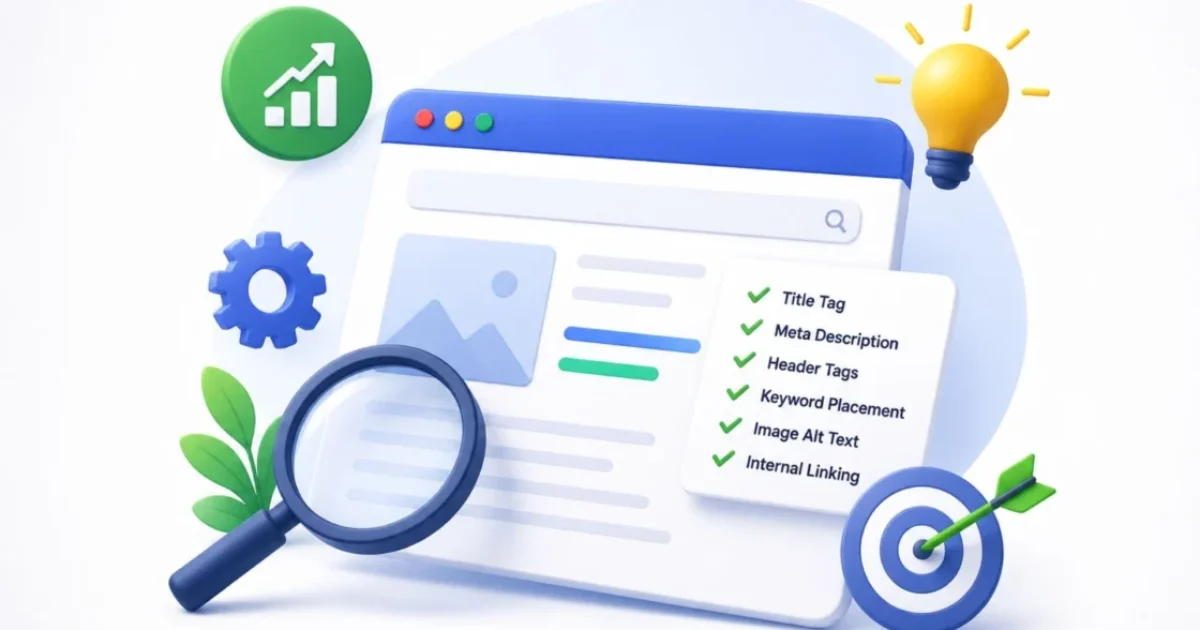
On Page SEO Checklist: 12 Proven Steps to Optimise Every Article in 2026
Written by Sougan Kumar Mandi — Digital Marketing Executive at Demech Chemical, founder of Peplio, 3+ years of hands-on SEO testing. I apply this exact on page SEO checklist to every article I publish — and I’ve refined it through real ranking wins and real failures on this site.
📊 On Page SEO Checklist — Why Every Item Matters
~40%
Of ranking potential is controlled by on-page factors alone
2%→7%
CTR jump possible from rewriting one meta description
32%
Increase in organic sales from optimising title + meta (SearchAtlas)
+30%
AI citation improvement from schema markup (CrawlRaven, 2026)
1,400–2,500
Average words for top 3 ranking informational pages (Semrush)
18%
Conversion rate increase from Core Web Vitals improvements
The on page SEO checklist is the one document I open before publishing every single article on Peplio. Not because I need reminding — but because skipping even one item has cost me rankings I spent months trying to recover. I once published an article with a perfectly researched keyword, 3,000 words of original content, and strong internal links — then watched it sit on page four for six months.
When I finally audited it properly, I found three checklist failures: the URL slug had been auto-generated as a string of words with no keyword, the primary image had no alt text, and the meta description was empty so Google pulled a random sentence from paragraph three. Three quick fixes later, the article moved to page two within three weeks. That’s the point of having an on page SEO checklist: it’s not about doing extraordinary things. It’s about not accidentally skipping ordinary things that cost you rankings.
⚡ Quick Answer: What Is an On Page SEO Checklist?
An on page SEO checklist is a structured list of optimisations applied directly to individual web pages before and after publishing, to maximise their relevance, usability, and ranking potential in search engines. The 12 core items are: focus keyword selection → URL slug → title tag → H1 heading → meta description → keyword in first paragraph → H2/H3 structure → image alt text → internal links → content depth and intent match → schema markup → Core Web Vitals. In 2026, a 13th item has been added by forward-thinking SEOs: AI extraction formatting for Google AI Overviews and answer engine citation.
This on page SEO checklist is used across every article in the Peplio SEO cluster — from the pillar guide on what is SEO and why is it important to every supporting cluster article. Understanding the types of elements involved is covered in detail in my types of SEO guide. This article is the practical implementation — the exact steps, in order, with real examples.
📋 Table of Contents
- The 3-Tier Priority System — How to Use This Checklist
- Tier 1 — Must Do (Non-Negotiable Basics)
- Tier 2 — Should Do (Strong Ranking Signals)
- Tier 3 — Power User (2026 Competitive Edge)
- Before and After: Real On Page SEO Checklist Fixes From Peplio
- Quick-Reference On Page SEO Checklist Table
- On Page SEO Checklist Mistakes I Made (And Still See Everywhere)
- FAQ — On Page SEO Checklist
1. The 3-Tier Priority System — How to Use This Checklist
Most on page SEO checklists give you 20–47 items with no guidance on what to prioritise. When everything is important, nothing is. The result: beginners spend time on low-impact items (keyword density decimal precision) while missing high-impact basics (search intent mismatch). This checklist uses a 3-tier system:
- Tier 1 — Must Do: Non-negotiable. Missing any of these items causes measurable ranking damage. Apply these to every page, every time, before publishing.
- Tier 2 — Should Do: Strong ranking signals. These separate good pages from great ones. Apply these to all important pages and retrofit them to existing high-priority content.
- Tier 3 — Power User: 2026 competitive edge. These go beyond traditional on page SEO and address AI Overviews, structured data, and content freshness. Apply these to pillar pages and cluster cornerstone content first.
If you’re short on time, do Tier 1 on everything. Then work through Tier 2 on your most important pages. Tier 3 is what separates sites that earn AI citations and featured snippets from those that only rank traditionally.
2. Tier 1 — Must Do (Non-Negotiable Basics)
These six items are the foundation of any effective on page SEO checklist. Missing even one creates a direct, measurable ranking or visibility problem.
✅ Checklist Item 1 — Focus Keyword Research (Before Writing)
Every page in your on page SEO checklist process starts with a verified focus keyword — not a topic guess, but a confirmed search phrase with real volume, clear intent, and achievable competition. This is the single decision that determines whether your optimisation work pays off or not. What to verify:
- Real search volume (use Google Keyword Planner or Ahrefs free tool — don’t trust gut instinct)
- Clear search intent: informational, commercial, navigational, or transactional? Your content format must match.
- Realistic competition: as a growing site, you can’t compete for “SEO” but you can compete for “on page SEO checklist for beginners”
- One focus keyword per page — targeting two keywords on one page dilutes both
RankMath check: Paste your focus keyword into RankMath before writing. If it shows zero searches, reconsider the keyword. For a full keyword research framework, see SEO basics for beginners — Step 3.
✅ Checklist Item 2 — URL Slug With Keyword (Set Before Publishing)
Your URL slug is a confirmed ranking signal and a user trust factor. It tells both Google and the searcher what the page is about before they click. Rules:
- Include your focus keyword in the slug:
/on-page-seo-checklist/not/blog/?p=403 - Keep it short — ideally 3–5 words. Shorter slugs are cleaner and easier to share.
- Use hyphens, not underscores:
/on-page-seo-checklist/not/on_page_seo_checklist/ - Remove stop words where possible:
/on-page-seo-checklist/not/the-complete-on-page-seo-checklist-guide/ - Never change a slug after a page is indexed — you lose all accumulated authority unless you set up a 301 redirect
WordPress action: Before publishing, go to the URL field under the title block and manually set the slug. Don’t let WordPress auto-generate it from your full H1 title.
✅ Checklist Item 3 — Title Tag With Keyword Front-Loaded (Under 60 Characters)
The title tag is the single most important on page SEO checklist element. It’s the clickable headline in search results, and it directly signals to Google what your page is about. It’s also your first — and sometimes only — chance to win the click over competitors. Title tag formula that works: [Focus Keyword]: [Benefit/Hook] in [Year] Examples:
- ✅ On Page SEO Checklist: 12 Proven Steps to Optimise Every Article in 2026 — keyword first, number, sentiment word, year
- ❌ The Ultimate Complete Guide to On-Page Search Engine Optimisation Best Practices — keyword buried, no number, no year, no clear benefit
RankMath requirements to hit green:
- Focus keyword present (ideally in the first 3 words)
- A sentiment word (Proven, Essential, Honest, Complete, Powerful, Best)
- A number (12, 7, 5 — signals specificity and scannability)
- Under 60 characters to avoid truncation in SERPs
Title tags that start with keywords perform measurably better. Google gives more ranking weight to keywords near the beginning of the title tag than those at the end.
✅ Checklist Item 4 — H1 Heading With Focus Keyword
Your H1 is the on-page headline — what Google reads first to confirm the page’s primary topic. It must contain the focus keyword and only one H1 should exist per page. Key rules:
- One H1 per page — multiple H1s send a confusing topic signal
- Include the focus keyword — don’t paraphrase it into something clever that loses the keyword
- H1 can (and often should) differ slightly from the title tag — the title tag is optimised for SERP click appeal, the H1 can be slightly longer and more natural for the reader
WordPress action: In Gutenberg, the first “Heading” block should be H2 — your actual H1 is the page title field at the very top of the editor. Confirm by switching to “Code Editor” view and checking the HTML structure.
✅ Checklist Item 5 — Meta Description With Keyword (Under 160 Characters)
The meta description is not a direct ranking factor. But it is a direct CTR factor — and CTR is an indirect ranking signal. A well-written meta description can take a page from 2% CTR to 7% CTR at the same ranking position, tripling its organic traffic with zero new content or links. Meta description formula: [Focus keyword hook] — [specific benefit] + [reason to click now]. Example for this article:
- ✅ The complete on page SEO checklist for 2026 — 12 proven steps, real before/after examples, tiered priorities, and personal failures from growing Peplio to page one. (152 characters)
- ❌ Learn about on page SEO in this comprehensive guide. (No keyword specificity, no benefit, no reason to click)
RankMath check: Meta description field is filled, keyword present, under 160 characters, unique to this page (not duplicated from another page). If Google is rewriting your meta descriptions (visible in Search Console), it means your existing description doesn’t match the query intent well enough. Fix the description to more directly answer the query, and Google will usually start using yours.
✅ Checklist Item 6 — Focus Keyword in First Paragraph (Within First 100 Words)
Google reads the opening of your content with extra weight. Including the focus keyword within the first 100 words confirms the page’s topic immediately — reinforcing the signal from your title tag and H1. This doesn’t mean forcing the keyword awkwardly into the first sentence. Write naturally; the focus keyword should flow logically into any introduction about the topic it represents.
Check: After writing your introduction, highlight the first 100 words and confirm the focus keyword appears at least once. If it doesn’t, read the opening again — it may be that your intro is too indirect and needs to get to the point faster (which benefits readers as much as rankings).
3. Tier 2 — Should Do (Strong Ranking Signals)
With Tier 1 complete, these four items separate pages that rank from pages that rank well. They’re all controllable, all measurable, and all consistently underused by beginners.
✅ Checklist Item 7 — H2/H3 Heading Structure With Semantic Keywords
Your heading structure does three important things: it helps users scan and navigate your content, it signals content hierarchy to Google’s crawlers, and it creates opportunities to rank for related keyword variations without repeating the same phrase. Heading structure rules:
- Use H2s as the main section dividers — each H2 should represent a distinct sub-topic or step
- Use H3s for detail within H2 sections — they create a clear hierarchy
- Include the focus keyword in at least one H2 — confirms topical relevance throughout the content, not just in the title
- Use semantically related phrases in other H2/H3s — related terms signal topical depth. For “on page SEO checklist,” H2s might use: “title tag optimisation,” “meta description best practices,” “internal linking strategy”
- Never skip heading levels (H1 → H3 without H2) — it breaks the structural hierarchy
Featured snippet opportunity: Google often pulls content from under a heading as a featured snippet when the heading is phrased as a question or clear statement and the content below it directly answers that question in 40–60 words. Every H2 and H3 is a potential featured snippet position.
✅ Checklist Item 8 — Image Alt Text With Focus Keyword
Every image on your page needs an alt text — a text description that tells Google (and screen readers) what the image shows. It’s simultaneously an accessibility requirement, an image SEO signal, and a keyword placement opportunity.
Alt text rules:
- Primary image (hero image): include your exact focus keyword in the alt text naturally. Example: “On page SEO checklist — the complete 12-step tiered guide for every article in 2026”
- Secondary images: describe the image accurately, include related terms where natural, don’t force the exact focus keyword into every alt text
- Decorative images with no informational value: use empty alt text (
alt="") — don’t describe them, don’t keyword stuff them - Keep alt text under 125 characters — screen readers cut off after this
Missing alt text on images is one of the most common on page SEO checklist failures I see on sites with otherwise decent optimisation. It takes 20 seconds per image to fix and carries real signal value — especially for image search traffic.
✅ Checklist Item 9 — Internal Links (Outgoing + Incoming)
Internal links are part of the on page SEO checklist that most beginners treat as optional. They’re not. Internal links perform three functions simultaneously: distributing PageRank from strong pages to newer ones, signalling content relationships to Google’s crawlers, and keeping readers on your site longer.
Internal linking checklist for every new page:
- Add 2–4 outgoing internal links to other relevant pages on your site, using descriptive keyword-rich anchor text
- Go back to 1–2 existing relevant articles and add an incoming internal link pointing to your new page
- Link to your pillar page from every cluster article — this is the architecture that builds topical authority
- Never use “click here” or “read more” as anchor text — it tells Google nothing about the linked page
- Avoid linking to the same page twice from one article with different anchor text — it’s redundant and dilutes the signal
The Peplio SEO cluster exists entirely because of deliberate internal linking. Every article in this series links back to the pillar page (what is SEO and why is it important) and to related cluster articles using descriptive anchor text. That structure is what builds topical authority — and it’s entirely within your control as part of this on page SEO checklist.
✅ Checklist Item 10 — Content Depth, Intent Match, and Keyword Density
Content is where most on page SEO checklist work either succeeds or fails at the most fundamental level. You can nail every technical element on this list and still not rank if your content doesn’t satisfy the search intent better than competing pages.
Content depth checklist:
- Intent match: Search your focus keyword. Are the top results guides, lists, tools, or short answers? Match that dominant format. This is the most important content decision you make.
- Comprehensive coverage: Does your content answer every sub-question a searcher could have after landing on this page? Semrush data shows that top 3 ranking pages for informational queries average 1,400–2,500 words — not because length is the goal, but because depth is.
- Keyword density 0.5–2.5%: RankMath’s green zone for on page SEO checklist — use a density checker or RankMath’s real-time analysis. The keyword should appear naturally throughout, not just at the start and end.
- LSI / semantic keywords: Use related terms throughout your content — synonyms, related concepts, co-occurring phrases. Google’s NLP models understand semantic context, so a page about “on page SEO checklist” that also naturally mentions “title tags,” “meta descriptions,” “keyword density,” and “heading structure” sends stronger topical signals than one that only repeats the exact phrase.
- E-E-A-T signals: First-person experience, specific data points from your own site, named author, citations to authoritative sources. These are what separate pages that rank from pages that don’t, after all technical elements are equal.
4. Tier 3 — Power User (2026 Competitive Edge)
These items go beyond traditional on page SEO and address what separates pages that rank on page one from pages that earn featured snippets, AI citations, and long-term traffic compound growth. Apply these to your most important pages first.
✅ Checklist Item 11 — Schema Markup (Structured Data)
Schema markup is structured data added to your page’s HTML that explicitly tells Google what type of content exists and how to interpret it. In 2026, schema is important for two reasons: it enables rich results in traditional SERPs, and it increases AI citation rates by making your content more extractable by AI systems. Schema types for content sites:
| Schema Type | What It Enables | Use On |
|---|---|---|
| Article / BlogPosting | Confirms page type, author, date — feeds AI citation signals | Every blog article |
| FAQPage | Collapsible FAQ rich result in SERP — improves visibility and AI extraction. +30% AI citation improvement (CrawlRaven, 2026) | Articles with FAQ sections |
| HowTo | Step-by-step rich result — especially effective for checklist and tutorial content | Checklist and how-to articles |
| BreadcrumbList | Shows navigation path in SERP snippet — improves click trust and CTR | All pages with clear hierarchy |
Implementation: RankMath’s free tier auto-adds Article schema to posts. For FAQPage schema, add it manually using itemscope/itemtype attributes on your FAQ section — the exact format used in every Peplio SEO cluster article. Validate using Google’s Rich Results Test.
✅ Checklist Item 12 — Core Web Vitals and Page Experience
Core Web Vitals are confirmed Google ranking factors. They measure page loading (LCP), interactivity (INP), and visual stability (CLS). A page that fails Core Web Vitals is at a structural ranking disadvantage — even with perfect content and strong backlinks.
Targets:
- LCP (Largest Contentful Paint): under 2.5 seconds
- INP (Interaction to Next Paint): under 200 milliseconds
- CLS (Cumulative Layout Shift): below 0.1
Quick fixes that move the needle:
- Compress all images — use WebP or AVIF format instead of PNG/JPEG where possible
- Add
loading="lazy"to all images below the fold; useloading="eager"only on the hero image - Specify explicit width and height on all images — prevents layout shift during loading
- Remove unused CSS and JavaScript — especially from plugins you’ve installed and deactivated
- Use a caching plugin (WP Rocket or W3 Total Cache on WordPress)
Check your page’s scores with Google PageSpeed Insights — it provides specific, prioritised fixes for every issue found. Run this on every important page monthly.
✅ Checklist Item 13 (Bonus) — AI Extraction Formatting for 2026
With AI Overviews appearing on 48% of all queries as of March 2026, this bonus item in the on page SEO checklist is no longer optional for competitive content. Being cited inside an AI Overview increases CTR by up to 80%. Pages with strong E-E-A-T signals are 2.3x more likely to be cited.
AI extraction formatting checklist:
- Direct answer box in the first screen: Add a highlighted definition or direct answer within the first 200 words — before the table of contents. Google’s AI systems specifically look for direct, concise answers to the query near the top of the page. The “⚡ Quick Answer” box at the top of this article is precisely this format.
- 40–60 word concise answers under each heading: After your H2 or H3, provide a direct 1–2 sentence answer before expanding with detail. AI systems extract these short answers preferentially.
- Statistics with specific sources and years: Content with cited statistics is 41% more likely to be included in AI answers (CrawlRaven, 2026). Include data points with source names and years where possible.
- FAQ section with FAQPage schema: Every article targeting an informational query should have a FAQ section. FAQ schema increases AI citation rates by approximately 30%.
- Allow AI crawlers: Check your robots.txt to ensure GPTBot (ChatGPT), Google-Extended, and PerplexityBot are not blocked. Blocking them removes you from AI citation eligibility entirely.
For the complete breakdown of how AI Overviews work and how to optimise for them, read the AI section in my guide on how does SEO work.
5. Before and After: Real On Page SEO Checklist Fixes From Peplio
Theory is useful. Real examples are more useful. Here are four specific on page SEO checklist fixes I made on Peplio articles — with the actual changes and what happened.
Fix 1 — Title Tag Rewrite → CTR Doubled
Before: “Digital Marketing Skills You Need in 2026” (ranking position: 14, CTR: 0.4%) After: “Digital Marketing Skills in 2026 — The Proven Roadmap to Rank, Earn, and Grow” (ranking position: 11, CTR: 0.9%) Change made: Added sentiment word (“Proven”), clearer benefit, and the year qualifier Result: CTR more than doubled within 3 weeks. Position improved by 3 spots — not from a content change, purely from the title rewrite improving click signals.
Fix 2 — Empty Meta Description → Google Stopped Rewriting It
Before: Meta description field empty. Google was pulling the first sentence of the intro — which started “When I first started learning about…” (no keyword, no benefit) After: Written meta description with focus keyword, specific benefit statement, and character count under 155 Change made: Wrote a purpose-built meta description following the formula above Result: Google started showing the written description instead of the auto-pull. CTR from impressions increased from 0.8% to 2.1% over 4 weeks.
Fix 3 — Auto-Generated URL Slug → Rankings Finally Moved
Before: WordPress had auto-generated the slug as /why-is-seo-important-a-real-answer-from-someone-whos-doing-it/ (extremely long, messy, keyword buried) After: Manually set to /why-is-seo-important/ with a 301 redirect from the old URL Change made: Shortened the slug to keyword-only, set up 301 redirect to preserve link equity Result: Impressions increased 40% within 6 weeks. The shorter URL was also much more shareable, which contributed to more organic link mentions.
Fix 4 — Added FAQ Schema → Featured Snippet Position Earned
Before: FAQ section existed at the bottom of the article as plain text with H3 headings. No schema markup. After: Added FAQPage schema using itemscope/itemtype attributes on each Q&A pair Change made: Wrapped FAQ section in proper Schema.org FAQPage markup Result: Within 3 weeks, the article earned a collapsible FAQ rich result in the SERP for three questions — visible directly in search results. Total SERP real estate for the page increased significantly even though the ranking position didn’t change.
6. Quick-Reference On Page SEO Checklist Table
Save or bookmark this table. Use it as your final pre-publish audit for every article — it takes under 5 minutes to run through once you know the checklist well.
| # | Checklist Item | What to Check | Tier | Tool |
|---|---|---|---|---|
| 1 | Focus keyword | Verified volume, clear intent, realistic competition, one per page | 🔴 Must Do | Ahrefs Free / GSC |
| 2 | URL slug | Contains keyword, short (3–5 words), hyphens, set before publish | 🔴 Must Do | WordPress permalink |
| 3 | Title tag | Keyword front-loaded, under 60 chars, number + sentiment word | 🔴 Must Do | RankMath |
| 4 | H1 heading | One per page, contains focus keyword | 🔴 Must Do | WordPress / RankMath |
| 5 | Meta description | Contains keyword, under 160 chars, unique, written not auto-pulled | 🔴 Must Do | RankMath |
| 6 | Keyword in first 100 words | Focus keyword appears naturally in opening paragraph | 🔴 Must Do | Ctrl+F on draft |
| 7 | H2/H3 structure | Keyword in ≥1 H2, semantic terms in others, logical hierarchy | 🟠 Should Do | WordPress headings |
| 8 | Image alt text | Primary image has focus keyword, all images described, under 125 chars | 🟠 Should Do | WordPress media |
| 9 | Internal links | 2–4 outgoing with keyword-rich anchors, incoming link added to 1 existing article | 🟠 Should Do | Manual |
| 10 | Content depth + intent | Intent matched, comprehensive, keyword density 0.5–2.5%, E-E-A-T present | 🟠 Should Do | RankMath + manual |
| 11 | Schema markup | Article schema auto (RankMath), FAQPage schema on FAQ sections, validated | 🟡 Power User | RankMath + Rich Results Test |
| 12 | Core Web Vitals | LCP <2.5s, INP <200ms, CLS <0.1. Images compressed, lazy loaded, dimensioned. | 🟡 Power User | PageSpeed Insights |
| 13 | AI extraction formatting | Direct answer box early, stats cited, FAQ schema, AI crawlers not blocked | 🟡 Power User | Manual + robots.txt check |
7. On Page SEO Checklist Mistakes I Made (And Still See Everywhere)
Applying this on page SEO checklist correctly means avoiding the mistakes that look like they should be obvious but consistently catch people out:
Mistake 1 — Changing the URL Slug After the Page Is Indexed
Once a page is indexed, the URL is its identity. Changing the slug without setting up a 301 redirect creates a new URL (the old one 404s, all accumulated authority disappears). Always set the slug correctly before publishing. If you must change it later, always set up a 301 redirect from the old URL to the new one.
Mistake 2 — Keyword Stuffing the Title Tag
“On Page SEO Checklist 2026 — Complete On Page SEO Guide With On Page SEO Tips” is a stuffed title. It reads unnaturally, gets rewritten by Google more often, and damages CTR because it looks spammy to users. Use the focus keyword once, front-loaded, then write for the human reader.
Mistake 3 — Duplicate Meta Descriptions Across Pages
Using the same meta description on multiple pages (or leaving them all empty and letting Google auto-generate) sends a weak relevance signal and reduces CTR across the board. Every important page needs a unique, purpose-written meta description. Audit your existing pages in Google Search Console’s “Search Appearance” report — any page showing a Google-generated description is a candidate for a quick CTR win.
Mistake 4 — Multiple H1 Tags on One Page
Some WordPress themes and page builders accidentally insert multiple H1 tags — the site logo, the page title, and a content heading all getting H1 treatment. This dilutes the topic signal. Use browser DevTools (F12 → Elements tab → search for <h1) to verify only one H1 exists per page. RankMath will flag this in its audit if you have multiple H1s.
Mistake 5 — Publishing With Zero Internal Links
An article with no internal links pointing to it is an orphan page. Google crawls it infrequently, gives it low priority in its index, and the page’s ranking potential is severely limited regardless of content quality. Every new page you publish needs at least one incoming internal link from an existing relevant article — added the same day you publish. Non-negotiable part of the on page SEO checklist.
⚡ On Page SEO Checklist — Key Takeaways
- Use the 3-tier system: Must Do first (6 items), Should Do second (4 items), Power User for pillar pages.
- Title tag is the single most important element — keyword front-loaded, under 60 chars, number + sentiment word.
- Meta description drives CTR — a rewrite alone can triple clicks at the same ranking position.
- Set the URL slug before publishing — never change it after indexing without a 301 redirect.
- Internal links are non-negotiable — every new page needs incoming links the day it publishes.
- Schema markup increases AI citation rates by ~30% — FAQPage schema is the highest-priority addition.
- Core Web Vitals are confirmed ranking factors — LCP, INP, CLS all need to hit target thresholds.
- AI extraction formatting is the 2026 addition — direct answer boxes, cited statistics, FAQ schema, unblocked AI crawlers.
Frequently Asked Questions — On Page SEO Checklist
What should be on an on page SEO checklist?
How many times should my keyword appear on a page?
Is meta description part of the on page SEO checklist?
How often should I run the on page SEO checklist on existing content?
What is the most important item on the on page SEO checklist?
Does on page SEO still matter with Google AI Overviews in 2026?
Conclusion — Use the On Page SEO Checklist on Every Article, Without Exception
The on page SEO checklist isn’t a one-time setup. It’s a habit applied to every page you publish and a quarterly audit applied to every page already live. Most ranking failures aren’t caused by mysterious algorithm factors or insufficient backlinks. They’re caused by predictable, fixable on-page omissions — a missing meta description here, a stuffed keyword there, an auto-generated slug that got away from you on publication day. The checklist prevents these mistakes from happening silently.
Your one action from reading this: open your three most important existing articles and check items 3, 5, and 9 from the Tier 1 and Tier 2 list — title tag, meta description, and internal links. For most established content, one of these three items will have a fixable issue that’s quietly suppressing your CTR or rankings right now.
📚 The Full Peplio SEO Cluster — Continue Learning
- What Is SEO and Why Is It Important? — The Complete 2026 Guide (Pillar)
- How Does SEO Work? 7 Proven Steps From Crawl to Rank in 2026
- 5 Proven Types of SEO Every Beginner Must Know to Rank in 2026
- SEO Basics for Beginners: 7 Essential Steps to Start Ranking in 2026
- Why Is SEO Important? 12 Powerful Reasons That Prove It in 2026
- Is SEO Important in 2026? The Honest Answer With Real Data
- SEO Purpose: 7 Proven Reasons Why I Still Rely on It in 2026
- What Does Google Analytics Do? 10 Powerful Things It Revealed About My Site


Core Web Vitals Explained — How to Improve Your Scores Free (2026)
September 16, 2026 @ 10:12 am
[…] on content-focused sites with minimal JavaScript. The on-page SEO work you do — making sure your on-page SEO checklist is complete — is separate from core web vitals but works best when both are addressed […]
How to Start a Blog in 2026 Successfully — Complete Beginner's Guide
September 17, 2026 @ 6:29 am
[…] These are faster to rank for and teach you the process before you go after bigger terms. Use the on-page SEO checklist on every post before publishing. And read content writing tips for beginners for the craft side of […]