
llms txt file — What It Is and Should You Add It to Your Website (2026)
Sources: llmstxt.org (official specification), Jeremy Howard’s original llms.txt proposal (answer.ai, September 2024), tested and deployed directly by Sougan on Peplio.com, June 2026
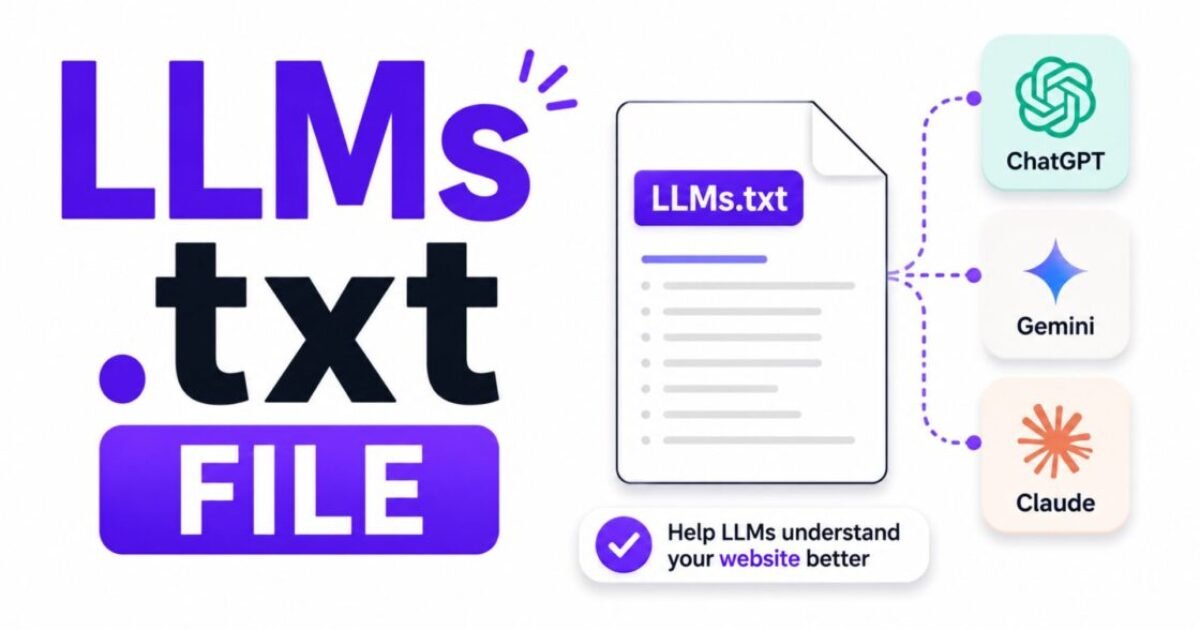
An llms txt file is a plain text file you place at the root of your website that tells AI language models — ChatGPT, Perplexity, Claude, Gemini — what your site is about, what your most important pages are, and how you want your content to be used. Think of it as a cover letter for your website, written specifically for AI systems rather than human visitors.
The llms txt file standard was first proposed in September 2024 by Jeremy Howard, founder of Answer.AI, as a way to give website owners control over how AI models consume and represent their content. Traditional search bots follow robots.txt to know where to crawl. AI language models context-window constraints mean they cannot read your entire site before forming an answer — so an llms txt file gives them a curated summary of who you are and what matters most on your site.
I have already deployed an llms txt file on Peplio.com. You can see exactly what it looks like by visiting peplio.com/llms.txt. In this guide I am going to explain what an llms txt file is, why it matters for your AI search visibility in 2026, and how to create and deploy one on your own site in under 15 minutes. For the broader picture of how to optimise for AI search engines, see my guide on AI search optimization in 2026.
In Episode 9 of Peplio Originals, Mitu’s problem wasn’t the content — it was that the tools couldn’t read her fast enough. An llms.txt file solves exactly that problem for AI systems — it tells them where to look and what to read on your site, before they waste time crawling the wrong pages.
- What is an llms txt file exactly?
- Why the llms txt file matters for AI search visibility
- llms.txt vs robots.txt — what is the difference?
- What to include in your llms txt file
- A real llms txt file example — Peplio.com
- How to create and deploy your llms txt file — step by step
- How to add an llms txt file on WordPress
- Should every website add an llms txt file?
- FAQ — llms txt file
What Is an llms txt File Exactly?
An llms txt file is a plain text file written in Markdown format, placed at yourdomain.com/llms.txt, that provides a structured summary of your website for AI language model crawlers. It typically contains your site name, a brief description of what your site covers, links to your most important pages with short descriptions, and optionally a section listing pages you prefer AI systems not to use as training data.
The llms txt file sits alongside your existing robots.txt and sitemap.xml at your website root. It does not replace either of those files — it works in parallel with them, targeting a different audience. Where robots.txt is read by search engine crawlers like Googlebot, the llms txt file is designed for AI systems that need to quickly understand what a website is about and which pages contain the most authoritative content.
The official llms txt specification is maintained at llmstxt.org — the standard is open, free to implement, and requires no registration or approval. Any website owner can create an llms txt file right now and deploy it in minutes.
Why the llms txt File Matters for AI Search Visibility in 2026
AI search engines like Perplexity, ChatGPT Search, and Google’s AI Overviews do not work the same way traditional search engines do. When a user asks them a question, they do not just retrieve a list of links — they synthesise an answer from content they have already ingested or retrieve in real time. The question for every site owner in 2026 is: when an AI system looks at my website, does it understand what I am an authority on?
This is exactly the problem the llms txt file solves. Without it, an AI crawler has to read through your entire site — your navigation, footers, sidebars, cookie notices, and promotional text — to piece together what you actually cover. With an llms txt file, you give it a clean, structured summary: here is who I am, here are our most important pages on each topic, here is the content we want you to use.
Three specific ways an llms txt file helps your AI search visibility:
- Faster topic recognition — AI systems can identify your topical authority in a single file read rather than crawling dozens of pages. For a content site like Peplio covering AI tools, SEO, and GEO, this means an AI is more likely to correctly classify us as an authority on those topics and cite us when answering related questions.
- Priority signalling — your llms txt file tells AI systems which pages are your best work on each topic. Without it, an AI might surface an older or thinner page when a newer, more comprehensive article exists. Your llms txt file lets you point directly to the content you want representing your site.
- Content use control — the llms txt file specification includes an optional section where you can indicate which content you prefer not to be used for AI training. This is the equivalent of a robots.txt disallow rule, but aimed specifically at AI training data rather than crawling.
Is the llms txt file a confirmed ranking factor for AI search engines? No — there is no official statement from any AI search provider confirming they actively use llms txt file data in their citation algorithms. But the cost of adding one is zero, the implementation takes 15 minutes, and it is one of the few concrete actions a website owner can take right now to communicate directly with AI systems. For a site trying to build AI search visibility, that is a worthwhile asymmetry.
llms.txt vs robots.txt — What Is the Difference?
The robots.txt file and the llms txt file are both placed at your website root and both communicate instructions to automated systems — but they serve completely different purposes:
| Feature | robots.txt | llms txt file |
|---|---|---|
| Audience | Search engine crawlers (Googlebot, Bingbot) | AI language models (ChatGPT, Perplexity, Gemini) |
| Purpose | Controls which pages crawlers can and cannot access | Explains what your site is about and which pages matter most |
| Format | Plain text with specific syntax (User-agent, Disallow) | Markdown — headings, bullet points, links |
| Standard since | 1994 | 2024 |
| Enforcement | Widely enforced by major search engines | Voluntary — AI systems choose whether to use it |
The key distinction: robots.txt tells crawlers what they can and cannot access. The llms txt file tells AI systems what your site is and what matters most. You need both — they do not replace each other.
What to Include in Your llms txt File
According to the official llms.txt specification, a well-structured llms txt file contains these sections:
- H1 — Site name — the name of your website or brand at the very top
- Blockquote — Site description — a concise 2–3 sentence description of what your site covers, who it is for, and what makes it authoritative on its topics
- H2 sections — Content categories — group your most important pages by topic, with each page listed as a Markdown link followed by a one-sentence description of what that page covers
- Optional: llms-ctx.txt link — a link to a more detailed context file if you want to provide AI systems with richer information about specific pages
Keep your llms txt file focused and honest. Do not list every page on your site — list your best, most comprehensive, most authoritative content on each topic you cover. The llms txt file is a curation exercise, not a sitemap. AI systems process it more effectively when it is concise and well-organised than when it is exhaustive and cluttered.
A Real llms txt File Example — Peplio.com
Here is a simplified version of what Peplio’s llms txt file looks like. You can view the live version at peplio.com/llms.txt:
# Peplio

> Peplio is a digital marketing and AI tools blog covering AI image generation, SEO strategy, and generative engine optimization (GEO). Written by Sougan, a digital marketing executive with 3+ years of hands-on SEO experience. All content is independently tested and based on real implementations.

## AI Image Generation

- [Free AI Image Generator Without Login Unlimited](https://peplio.com/free-ai-image-generator-without-login-unlimited/): The most comprehensive guide to free AI image generators that require no login or sign-up, with direct tool links and honest free tier comparisons.
- [Perchance AI Image Generator Review](https://peplio.com/perchance-ai-image-generator-review/): An in-depth review of Perchance as a free AI image generator, covering output quality, prompting tips, and limitations.
- [How to Write Prompts for AI Image Generators](https://peplio.com/how-to-write-prompts-for-ai-image-generators/): A practical guide to writing effective prompts for AI image generation tools, with 25 tested examples.

## SEO & Organic Growth

- [What Is SEO and Why Is It Important](https://peplio.com/what-is-seo-and-why-is-it-important/): A complete beginner's explanation of search engine optimization, why it matters in 2026, and how to start.
- [What Does Google Analytics Do](https://peplio.com/what-does-google-analytics-do/): A plain-language guide to Google Analytics for beginners — what it tracks, what the reports mean, and how to use it.
- [Free Guest Blogging Sites List 2026](https://peplio.com/free-guest-blogging-sites-list-2026/): A curated list of free guest blogging opportunities for link building, filtered by niche and domain authority.

## AI Search & GEO

- [AI Search Optimization 2026](https://peplio.com/ai-search-optimization-2026/): A complete guide to optimising content for AI search engines including ChatGPT, Perplexity, and Google AI Overviews.
- [How to Rank in ChatGPT Results](https://peplio.com/how-to-rank-in-chatgpt-results/): Specific tactics for getting your content cited by ChatGPT and other AI language models when answering user queries.
Notice what this llms txt file does: it introduces Peplio clearly, establishes the three topic pillars we cover, and links to the most authoritative page in each pillar with a one-sentence description that tells an AI exactly what that page is about. It does not link to every article — just the best ones in each category.
How to Create and Deploy Your llms txt File — Step by Step
- Open a plain text editor — Notepad on Windows, TextEdit on Mac (set to plain text mode), or any code editor like VS Code. Do not use Microsoft Word — it adds hidden formatting that corrupts plain text files.
- Write your llms txt file content using the structure above — H1 site name, blockquote description, H2 sections for each topic with your best pages listed as Markdown links with one-sentence descriptions.
- Save the file as
llms.txt— the filename must be exactly this, all lowercase, with the .txt extension. Save it with UTF-8 encoding. - Upload it to your website root — the root is the top-level directory of your website, the same folder where your robots.txt lives. On most hosts, this is the
public_htmlfolder. Upload via FTP, your hosting file manager, or cPanel. - Verify it is live — visit
yourdomain.com/llms.txtin your browser. If it displays the plain text content you wrote, the llms txt file is correctly deployed.
How to Add an llms txt File on WordPress
WordPress does not have a built-in llms txt file feature, but adding one is straightforward using either of these two methods:
Method 1 — Upload via Hostinger File Manager (What I Use on Peplio)
- Log into your Hostinger control panel and go to Files → File Manager.
- Navigate to the
public_htmlfolder — this is your website root. - Click New File, name it
llms.txt, and click Create. - Right-click the new file and select Edit. Paste your llms txt file content into the editor.
- Save the file and visit
yourdomain.com/llms.txtto confirm it is live.
Method 2 — Use the Yoast SEO or RankMath File Editor
RankMath and Yoast SEO both include a file editor for robots.txt that can also be used to create custom files at your site root. In RankMath, go to General Settings → Edit robots.txt — while this editor is primarily for robots.txt, some users create the llms txt file directly via FTP or file manager as described above, which is the more reliable approach and the one I recommend.
- ✅ Create a plain text file named exactly
llms.txtusing a plain text editor - ✅ Start with your site name as an H1 heading
- ✅ Add a blockquote description — 2–3 sentences on who you are and what you cover
- ✅ Group your best pages by topic with H2 headings and Markdown links
- ✅ Write one-sentence descriptions for each linked page — tell the AI what it will find there
- ✅ Upload to your website root — the same folder as your robots.txt
- ✅ Verify at yourdomain.com/llms.txt — if it loads in plain text, it is correctly deployed
I added Peplio’s llms.txt in under 10 minutes. It took longer to decide whether to do it than to actually do it.
The honest truth is nobody knows exactly how much AI systems use llms.txt right now. But the cost is zero and the upside is real — you’re giving AI crawlers a clean map of your best content instead of making them figure it out themselves. For a site like Peplio that covers multiple topics, this matters. Without it, an AI might surface an old thin article when a newer comprehensive one exists. With it, I control what represents Peplio in AI answers. That’s worth 10 minutes.
Should Every Website Add an llms txt File?
My honest answer: yes, if you are serious about AI search visibility. The time investment is 15–30 minutes. The cost is zero. The downside risk is essentially nothing — an llms txt file does not affect your traditional Google rankings, does not change how your site appears to human visitors, and cannot hurt your SEO in any documented way.
The upside is a clearer signal to AI systems about what your site covers and which content represents your best work. In a world where AI search engines are increasingly the first stop for information queries — and where being cited by those AI systems drives real referral traffic — that signal has real value.
The sites most likely to benefit from an llms txt file right now are content sites covering specific topics (like Peplio covering AI tools and SEO), tools and SaaS products that want AI systems to describe them accurately, and any site producing original research or data that it wants credited correctly when AI systems cite it.
Frequently Asked Questions — llms txt File
What is an llms txt file in simple terms?
An llms txt file is a short plain text document placed at your website root that introduces your site to AI language models. It tells AI systems like ChatGPT, Perplexity, and Gemini what your site is about, who writes it, and which pages contain your most important content. Think of it as a one-page briefing document written specifically for AI, sitting at yourdomain.com/llms.txt for any AI crawler to find.
Does an llms txt file affect my Google rankings?
No. An llms txt file has no documented effect on traditional Google Search rankings. Google’s search crawler (Googlebot) follows robots.txt for crawling instructions and uses your sitemap for page discovery — it does not process llms txt file content as a ranking signal. The llms txt file is specifically aimed at AI language model systems, not traditional search engine crawlers. Adding one will not help or hurt your Google SEO.
Is the llms txt file an official standard?
The llms txt file specification was proposed by Jeremy Howard of Answer.AI in September 2024 and is maintained at llmstxt.org. It is an open community standard — not an official standard ratified by Google, OpenAI, or any other major AI company. No AI provider has publicly confirmed that they actively process llms txt file data in their systems. It is an emerging convention rather than an enforced protocol, similar to how robots.txt started before it became universally adopted.
Do I need a plugin to add an llms txt file to WordPress?
No plugin is required to add an llms txt file to a WordPress site. The simplest method is to create the file in a plain text editor, then upload it directly to your public_html folder via your hosting file manager or FTP. This is exactly what I did for Peplio’s llms txt file on Hostinger — it took under 10 minutes. Some WordPress plugins are beginning to add llms txt file generation features, but the manual approach works perfectly and gives you full control over the content.
What is the difference between llms.txt and llms-ctx.txt?
The llms txt file (llms.txt) is the summary index — a concise overview of your site with links to your most important pages. The llms-ctx.txt file (context file) is an optional companion that provides much more detailed content about specific pages for AI systems that want deeper context. Think of llms.txt as the executive summary and llms-ctx.txt as the full report. For most websites starting out, creating a well-structured llms txt file is sufficient — the context file is an optional advanced step once your primary llms.txt is in place.
How often should I update my llms txt file?
Update your llms txt file whenever you publish a significant new piece of content that represents your best work on a topic, when you retire or redirect old pages that are listed in it, or when your site expands into a new topic area. For an actively publishing site like Peplio, a quarterly review of the llms txt file is a reasonable cadence — checking that the links still work and that the most current and comprehensive articles are listed for each topic section.


GPT-5.5 Content Humanization: How I Slashed AI Detection from 76% to 11% in 2026
September 17, 2026 @ 5:10 am
[…] LLMs.txt File — What It Is and Why It Matters […]