AI Product Photo Generator Free — 6 Best Tools for Ecommerce (2026)
Sources: tool websites and pricing pages, Pineable ecommerce AI research 2026, tested directly by Sougan, June 2026
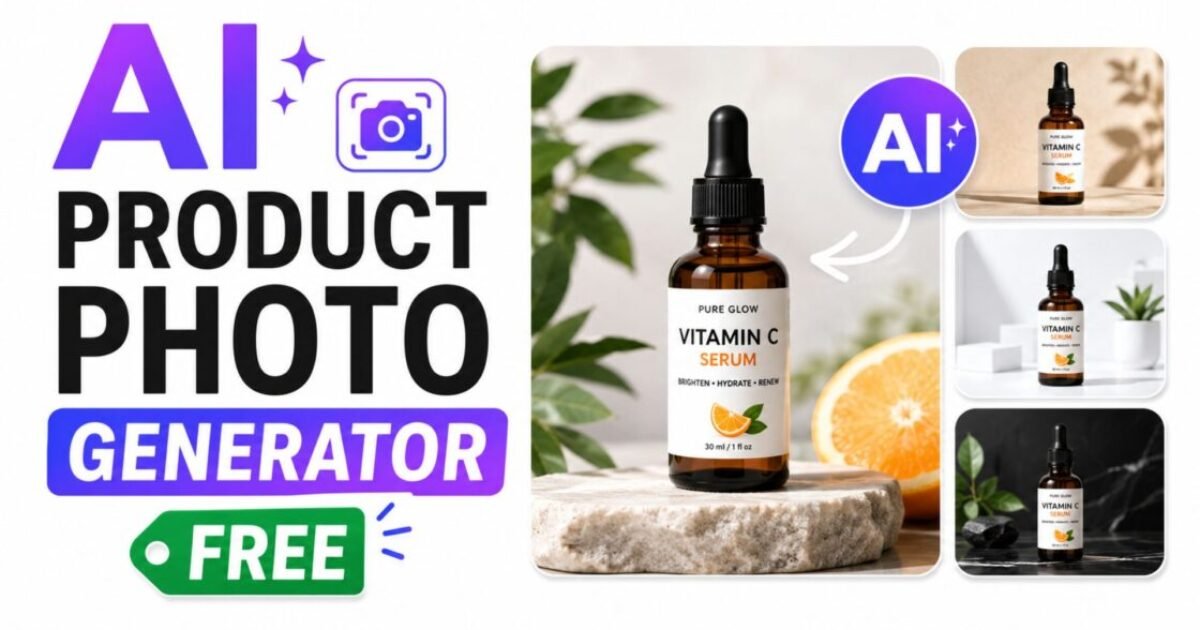
An AI product photo generator free tool lets you take a plain product image — shot on a white table at home — and transform it into a professional lifestyle photo with a studio-quality background, correct lighting, and natural shadows. No photographer, no studio rental, no expensive editing software required.
Traditional product photography costs between $500 and $2,000 per shoot. For small ecommerce sellers, Shopify store owners, and freelance creators building product listings on a budget, that cost is prohibitive. AI product photo generators have closed this gap dramatically in 2026. The best free tools now produce images that are difficult to distinguish from professionally shot product photography — particularly for standard packshots, background replacements, and lifestyle staging.
I tested six of the most widely used AI product photo generator free tools with the same set of product images to compare what you actually get on the free tier. This guide shares exactly what I found — honest results, real free limits, and direct links. For more free AI image tools beyond product photography, see my guide on the best free AI image generators without login.
- What to look for in a free AI product photo generator
- The 6 best AI product photo generator free tools — tested 2026
- Pebblely — best themed backgrounds, 40 free/month
- Mokker AI — best instant background swap, 40 free/month
- ProductAI — best no-signup option
- Pixelcut — best for beginners, unlimited basic edits
- Photoroom — best for catalog-style shots
- Leonardo AI — best for creative lifestyle scenes
- Quick comparison table
- Tips for better AI product photo results
- FAQ
What to Look for in a Free AI Product Photo Generator
Before testing, I set four criteria for what makes a genuinely useful AI product photo generator free tool — not just one that uses “free” in its marketing while gating every useful output behind a subscription:
- Product accuracy — the AI must preserve the actual product faithfully. If the generated image invents product details, changes colours, or distorts the packaging, it is unusable for ecommerce listings regardless of how beautiful the background is.
- Background realism — the background needs to look like a real setting, not an obvious AI render. Correct lighting, natural shadows under the product, and texture that matches the scene context are the markers of a genuinely good AI product photo generator free output.
- No watermark on free output — a watermarked product image is unusable for any real listing or marketing material.
- Usable resolution for ecommerce — most marketplace and social platforms require at least 1000px on the short edge for product images. Free outputs must meet this minimum.
Every tool below met at least three of these four criteria in my testing. Where one falls short I have noted it so you know what to expect before uploading your product images.
The 6 Best AI Product Photo Generator Free Tools — Tested 2026
1. Pebblely — Best Themed Backgrounds, 40 Free Images Per Month
URL: pebblely.com
Pebblely is one of the most purpose-built AI product photo generator free tools available. Upload a product image (it removes the background automatically), choose from 40+ themed background styles — marble, wood, kitchen counter, outdoor garden, minimalist studio — and the AI generates a lifestyle product photo in seconds. The free tier gives you 40 images per month, no credit card required.
My honest experience: Pebblely produced the most consistent and shop-ready results of any AI product photo generator free tool I tested. The themed backgrounds act like a lightweight art director — you get a coherent visual style across an entire product range without needing design skills. On my skincare bottle test, the marble and linen backgrounds looked genuinely professional.
The limitation is creative flexibility — Pebblely’s preset-driven workflow does not allow fully custom scene descriptions, so if you need a very specific environment it may not fit. For small catalogs and social media content, 40 free images per month is generous.
Best for: Ecommerce sellers who want consistent, shop-ready backgrounds across a product line without design skills.
Limitation: Limited to preset themes — not suited for highly custom or brand-specific scenes. Paid plans start at $19/month for 200 images.
2. Mokker AI — Best Instant Background Swap, 40 Free Photos Per Month
URL: mokker.ai
Mokker AI is another strong dedicated AI product photo generator free tool offering 40 free product photos per month. Upload your product shot, choose a background style or type a scene description, and Mokker removes the original background and places your product in a new environment with AI-generated lighting and shadows.
My honest experience: Mokker’s strength is speed and consistency — it is the fastest AI product photo generator free tool I tested, with results appearing in under 15 seconds. Background quality was excellent on clean packshots (bottles, boxes, packaged goods). On my shoe test, the edge detection around the sole was accurate with no obvious cutout artifacts.
The 40 free photos per month places it on par with Pebblely, giving you a real working budget for product content without paying. Mokker also offers text prompt support for backgrounds, giving it slightly more creative flexibility than Pebblely’s preset system.
Best for: Sellers who need fast, accurate background replacement across multiple product types with text prompt control.
Limitation: 40 free photos per month cap; complex products with transparent or reflective surfaces (glass bottles, jewellery) need more attempts than simpler packshots.
3. ProductAI — Best Free AI Product Photo Generator With No Signup
URL: productai.photo
ProductAI offers a completely free AI product photo generator with no signup required — upload a product image, pick a scene, and export the result. It grants full commercial licence on all generated images and deletes uploaded photos from its servers after seven days, making it the most privacy-conscious option in this list.
My honest experience: ProductAI is the go-to AI product photo generator free option when you want results immediately without creating an account. The output quality is solid for standard backgrounds — studio white, gradient, and simple lifestyle scenes. For more complex environments (busy kitchen scenes, outdoor lighting), the results are slightly less convincing than Pebblely or Mokker but perfectly usable for social media and product listing thumbnails. The commercial licence clarity and no-signup access make it the easiest starting point for anyone trying an AI product photo generator free for the first time.
Best for: Anyone who wants to try a free AI product photo generator immediately with no account, and needs commercial licence clarity.
Limitation: Fewer background themes than Pebblely; complex scene customisation requires the paid tier.
4. Pixelcut — Best Free AI Product Photo Generator for Beginners
URL: pixelcut.ai
Pixelcut is the most beginner-friendly AI product photo generator free option in this list. It offers unlimited basic background removal and replacement with no credit limit on the free tier — making it the only tool in this roundup with genuinely unlimited free access to core product photo editing features.
My honest experience: Pixelcut’s unlimited free tier covers background removal, basic background colour swaps, and simple AI backgrounds. For sellers who need clean white or solid-colour backgrounds for Amazon, Etsy, or Shopify listings, Pixelcut’s free tier is all you need. The AI lifestyle background feature — placing your product in a realistic scene — is available on the free tier but limited in variety.
For advanced lifestyle scenes, the paid features unlock more options. As an entry point to AI product photo generation for complete beginners, the interface is the clearest and most forgiving of any tool I tested.
Best for: Beginners who need unlimited basic background removal and clean product shots for marketplace listings at zero cost.
Limitation: Advanced lifestyle scenes and batch processing are behind the paid tier; creative variety on the free tier is limited compared to Pebblely and Mokker.
5. Photoroom — Best Free AI Product Photo Generator for Catalog Shots
URL: photoroom.com
Photoroom is one of the most widely used AI product photo generator tools for ecommerce, known for its accuracy on clean catalog-style shots. It removes backgrounds with high precision, generates white and studio-style backgrounds, and produces images that meet Amazon and Etsy listing requirements out of the box. The free tier adds a Photoroom watermark to downloads — which is its primary limitation.
My honest experience: Photoroom’s background removal is the most accurate of the six AI product photo generator free tools I tested — edge detection on complex products (hair, fabric edges, irregular shapes) was noticeably cleaner than competitors. The catalog shot output (white background, correct shadows, clean edges) is excellent.
The watermark on free downloads is the deal-breaker for commercial use — you need the paid plan at $7.50–$12.99/month to download without it. As a free tool for testing and previewing what the AI can do with your specific products before committing to a paid subscription, Photoroom is the strongest option in this list.
Best for: Testing AI product photo generation quality before committing to a paid plan; unbeatable background removal accuracy.
Limitation: Free downloads include a Photoroom watermark — paid plan required for commercial use without the watermark.
6. Leonardo AI — Best Free AI Product Photo Generator for Creative Lifestyle Scenes
URL: leonardo.ai
Leonardo AI takes a different approach to AI product photo generation. Rather than a dedicated product photography tool, it is a full AI image generator with multiple models — including options optimised for photorealism and product photography — that you direct using text prompts. The free tier gives 150 daily tokens (approximately 15–35 images depending on model settings) with no watermark and commercial use permitted.
My honest experience: Leonardo AI is the most creative AI product photo generator free option in this list — and the one that requires the most skill to use well. For sellers comfortable with AI prompting, it produces the most visually interesting lifestyle scenes of any free tool I tested. I generated a skincare bottle in a steamy bathroom shelf scene and a food product on a rustic wooden outdoor table that looked genuinely editorial.
The trade-off is control — product accuracy depends heavily on your prompt quality, and Leonardo can sometimes modify product details if the prompt is not precise enough. For prompt-writing tips that improve your product photo results, see my guide on how to write prompts for AI image generators.
Best for: Creative sellers who want editorial-quality lifestyle scenes and are comfortable writing specific AI prompts to maintain product accuracy.
Limitation: Requires prompt skill to maintain product accuracy; not a one-click solution like the dedicated product photo tools above.
Quick Comparison: Which AI Product Photo Generator Free Tool Should You Use?
| Tool | Free Limit | Watermark? | No Signup? | Best For |
|---|---|---|---|---|
| Pebblely | 40/month | ❌ No | ❌ Account needed | Themed backgrounds, consistent catalog look |
| Mokker AI | 40/month | ❌ No | ❌ Account needed | Fast background swap with text prompt control |
| ProductAI | Free (rate limited) | ❌ No | ✅ Yes | Instant free use, commercial licence, no signup |
| Pixelcut | Unlimited basic edits | ❌ No | ❌ Account needed | Beginners, unlimited background removal |
| Photoroom | Unlimited (watermarked) | ✅ Yes (free tier) | ❌ Account needed | Best edge accuracy, catalog shots, testing |
| Leonardo AI | 150 tokens/day (~15–35 images) | ❌ No | ❌ Account needed | Creative lifestyle scenes, editorial-quality results |
The best AI product photo generator free tool for you depends on your specific need. If you want consistent themed backgrounds for a product catalog — Pebblely or Mokker. If you want zero friction with no signup — ProductAI. If you need unlimited basic edits for marketplace listings — Pixelcut. If you want the most creative lifestyle scenes and can write prompts — Leonardo AI.
Tips for Getting Better Results From a Free AI Product Photo Generator
The quality of your source photo matters as much as the AI product photo generator free tool you choose. These habits consistently produced better results across all six tools I tested:
- Shoot on a plain light background first — white, light grey, or pale beige work best as source images for any AI product photo generator free tool. Complex or dark backgrounds make background removal harder and reduce output quality.
- Make sure the product is fully visible with no cropping — if part of your product is cut off at the edge of the frame, the AI cannot reconstruct it accurately in the new background. Leave clear space around the entire product.
- Use good natural lighting on the product itself — the AI generates a new background, but the lighting on your actual product comes from your original photo. A well-lit product looks convincing in any AI-generated environment; a poorly lit product looks out of place.
- Try multiple background styles per product — different backgrounds suit different marketing channels. A clean marble background works for Instagram; a white studio background works for Amazon listings; a lifestyle kitchen scene works for food and homeware ads. Most free tiers give you enough credits to test several options.
- Generate multiple times on the same prompt — AI product photo generators are non-deterministic. The same upload and settings can produce noticeably different results across attempts. If the first output has a shadow issue or an edge artifact, generate again without changing anything.
- Best overall: Pebblely — 40 free/month, themed backgrounds, consistent catalog look, no watermark
- Best for speed: Mokker AI — 40 free/month, fastest generation, text prompt background control
- Best no-signup option: ProductAI — free access, commercial licence, zero account creation needed
- Best for beginners: Pixelcut — unlimited basic edits, simplest interface, no credit limit on core features
- Best edge accuracy: Photoroom — best background removal quality, watermark on free tier
- Best for creative scenes: Leonardo AI — 150 tokens/day, editorial lifestyle results with prompt control
Frequently Asked Questions About AI Product Photo Generator Free Tools
What is an AI product photo generator free tool?
An AI product photo generator free tool takes a plain product image — typically shot on a white or simple background — and uses artificial intelligence to remove the background and replace it with a professional-looking lifestyle scene, studio backdrop, or themed environment.
The result is a product photo that looks professionally shot without paying for a photographer or studio. The best free AI product photo generators produce results suitable for ecommerce listings, social media, and digital advertising.
Can I use AI product photo generator free tools for Amazon and Etsy listings?
Yes — with caveats. Amazon requires the main listing image to show the product on a pure white background with no props or lifestyle elements. Pebblely, Mokker, ProductAI, and Pixelcut all produce clean white background variants on their free tiers that meet this requirement. Secondary listing images and A+ content images can use lifestyle backgrounds, where the full creative range of these free AI product photo generators applies. Always check that the free tier does not add a watermark — Photoroom’s free tier does add one, making it unsuitable for live listings without upgrading.
Which free AI product photo generator is best for food products?
Pebblely and Mokker both handle food product photography well on their free tiers — both offer kitchen counter, wooden table, and restaurant-style background themes that suit food and beverage products. Leonardo AI can produce the most creative food lifestyle scenes (outdoor picnics, café settings, rustic tablescapes) if you are comfortable writing detailed prompts. ProductAI’s no-signup free option is also a solid starting point for quick food product background tests.
Do free AI product photo generators maintain product accuracy?
Dedicated product photo tools like Pebblely, Mokker, and Photoroom maintain product accuracy reliably — they remove the background and place your actual product in the new scene without altering the product itself. General AI image generators like Leonardo AI can occasionally modify product details if prompts are not precise enough. Always check the output carefully before using it in live listings to confirm the product colour, label, and shape are accurately represented.
How many free product photos can I generate per month?
It varies by tool. Pebblely and Mokker both offer 40 free product photos per month. Pixelcut offers unlimited basic background removal. ProductAI is rate-limited but free to use without a monthly cap stated. Leonardo AI gives 150 tokens per day, translating to 15–35 images depending on model settings. Photoroom is unlimited on the free tier but adds a watermark to all downloads.
Is AI product photography good enough to replace a professional photographer in 2026?
For the majority of ecommerce use cases — marketplace listing images, social media product content, ad variations, and seasonal content refreshes — yes, free AI product photo generators produce results that are difficult to distinguish from professionally shot photography.
Where AI still falls short is complex surfaces (highly reflective glass, transparent products, intricate textures like fine jewellery) and hero brand campaign imagery that needs to carry emotional weight. The practical approach in 2026 is hybrid: use a free AI product photo generator for 80–90% of your visual content and reserve a photographer for brand-defining hero shots.
- Best Free AI Image Generator Without Login Unlimited (2026)
- AI Background Remover Free No Login — 5 Best Tools Tested
- AI Inpainting Free — Best Tools to Remove or Replace Objects in Photos
- How to Write Prompts for AI Image Generators — 25 Examples
- Free AI Headshot Generator — Professional Photos Without a Photographer
Want to Use AI for Your Marketing?
Now that you know how to use AI image tools, here’s what to do next on Peplio:
- 🎨 Try the Best Free AI Image Generator Without Login — unlimited generations, no signup needed.
- 🛠️ Explore Free SEO & Marketing Tools — built for bloggers and small businesses.
- 📖 Read Digital Marketing Comics — learn SEO and marketing through fun stories.