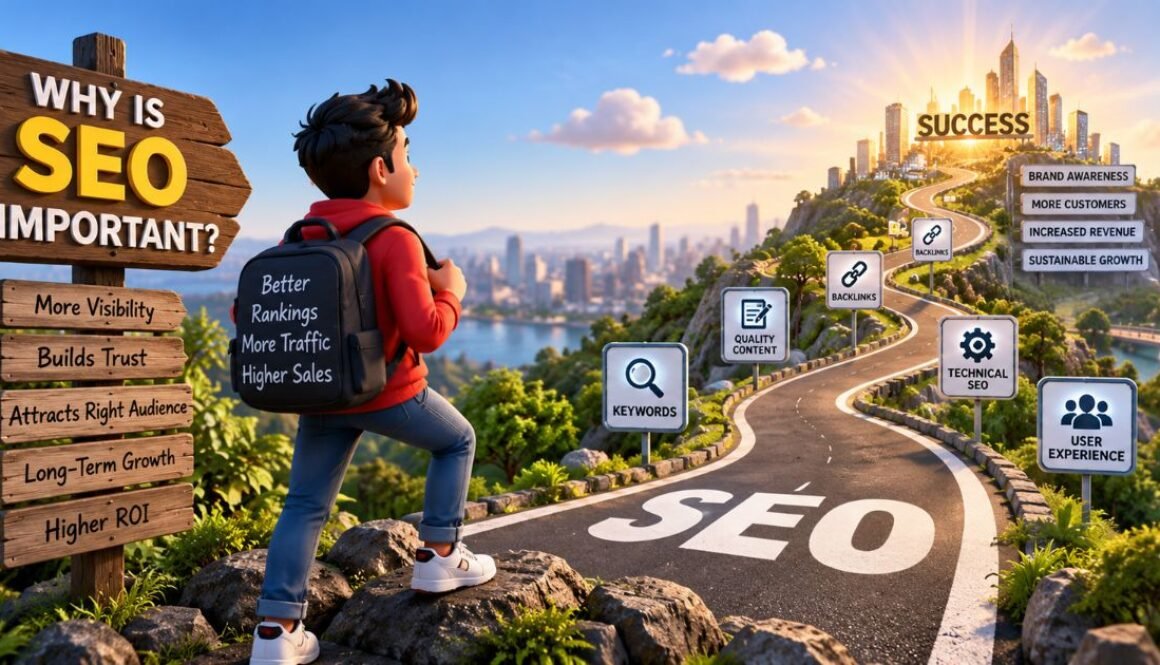
Why Is SEO Important? 10 Brutally Honest Reasons Your Blog Is Invisible Without It
Last updated: September 2026
Why is SEO important? SEO is important because it is the only channel that drives free, compounding organic traffic — 53% of all website traffic comes from organic search. It builds trust before a visitor reads a single word, outlasts paid ads by years, and in 2026 it also controls your visibility in AI tools like ChatGPT and Google AI Overviews. Without SEO, your content is invisible to the very people searching for exactly what you offer.
Let me be completely honest with you.
I published articles every single week for six months on Peplio. I shared them on social media. I told my friends. I got almost nothing in return — a few hundred visits, mostly from people who already knew me. It was demoralising.
Then I stopped chasing social shares and went all-in on answering the one question I had been ignoring: why is SEO important, and was I actually doing it right?
Eight months later, my organic traffic had grown significantly. No ads. No viral posts. No luck. Just search traffic — compounding quietly every single month.
If you are asking why is SEO important for your blog, business, or brand in 2026, this guide is the honest answer — backed by real data, my own failures on Peplio, and what actually moved the needle.
- What SEO actually means (beyond the textbook)
- SEO drives more traffic than any other channel
- SEO builds trust before you say a single word
- SEO is the only free, compounding traffic channel
- SEO outlasts paid ads — I spent 45,000 to learn this
- SEO is the great equaliser for small businesses
- SEO forces you to build a better website
- SEO now controls your AI search visibility too
- SEO builds topical authority — the new ranking currency
- Your competitors are doing SEO right now
- How to start with SEO today (practical steps)
- People also asked
- Full FAQ
What Is SEO — And Why Is SEO Important to Understand First?
SEO stands for Search Engine Optimization. But before I answer why is SEO important, let me give you the real definition — not the textbook version: SEO is the process of making your website easy to find when people search for something you offer.
When someone types a query into Google, Bing, ChatGPT Search, or Perplexity — the algorithm decides which pages deserve to appear and in what order. That decision is based on hundreds of signals: content relevance, quality, website structure, page speed, backlinks, and user trust.
SEO is the work you do to earn your position in those results. According to Semrush’s 2024 research, 91% of respondents confirmed that SEO positively impacted their website performance and overall marketing goals. That number alone starts to answer why is SEO important for any serious online presence.
My early mistake on Peplio? I thought SEO was just stuffing keywords into articles. It is not. It is about intent alignment — matching your content exactly to what your audience is searching for, in the format they want, at the depth they need. The moment I understood that, everything changed.
1. Why Is SEO Important? It Drives More Traffic Than Everything Else Combined
The first and most fundamental answer to why is SEO important: it drives more traffic than any other channel. Here is the data that should end any debate:
- Organic search drives 53% of all trackable website traffic — more than paid ads, social media, email, and direct visits combined. (BrightEdge, 2026)
- The #1 organic result gets a 39.8% click-through rate. Position 2 gets 18.7%. Position 3 gets 10.2%. (FirstPageSage, 2025)
- The top result is 10x more likely to be clicked than a page at position 10. (Backlinko, 2025)
- 94% of all pages on the internet get zero traffic from Google. (Ahrefs Content Study)
That last number is the one that keeps me focused. Most websites — including mine before I took SEO seriously — are completely invisible. Not because they have bad content. Because they have no SEO strategy. When you genuinely understand why is SEO important, you see that 94% figure as an opportunity, not a threat.
Social media is unpredictable. Your reach can collapse overnight due to algorithm changes. Email requires building a list first. SEO traffic grows steadily as long as you maintain your content. Articles I wrote 18 months ago still bring new visitors to Peplio every single day without any additional work.
2. Why Is SEO Important for Credibility? It Builds Trust Before a Visitor Reads a Word
Another core reason why is SEO important: when your website appears on page 1 of Google, most users assume it is credible — before reading anything.
Think about your own search habits. Do you ever click page 2? Almost never. Because deep down you trust that Google has already filtered for you. When Peplio ranks on page 1 for a topic, visitors arrive with a level of trust they would never give to a cold social media post from an unknown account.
Google evaluates this trust through the E-E-A-T framework — Experience, Expertise, Authoritativeness, and Trustworthiness. According to Google’s own Search Quality guidelines, the more your website demonstrates real first-hand experience and deep expertise, the more Google trusts it — and trust translates directly into rankings.
This is also why I document real case studies on Peplio, like my B2B digital marketing case study for Demech Chemical — real results, real numbers, transparent authorship. That kind of content earns Google’s trust and with it, long-term rankings.
3. Why Is SEO Important for Budget-Conscious Creators? Free, Compounding Traffic
One of the most overlooked answers to why is SEO important — especially for solo creators and small businesses in India — is the compounding nature of organic traffic. Every other marketing channel costs you ongoing money or ongoing effort:
Stop paying — traffic stops instantly
Stop posting — reach drops immediately
One-time spike, then nothing
Invest once — earns traffic for years
A well-optimised article can bring traffic for years without additional investment. The global SEO market is valued at approximately $83.9 billion in 2026 — up from $74.9 billion in 2025 (Statista, 2026). Businesses pour money into SEO because the return is real and compounding.
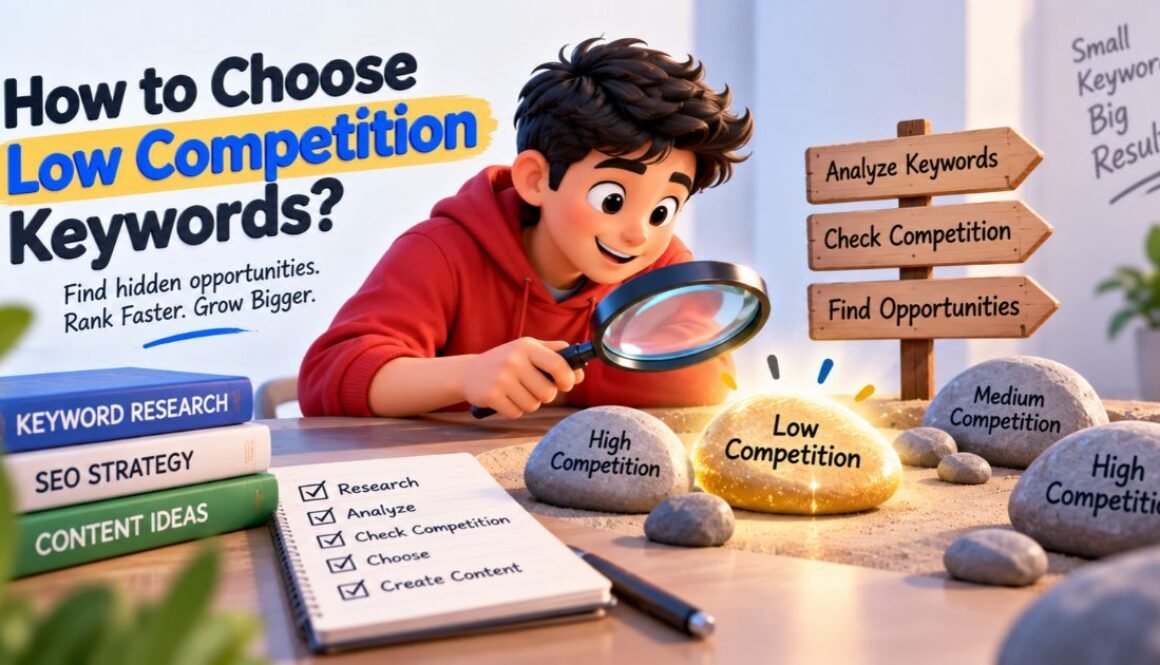
SEO is an asset, not an expense. You invest upfront, and it pays you back month after month. Want to understand the keyword side of building this asset? Read my guide on choosing low-competition keywords.
4. I Spent 45,000 on Paid Ads So You Don’t Have To — Here’s Why Is SEO Important for ROI
In 2024 I ran paid Facebook ads for three months. 45,000 rupees spent. The traffic lasted exactly as long as the campaign. The moment I stopped paying — everything went to zero.
That same money invested in quality content and on-page SEO? It would still be bringing visitors today and every month forward. This personal experience is the clearest answer I can give to why is SEO important for long-term ROI.
The data agrees: SEO delivers up to 748% ROI over a sustained campaign — far higher than most paid channels. According to DemandSage’s 2026 SEO report, over 40% of revenue across multiple industries is driven by organic traffic alone.
This does not mean paid ads are useless. They are great for launches and quick promotions. But for sustainable growth — especially if you are a creator, freelancer, or small business in India — SEO is the smarter long-term investment. Every rupee you put into content SEO keeps working after the ad spend stops.
5. Why Is SEO Important for Small Businesses? It Is the Great Equaliser
Here is the beautiful truth about SEO: it does not care about your budget. It cares about relevance, quality, and authority. This is a massive part of why is SEO important specifically for small businesses and independent creators.
A small bakery in Kolkata can outrank a multinational food chain — if its content is more relevant to a local search query. A solo creator in Durgapur can outrank a large marketing agency — if their content shows more genuine expertise.
I have seen this happen on Peplio. My Gymshark influencer marketing case study competes for rankings against agencies with 10x my domain authority — and wins, because it goes deeper and provides more genuine analysis.
According to WordStream’s 2026 SMB marketing report, only 39% of small businesses currently invest in SEO. That gap is your competitive opportunity right now. While your competitor is boosting Instagram posts, you can be quietly owning search results that bring traffic every single day.
6. Why Is SEO Important for Your Website? It Accidentally Makes Everything Better
One thing I did not expect when I finally started taking seriously why is SEO important: my website got significantly better for everyone — not just visitors coming from Google.
To rank well in search, you have to make pages load faster, be fully mobile-friendly (71% of Indian searches happen on mobile), structure content clearly with logical headings, fix broken links, write clearly and answer questions directly, and add schema markup that makes content scannable by both humans and machines. Every single one of these improvements also makes the experience better for visitors arriving from ads, social media, or word of mouth.
After I optimised Peplio’s Core Web Vitals, bounce rate dropped by almost 18% site-wide. More engaged readers, more page views, better AdSense revenue — all from SEO work that most people think only affects Google rankings. This is an underrated dimension of why is SEO important that most guides completely miss.
7. Why Is SEO Important in 2026? Because It Now Controls AI Search Visibility Too
This is the most forward-looking answer to why is SEO important right now — and most people are still sleeping on it.
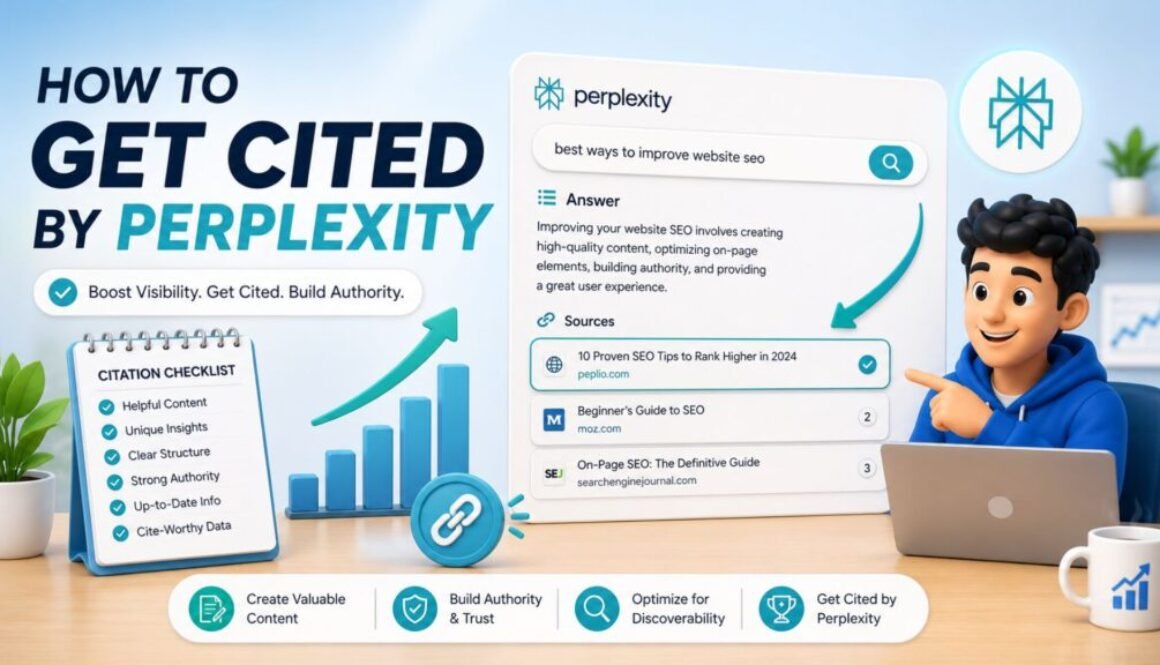
Search is no longer just Google. People are asking ChatGPT, using Google AI Overviews, searching on Perplexity, and using Gemini. These AI tools answer billions of questions daily. And here is the part that makes understanding why is SEO important more urgent than ever: according to Position.digital’s April 2026 AI SEO analysis, 76.1% of URLs cited in Google AI Overviews also rank in the top 10 of regular Google search. SEO and AI visibility are not separate strategies — they are the same strategy.
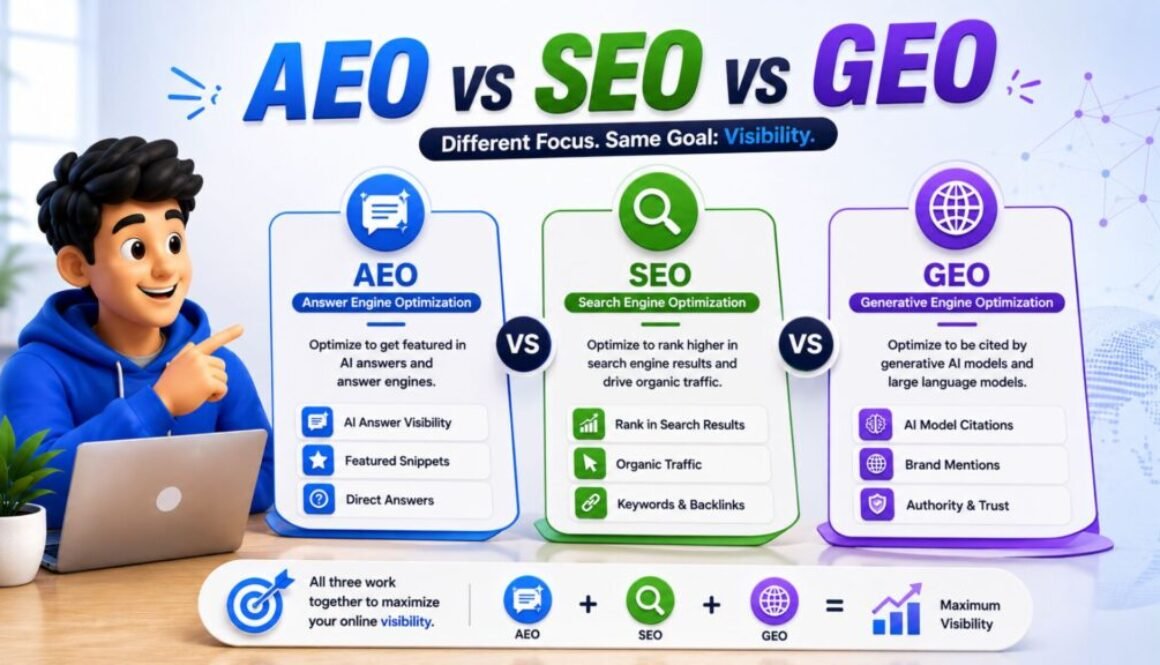
I have seen this on Peplio. Articles that rank on page 1 are now being cited in AI Overviews, bringing a new type of zero-click visibility that still increases brand searches and direct traffic. Want to understand how to optimise for this new layer? Read my complete guide on Answer Engine Optimization (AEO).
8. Why Is SEO Important for Depth? It Rewards Topical Authority Over Breadth
When I first started Peplio, I wrote about everything: crypto, IT companies, Instagram hacks, software testing tips. I thought more topics meant more traffic. I was completely wrong — and this experience is central to understanding why is SEO important as a strategic discipline, not just a checklist.
Google does not reward breadth. It rewards depth. Topical authority is how Google decides whether a website is a genuine expert. If you have 30 deeply connected articles about SEO — covering every question, subtopic, and use case — Google sees you as an authority and rewards your entire site.
This is why I restructured Peplio into clear topic clusters: AI Tools, SEO and Organic Growth, Digital Business, and Case Studies. Every new article connects to an existing cluster, reinforcing the site’s authority in those areas. According to Moz’s Beginner’s Guide to SEO, topical clusters consistently outperform scattered content strategies regardless of domain age.
If you want to see exactly how to compare SEO with the newer disciplines that complement it, read my full comparison: AEO vs SEO vs GEO — The Complete 2026 Guide.
9. Your Competitors Are Doing SEO Right Now — This Is Why Is SEO Important to Start Today
This answer to why is SEO important is the one that creates real urgency. Every business in your niche that is growing online is investing in SEO. Every article they publish and optimise becomes a barrier between you and your potential customers.
I once watched a competitor in the digital marketing space go from zero to 50,000 monthly organic visitors in 18 months — purely through consistent SEO. Their content was not extraordinary. But it was structured, consistent, and keyword-targeted.
When you are not doing SEO, you are not standing still. You are falling behind. The global SEO market is growing at 8.3% per year and is projected to reach $143.9 billion by 2030 according to GrowthNavigate’s 2026 market analysis. The businesses investing that money are pulling ahead of you every single month you wait.
10. Why Is SEO Important for Data-Driven Decisions? Every Result Is Trackable
The final reason why is SEO important that I want to highlight: unlike PR, brand awareness campaigns, or word-of-mouth, SEO gives you precise, actionable data. You can see exactly which keywords bring visitors, which pages are ranking, where you are losing clicks, and exactly what to fix next.
The tools I use on Peplio: Google Search Console (free, shows every keyword you rank for), RankMath SEO for real-time on-page scoring, Google Analytics 4 for conversion tracking, and Peplio AI Visibility Tracker to see if AI tools are citing your content.
Measurement is what separates people who do SEO from people who do SEO well — and it is a core part of why is SEO important as a long-term discipline.
Now That You Know Why Is SEO Important — Here’s How to Actually Start
Understanding why is SEO important is step one. Actually starting is step two. Here is the exact sequence I followed when I built Peplio — and what I would do if starting fresh today.
Install RankMath or Yoast, connect Google Search Console, and check for crawl errors. A broken site cannot rank no matter how good your content is.
Do not write about everything. Pick topics most relevant to your business and go deep. This is topical authority in action — and the biggest mistake I made early on was ignoring it.
Use Google Search Console, Ubersuggest, or Ahrefs free tools to find what people are actually searching for. My guide on choosing low-competition keywords walks through my exact process.
Focus keyword in the title, H1, first paragraph, two subheadings, the meta description, and the URL. Image alt tags should describe the image using the keyword naturally.
Every new article should link to 2–3 existing articles on related topics. This is how you build topical clusters and pass authority through your site.
SEO takes 3–6 months to show meaningful results. The businesses that win long-term are the ones that stay consistent — not the ones looking for shortcuts.
SEO felt slow and invisible for 6 months. Then it didn’t.
I spent 45,000 rupees on Facebook ads in 2024. Traffic lasted exactly as long as the campaign. That same money put into SEO content would still be bringing visitors today. The hardest part of SEO is trusting the process when nothing visible is happening — because the compounding is happening underneath the surface the entire time. Month 4 is when Peplio clicked. Your month 4 is coming too.
My Honest Opinion: What Really Answering Why Is SEO Important Taught Me
When I started Peplio, I made every mistake possible. I published 50+ articles with no keyword research. I wrote in too many random categories — crypto, IT companies, software testing — and diluted my topical authority to near zero. I chased viral topics instead of building deep expertise in one area.
The result? Six months of near-zero traffic despite consistent effort.
The turning point was when I stopped asking “what is trending?” and started asking: “what does my audience search for, and am I answering it better than anyone else?” That is the real answer to why is SEO important — it forces you to think from your reader’s perspective, not your own.
Why is SEO important has a deeply personal answer for me: because it gave Peplio a foundation that does not depend on any platform, algorithm, or advertising budget. It is the only form of marketing I have found where the work you do today keeps paying you back years from now.
- SEO drives 53% of all website traffic — more than every other channel combined
- The #1 organic result gets a 39.8% click-through rate
- SEO builds trust and credibility before visitors read a single word
- Unlike ads, SEO traffic is free and compounds over time
- In 2026, why is SEO important also extends to AI tools — ChatGPT and Google AI Overviews cite pages that already rank organically
- Topical authority is the new ranking currency — depth beats breadth
- Your competitors are investing in SEO right now — every day you wait, they pull further ahead
People Also Asked About Why SEO Is Important
Is SEO still important with AI tools like ChatGPT taking over search?
Yes — this is actually the strongest reason why is SEO important in 2026. Research from Position.digital shows that 76.1% of URLs cited in Google AI Overviews also rank in the top 10 of traditional organic search. For the full breakdown, read my guide on AEO vs SEO vs GEO.
Why is SEO important for small businesses in India specifically?
Indian keywords typically have 60–80% lower competition than the same keywords globally. “Digital marketing tips India” (KD 18) vs “digital marketing tips” (KD 85) — same intent, fraction of the competition. Read my real B2B SEO case study from Durgapur to see this in practice.
How quickly can I see results if I start SEO today?
For a new website, expect 3–6 months before seeing meaningful ranking movement and 6–12 months for significant traffic growth. On Peplio I started seeing noticeable improvements around month 4. The fastest path to early results is targeting low-competition keywords — which I explain in my guide on choosing low-competition keywords.
Frequently Asked Questions — Why Is SEO Important
Why is SEO important for small businesses?
SEO is especially important for small businesses because it levels the playing field. Unlike paid advertising where bigger budgets win, SEO rewards content quality and relevance. A small business with deep, helpful content can outrank much larger competitors. It provides sustainable, free traffic critical for businesses with limited marketing budgets. Only 39% of small businesses currently invest in SEO, which means the competitive opportunity is still wide open.
How long does SEO take to show results?
SEO typically takes 3–6 months to show meaningful results for a new website, and 6–12 months for significant traffic growth. This depends on your competition, content quality, and consistency. On Peplio I started seeing noticeable ranking improvements around month 4, with substantial traffic growth by month 8.
Is SEO still relevant with AI search engines like ChatGPT?
Yes, SEO is more relevant than ever. Research shows that 76.1% of URLs cited in Google AI Overviews already rank in the top 10 of traditional organic search. Ranking well in SEO is the primary way to get cited in AI-generated answers.
What is the most important part of SEO for beginners?
For beginners, the three most important parts are: keyword research to understand what your audience actually searches for; content quality to write genuinely helpful in-depth articles; and technical basics including fast loading, mobile-friendly design, and proper indexing.
Why is SEO better than paid advertising?
SEO traffic is free and compounding — it continues to grow even when you stop investing new budget. Paid ads stop the moment you stop paying. SEO also builds brand credibility that ads cannot replicate, since users trust organic results more than sponsored listings. A smart strategy combines both: paid ads for quick wins, SEO for long-term sustainable growth.
What is E-E-A-T and why does it matter for SEO?
E-E-A-T stands for Experience, Expertise, Authoritativeness, and Trustworthiness — Google’s framework for evaluating content quality. The more your website demonstrates real first-hand experience and verified expertise, the more Google trusts it. Practical steps: add a real author box with credentials, link to original research, document your own results, and keep content accurate and up to date.
Final Thoughts: Why Is SEO Important in 2026 and Beyond
Why is SEO important? Because the internet runs on search. Because 53% of all website traffic comes from organic results. Because your potential customers are searching for what you offer right now — and SEO determines whether they find you or your competitor.
But beyond the statistics, why is SEO important at a deeper level? Because it is the only channel that rewards genuine expertise and value over time. In a world full of ads, fake reviews, and AI-generated noise, well-executed SEO is still one of the most honest ways to earn visibility.
I have seen it work — on Peplio, at Demech Chemical, and across every case study I have analysed. The pattern is always the same: consistently create helpful content, structure it properly, and keep going when it feels like nothing is working. The results always come.
- How to Choose Low-Competition Keywords (My Exact Process)
- AEO vs SEO vs GEO — The Complete 2026 Comparison Guide
- Answer Engine Optimization (AEO) — Complete 2026 Guide
- How to Get Cited by Perplexity AI — 9 Steps That Work
- Google Analytics for Beginners 2026 — Complete Setup Guide
- What Is Generative Engine Optimization (GEO)? Full Guide
- Gymshark Influencer Marketing Case Study — What Actually Worked
Why is SEO important in 2026 — this is the question every new blogger, small business owner, and content creator asks when they realise social media reach alone is not enough to build sustainable traffic. Why is SEO important comes down to one fundamental truth: 53% of all website traffic comes from organic search, and the only way to access that traffic consistently and for free is through SEO. Understanding why is SEO important is not about learning a technical skill — it is about accepting that the people you want to reach are already searching for what you offer, and SEO is what determines whether they find you or your competitor.
Why is SEO important for Indian creators and small businesses specifically: because the competition gap between Indian and global keywords is still enormous in 2026, the AI search citation opportunity is largely untapped by Indian content, and 61% of small businesses in India still have no structured SEO strategy. Why is SEO important to start now rather than later: because every month of consistent SEO compounds. The articles you optimise today keep earning traffic in month 6, month 12, and month 24 without additional investment. That compounding advantage is the single most powerful financial argument for why is SEO important as a long-term content strategy.
Last updated: September 2026
Why is SEO important? SEO is important because it is the only channel that drives free, compounding organic traffic — 53% of all website traffic comes from organic search. It builds trust before a visitor reads a single word, outlasts paid ads by years, and in 2026 it also controls your visibility in AI tools like ChatGPT and Google AI Overviews. Without SEO, your content is invisible to the very people searching for exactly what you offer.
Let me be completely honest with you.
I published articles every single week for six months on Peplio. I shared them on social media. I told my friends. I got almost nothing in return — a few hundred visits, mostly from people who already knew me. It was demoralising.
Then I stopped chasing social shares and went all-in on answering the one question I had been ignoring: why is SEO important, and was I actually doing it right?
Eight months later, my organic traffic had grown significantly. No ads. No viral posts. No luck. Just search traffic — compounding quietly every single month.
If you are asking why is SEO important for your blog, business, or brand in 2026, this guide is the honest answer — backed by real data, my own failures on Peplio, and what actually moved the needle.
- What SEO actually means (beyond the textbook)
- SEO drives more traffic than any other channel
- SEO builds trust before you say a single word
- SEO is the only free, compounding traffic channel
- SEO outlasts paid ads — I spent 45,000 to learn this
- SEO is the great equaliser for small businesses
- SEO forces you to build a better website
- SEO now controls your AI search visibility too
- SEO builds topical authority — the new ranking currency
- Your competitors are doing SEO right now
- How to start with SEO today (practical steps)
- People also asked
- Full FAQ
What Is SEO — And Why Is SEO Important to Understand First?
SEO stands for Search Engine Optimization. But before I answer why is SEO important, let me give you the real definition — not the textbook version: SEO is the process of making your website easy to find when people search for something you offer.
When someone types a query into Google, Bing, ChatGPT Search, or Perplexity — the algorithm decides which pages deserve to appear and in what order. That decision is based on hundreds of signals: content relevance, quality, website structure, page speed, backlinks, and user trust.
SEO is the work you do to earn your position in those results. According to Semrush’s 2024 research, 91% of respondents confirmed that SEO positively impacted their website performance and overall marketing goals. That number alone starts to answer why is SEO important for any serious online presence.
My early mistake on Peplio? I thought SEO was just stuffing keywords into articles. It is not. It is about intent alignment — matching your content exactly to what your audience is searching for, in the format they want, at the depth they need. The moment I understood that, everything changed.
1. Why Is SEO Important? It Drives More Traffic Than Everything Else Combined
The first and most fundamental answer to why is SEO important: it drives more traffic than any other channel. Here is the data that should end any debate:
- Organic search drives 53% of all trackable website traffic — more than paid ads, social media, email, and direct visits combined. (BrightEdge, 2026)
- The #1 organic result gets a 39.8% click-through rate. Position 2 gets 18.7%. Position 3 gets 10.2%. (FirstPageSage, 2025)
- The top result is 10x more likely to be clicked than a page at position 10. (Backlinko, 2025)
- 94% of all pages on the internet get zero traffic from Google. (Ahrefs Content Study)
That last number is the one that keeps me focused. Most websites — including mine before I took SEO seriously — are completely invisible. Not because they have bad content. Because they have no SEO strategy. When you genuinely understand why is SEO important, you see that 94% figure as an opportunity, not a threat.
Social media is unpredictable. Your reach can collapse overnight due to algorithm changes. Email requires building a list first. SEO traffic grows steadily as long as you maintain your content. Articles I wrote 18 months ago still bring new visitors to Peplio every single day without any additional work.
2. Why Is SEO Important for Credibility? It Builds Trust Before a Visitor Reads a Word
Another core reason why is SEO important: when your website appears on page 1 of Google, most users assume it is credible — before reading anything.
Think about your own search habits. Do you ever click page 2? Almost never. Because deep down you trust that Google has already filtered for you. When Peplio ranks on page 1 for a topic, visitors arrive with a level of trust they would never give to a cold social media post from an unknown account.
Google evaluates this trust through the E-E-A-T framework — Experience, Expertise, Authoritativeness, and Trustworthiness. According to Google’s own Search Quality guidelines, the more your website demonstrates real first-hand experience and deep expertise, the more Google trusts it — and trust translates directly into rankings.
This is also why I document real case studies on Peplio, like my B2B digital marketing case study for Demech Chemical — real results, real numbers, transparent authorship. That kind of content earns Google’s trust and with it, long-term rankings.
3. Why Is SEO Important for Budget-Conscious Creators? Free, Compounding Traffic
One of the most overlooked answers to why is SEO important — especially for solo creators and small businesses in India — is the compounding nature of organic traffic. Every other marketing channel costs you ongoing money or ongoing effort:
Stop paying — traffic stops instantly
Stop posting — reach drops immediately
One-time spike, then nothing
Invest once — earns traffic for years
A well-optimised article can bring traffic for years without additional investment. The global SEO market is valued at approximately $83.9 billion in 2026 — up from $74.9 billion in 2025 (Statista, 2026). Businesses pour money into SEO because the return is real and compounding.
SEO is an asset, not an expense. You invest upfront, and it pays you back month after month. Want to understand the keyword side of building this asset? Read my guide on choosing low-competition keywords.
4. I Spent 45,000 on Paid Ads So You Don’t Have To — Here’s Why Is SEO Important for ROI
In 2024 I ran paid Facebook ads for three months. 45,000 rupees spent. The traffic lasted exactly as long as the campaign. The moment I stopped paying — everything went to zero.
That same money invested in quality content and on-page SEO? It would still be bringing visitors today and every month forward. This personal experience is the clearest answer I can give to why is SEO important for long-term ROI.
The data agrees: SEO delivers up to 748% ROI over a sustained campaign — far higher than most paid channels. According to DemandSage’s 2026 SEO report, over 40% of revenue across multiple industries is driven by organic traffic alone.
This does not mean paid ads are useless. They are great for launches and quick promotions. But for sustainable growth — especially if you are a creator, freelancer, or small business in India — SEO is the smarter long-term investment. Every rupee you put into content SEO keeps working after the ad spend stops.
5. Why Is SEO Important for Small Businesses? It Is the Great Equaliser
Here is the beautiful truth about SEO: it does not care about your budget. It cares about relevance, quality, and authority. This is a massive part of why is SEO important specifically for small businesses and independent creators.
A small bakery in Kolkata can outrank a multinational food chain — if its content is more relevant to a local search query. A solo creator in Durgapur can outrank a large marketing agency — if their content shows more genuine expertise.
I have seen this happen on Peplio. My Gymshark influencer marketing case study competes for rankings against agencies with 10x my domain authority — and wins, because it goes deeper and provides more genuine analysis.
According to WordStream’s 2026 SMB marketing report, only 39% of small businesses currently invest in SEO. That gap is your competitive opportunity right now. While your competitor is boosting Instagram posts, you can be quietly owning search results that bring traffic every single day.
6. Why Is SEO Important for Your Website? It Accidentally Makes Everything Better
One thing I did not expect when I finally started taking seriously why is SEO important: my website got significantly better for everyone — not just visitors coming from Google.
To rank well in search, you have to make pages load faster, be fully mobile-friendly (71% of Indian searches happen on mobile), structure content clearly with logical headings, fix broken links, write clearly and answer questions directly, and add schema markup that makes content scannable by both humans and machines. Every single one of these improvements also makes the experience better for visitors arriving from ads, social media, or word of mouth.
After I optimised Peplio’s Core Web Vitals, bounce rate dropped by almost 18% site-wide. More engaged readers, more page views, better AdSense revenue — all from SEO work that most people think only affects Google rankings. This is an underrated dimension of why is SEO important that most guides completely miss.
7. Why Is SEO Important in 2026? Because It Now Controls AI Search Visibility Too
This is the most forward-looking answer to why is SEO important right now — and most people are still sleeping on it.
Search is no longer just Google. People are asking ChatGPT, using Google AI Overviews, searching on Perplexity, and using Gemini. These AI tools answer billions of questions daily. And here is the part that makes understanding why is SEO important more urgent than ever: according to Position.digital’s April 2026 AI SEO analysis, 76.1% of URLs cited in Google AI Overviews also rank in the top 10 of regular Google search. SEO and AI visibility are not separate strategies — they are the same strategy.
I have seen this on Peplio. Articles that rank on page 1 are now being cited in AI Overviews, bringing a new type of zero-click visibility that still increases brand searches and direct traffic. Want to understand how to optimise for this new layer? Read my complete guide on Answer Engine Optimization (AEO).
8. Why Is SEO Important for Depth? It Rewards Topical Authority Over Breadth
When I first started Peplio, I wrote about everything: crypto, IT companies, Instagram hacks, software testing tips. I thought more topics meant more traffic. I was completely wrong — and this experience is central to understanding why is SEO important as a strategic discipline, not just a checklist.
Google does not reward breadth. It rewards depth. Topical authority is how Google decides whether a website is a genuine expert. If you have 30 deeply connected articles about SEO — covering every question, subtopic, and use case — Google sees you as an authority and rewards your entire site.
This is why I restructured Peplio into clear topic clusters: AI Tools, SEO and Organic Growth, Digital Business, and Case Studies. Every new article connects to an existing cluster, reinforcing the site’s authority in those areas. According to Moz’s Beginner’s Guide to SEO, topical clusters consistently outperform scattered content strategies regardless of domain age.
If you want to see exactly how to compare SEO with the newer disciplines that complement it, read my full comparison: AEO vs SEO vs GEO — The Complete 2026 Guide.
9. Your Competitors Are Doing SEO Right Now — This Is Why Is SEO Important to Start Today
This answer to why is SEO important is the one that creates real urgency. Every business in your niche that is growing online is investing in SEO. Every article they publish and optimise becomes a barrier between you and your potential customers.
I once watched a competitor in the digital marketing space go from zero to 50,000 monthly organic visitors in 18 months — purely through consistent SEO. Their content was not extraordinary. But it was structured, consistent, and keyword-targeted.
When you are not doing SEO, you are not standing still. You are falling behind. The global SEO market is growing at 8.3% per year and is projected to reach $143.9 billion by 2030 according to GrowthNavigate’s 2026 market analysis. The businesses investing that money are pulling ahead of you every single month you wait.
10. Why Is SEO Important for Data-Driven Decisions? Every Result Is Trackable
The final reason why is SEO important that I want to highlight: unlike PR, brand awareness campaigns, or word-of-mouth, SEO gives you precise, actionable data. You can see exactly which keywords bring visitors, which pages are ranking, where you are losing clicks, and exactly what to fix next.
The tools I use on Peplio: Google Search Console (free, shows every keyword you rank for), RankMath SEO for real-time on-page scoring, Google Analytics 4 for conversion tracking, and Peplio AI Visibility Tracker to see if AI tools are citing your content.
Measurement is what separates people who do SEO from people who do SEO well — and it is a core part of why is SEO important as a long-term discipline.
Now That You Know Why Is SEO Important — Here’s How to Actually Start
Understanding why is SEO important is step one. Actually starting is step two. Here is the exact sequence I followed when I built Peplio — and what I would do if starting fresh today.
Install RankMath or Yoast, connect Google Search Console, and check for crawl errors. A broken site cannot rank no matter how good your content is.
Do not write about everything. Pick topics most relevant to your business and go deep. This is topical authority in action — and the biggest mistake I made early on was ignoring it.
Use Google Search Console, Ubersuggest, or Ahrefs free tools to find what people are actually searching for. My guide on choosing low-competition keywords walks through my exact process.
Focus keyword in the title, H1, first paragraph, two subheadings, the meta description, and the URL. Image alt tags should describe the image using the keyword naturally.
Every new article should link to 2–3 existing articles on related topics. This is how you build topical clusters and pass authority through your site.
SEO takes 3–6 months to show meaningful results. The businesses that win long-term are the ones that stay consistent — not the ones looking for shortcuts.
SEO felt slow and invisible for 6 months. Then it didn’t.
I spent 45,000 rupees on Facebook ads in 2024. Traffic lasted exactly as long as the campaign. That same money put into SEO content would still be bringing visitors today. The hardest part of SEO is trusting the process when nothing visible is happening — because the compounding is happening underneath the surface the entire time. Month 4 is when Peplio clicked. Your month 4 is coming too.
My Honest Opinion: What Really Answering Why Is SEO Important Taught Me
When I started Peplio, I made every mistake possible. I published 50+ articles with no keyword research. I wrote in too many random categories — crypto, IT companies, software testing — and diluted my topical authority to near zero. I chased viral topics instead of building deep expertise in one area.
The result? Six months of near-zero traffic despite consistent effort.
The turning point was when I stopped asking “what is trending?” and started asking: “what does my audience search for, and am I answering it better than anyone else?” That is the real answer to why is SEO important — it forces you to think from your reader’s perspective, not your own.
Why is SEO important has a deeply personal answer for me: because it gave Peplio a foundation that does not depend on any platform, algorithm, or advertising budget. It is the only form of marketing I have found where the work you do today keeps paying you back years from now.
- SEO drives 53% of all website traffic — more than every other channel combined
- The #1 organic result gets a 39.8% click-through rate
- SEO builds trust and credibility before visitors read a single word
- Unlike ads, SEO traffic is free and compounds over time
- In 2026, why is SEO important also extends to AI tools — ChatGPT and Google AI Overviews cite pages that already rank organically
- Topical authority is the new ranking currency — depth beats breadth
- Your competitors are investing in SEO right now — every day you wait, they pull further ahead
People Also Asked About Why SEO Is Important
Is SEO still important with AI tools like ChatGPT taking over search?
Yes — this is actually the strongest reason why is SEO important in 2026. Research from Position.digital shows that 76.1% of URLs cited in Google AI Overviews also rank in the top 10 of traditional organic search. For the full breakdown, read my guide on AEO vs SEO vs GEO.
Why is SEO important for small businesses in India specifically?
Indian keywords typically have 60–80% lower competition than the same keywords globally. “Digital marketing tips India” (KD 18) vs “digital marketing tips” (KD 85) — same intent, fraction of the competition. Read my real B2B SEO case study from Durgapur to see this in practice.
How quickly can I see results if I start SEO today?
For a new website, expect 3–6 months before seeing meaningful ranking movement and 6–12 months for significant traffic growth. On Peplio I started seeing noticeable improvements around month 4. The fastest path to early results is targeting low-competition keywords — which I explain in my guide on choosing low-competition keywords.
Frequently Asked Questions — Why Is SEO Important
Why is SEO important for small businesses?
SEO is especially important for small businesses because it levels the playing field. Unlike paid advertising where bigger budgets win, SEO rewards content quality and relevance. A small business with deep, helpful content can outrank much larger competitors. It provides sustainable, free traffic critical for businesses with limited marketing budgets. Only 39% of small businesses currently invest in SEO, which means the competitive opportunity is still wide open.
How long does SEO take to show results?
SEO typically takes 3–6 months to show meaningful results for a new website, and 6–12 months for significant traffic growth. This depends on your competition, content quality, and consistency. On Peplio I started seeing noticeable ranking improvements around month 4, with substantial traffic growth by month 8.
Is SEO still relevant with AI search engines like ChatGPT?
Yes, SEO is more relevant than ever. Research shows that 76.1% of URLs cited in Google AI Overviews already rank in the top 10 of traditional organic search. Ranking well in SEO is the primary way to get cited in AI-generated answers.
What is the most important part of SEO for beginners?
For beginners, the three most important parts are: keyword research to understand what your audience actually searches for; content quality to write genuinely helpful in-depth articles; and technical basics including fast loading, mobile-friendly design, and proper indexing.
Why is SEO better than paid advertising?
SEO traffic is free and compounding — it continues to grow even when you stop investing new budget. Paid ads stop the moment you stop paying. SEO also builds brand credibility that ads cannot replicate, since users trust organic results more than sponsored listings. A smart strategy combines both: paid ads for quick wins, SEO for long-term sustainable growth.
What is E-E-A-T and why does it matter for SEO?
E-E-A-T stands for Experience, Expertise, Authoritativeness, and Trustworthiness — Google’s framework for evaluating content quality. The more your website demonstrates real first-hand experience and verified expertise, the more Google trusts it. Practical steps: add a real author box with credentials, link to original research, document your own results, and keep content accurate and up to date.
Final Thoughts: Why Is SEO Important in 2026 and Beyond
Why is SEO important? Because the internet runs on search. Because 53% of all website traffic comes from organic results. Because your potential customers are searching for what you offer right now — and SEO determines whether they find you or your competitor.
But beyond the statistics, why is SEO important at a deeper level? Because it is the only channel that rewards genuine expertise and value over time. In a world full of ads, fake reviews, and AI-generated noise, well-executed SEO is still one of the most honest ways to earn visibility.
I have seen it work — on Peplio, at Demech Chemical, and across every case study I have analysed. The pattern is always the same: consistently create helpful content, structure it properly, and keep going when it feels like nothing is working. The results always come.
- How to Choose Low-Competition Keywords (My Exact Process)
- AEO vs SEO vs GEO — The Complete 2026 Comparison Guide
- Answer Engine Optimization (AEO) — Complete 2026 Guide
- How to Get Cited by Perplexity AI — 9 Steps That Work
- Google Analytics for Beginners 2026 — Complete Setup Guide
- What Is Generative Engine Optimization (GEO)? Full Guide
- Gymshark Influencer Marketing Case Study — What Actually Worked
Why is SEO important in 2026 — this is the question every new blogger, small business owner, and content creator asks when they realise social media reach alone is not enough to build sustainable traffic. Why is SEO important comes down to one fundamental truth: 53% of all website traffic comes from organic search, and the only way to access that traffic consistently and for free is through SEO. Understanding why is SEO important is not about learning a technical skill — it is about accepting that the people you want to reach are already searching for what you offer, and SEO is what determines whether they find you or your competitor.
Why is SEO important for Indian creators and small businesses specifically: because the competition gap between Indian and global keywords is still enormous in 2026, the AI search citation opportunity is largely untapped by Indian content, and 61% of small businesses in India still have no structured SEO strategy. Why is SEO important to start now rather than later: because every month of consistent SEO compounds. The articles you optimise today keep earning traffic in month 6, month 12, and month 24 without additional investment. That compounding advantage is the single most powerful financial argument for why is SEO important as a long-term content strategy.
Last updated: September 2026
Why is SEO important? SEO is important because it is the only channel that drives free, compounding organic traffic — 53% of all website traffic comes from organic search. It builds trust before a visitor reads a single word, outlasts paid ads by years, and in 2026 it also controls your visibility in AI tools like ChatGPT and Google AI Overviews. Without SEO, your content is invisible to the very people searching for exactly what you offer.
Let me be completely honest with you.
I published articles every single week for six months on Peplio. I shared them on social media. I told my friends. I got almost nothing in return — a few hundred visits, mostly from people who already knew me. It was demoralising.
Then I stopped chasing social shares and went all-in on answering the one question I had been ignoring: why is SEO important, and was I actually doing it right?
Eight months later, my organic traffic had grown significantly. No ads. No viral posts. No luck. Just search traffic — compounding quietly every single month.
If you are asking why is SEO important for your blog, business, or brand in 2026, this guide is the honest answer — backed by real data, my own failures on Peplio, and what actually moved the needle.
- What SEO actually means (beyond the textbook)
- SEO drives more traffic than any other channel
- SEO builds trust before you say a single word
- SEO is the only free, compounding traffic channel
- SEO outlasts paid ads — I spent 45,000 to learn this
- SEO is the great equaliser for small businesses
- SEO forces you to build a better website
- SEO now controls your AI search visibility too
- SEO builds topical authority — the new ranking currency
- Your competitors are doing SEO right now
- How to start with SEO today (practical steps)
- People also asked
- Full FAQ
What Is SEO — And Why Is SEO Important to Understand First?
SEO stands for Search Engine Optimization. But before I answer why is SEO important, let me give you the real definition — not the textbook version: SEO is the process of making your website easy to find when people search for something you offer.
When someone types a query into Google, Bing, ChatGPT Search, or Perplexity — the algorithm decides which pages deserve to appear and in what order. That decision is based on hundreds of signals: content relevance, quality, website structure, page speed, backlinks, and user trust.
SEO is the work you do to earn your position in those results. According to Semrush’s 2024 research, 91% of respondents confirmed that SEO positively impacted their website performance and overall marketing goals. That number alone starts to answer why is SEO important for any serious online presence.
My early mistake on Peplio? I thought SEO was just stuffing keywords into articles. It is not. It is about intent alignment — matching your content exactly to what your audience is searching for, in the format they want, at the depth they need. The moment I understood that, everything changed.
1. Why Is SEO Important? It Drives More Traffic Than Everything Else Combined
The first and most fundamental answer to why is SEO important: it drives more traffic than any other channel. Here is the data that should end any debate:
- Organic search drives 53% of all trackable website traffic — more than paid ads, social media, email, and direct visits combined. (BrightEdge, 2026)
- The #1 organic result gets a 39.8% click-through rate. Position 2 gets 18.7%. Position 3 gets 10.2%. (FirstPageSage, 2025)
- The top result is 10x more likely to be clicked than a page at position 10. (Backlinko, 2025)
- 94% of all pages on the internet get zero traffic from Google. (Ahrefs Content Study)
That last number is the one that keeps me focused. Most websites — including mine before I took SEO seriously — are completely invisible. Not because they have bad content. Because they have no SEO strategy. When you genuinely understand why is SEO important, you see that 94% figure as an opportunity, not a threat.
Social media is unpredictable. Your reach can collapse overnight due to algorithm changes. Email requires building a list first. SEO traffic grows steadily as long as you maintain your content. Articles I wrote 18 months ago still bring new visitors to Peplio every single day without any additional work.
2. Why Is SEO Important for Credibility? It Builds Trust Before a Visitor Reads a Word
Another core reason why is SEO important: when your website appears on page 1 of Google, most users assume it is credible — before reading anything.
Think about your own search habits. Do you ever click page 2? Almost never. Because deep down you trust that Google has already filtered for you. When Peplio ranks on page 1 for a topic, visitors arrive with a level of trust they would never give to a cold social media post from an unknown account.
Google evaluates this trust through the E-E-A-T framework — Experience, Expertise, Authoritativeness, and Trustworthiness. According to Google’s own Search Quality guidelines, the more your website demonstrates real first-hand experience and deep expertise, the more Google trusts it — and trust translates directly into rankings.
This is also why I document real case studies on Peplio, like my B2B digital marketing case study for Demech Chemical — real results, real numbers, transparent authorship. That kind of content earns Google’s trust and with it, long-term rankings.
3. Why Is SEO Important for Budget-Conscious Creators? Free, Compounding Traffic
One of the most overlooked answers to why is SEO important — especially for solo creators and small businesses in India — is the compounding nature of organic traffic. Every other marketing channel costs you ongoing money or ongoing effort:
Stop paying — traffic stops instantly
Stop posting — reach drops immediately
One-time spike, then nothing
Invest once — earns traffic for years
A well-optimised article can bring traffic for years without additional investment. The global SEO market is valued at approximately $83.9 billion in 2026 — up from $74.9 billion in 2025 (Statista, 2026). Businesses pour money into SEO because the return is real and compounding.
SEO is an asset, not an expense. You invest upfront, and it pays you back month after month. Want to understand the keyword side of building this asset? Read my guide on choosing low-competition keywords.
4. I Spent 45,000 on Paid Ads So You Don’t Have To — Here’s Why Is SEO Important for ROI
In 2024 I ran paid Facebook ads for three months. 45,000 rupees spent. The traffic lasted exactly as long as the campaign. The moment I stopped paying — everything went to zero.
That same money invested in quality content and on-page SEO? It would still be bringing visitors today and every month forward. This personal experience is the clearest answer I can give to why is SEO important for long-term ROI.
The data agrees: SEO delivers up to 748% ROI over a sustained campaign — far higher than most paid channels. According to DemandSage’s 2026 SEO report, over 40% of revenue across multiple industries is driven by organic traffic alone.
This does not mean paid ads are useless. They are great for launches and quick promotions. But for sustainable growth — especially if you are a creator, freelancer, or small business in India — SEO is the smarter long-term investment. Every rupee you put into content SEO keeps working after the ad spend stops.
5. Why Is SEO Important for Small Businesses? It Is the Great Equaliser
Here is the beautiful truth about SEO: it does not care about your budget. It cares about relevance, quality, and authority. This is a massive part of why is SEO important specifically for small businesses and independent creators.
A small bakery in Kolkata can outrank a multinational food chain — if its content is more relevant to a local search query. A solo creator in Durgapur can outrank a large marketing agency — if their content shows more genuine expertise.
I have seen this happen on Peplio. My Gymshark influencer marketing case study competes for rankings against agencies with 10x my domain authority — and wins, because it goes deeper and provides more genuine analysis.
According to WordStream’s 2026 SMB marketing report, only 39% of small businesses currently invest in SEO. That gap is your competitive opportunity right now. While your competitor is boosting Instagram posts, you can be quietly owning search results that bring traffic every single day.
6. Why Is SEO Important for Your Website? It Accidentally Makes Everything Better
One thing I did not expect when I finally started taking seriously why is SEO important: my website got significantly better for everyone — not just visitors coming from Google.
To rank well in search, you have to make pages load faster, be fully mobile-friendly (71% of Indian searches happen on mobile), structure content clearly with logical headings, fix broken links, write clearly and answer questions directly, and add schema markup that makes content scannable by both humans and machines. Every single one of these improvements also makes the experience better for visitors arriving from ads, social media, or word of mouth.
After I optimised Peplio’s Core Web Vitals, bounce rate dropped by almost 18% site-wide. More engaged readers, more page views, better AdSense revenue — all from SEO work that most people think only affects Google rankings. This is an underrated dimension of why is SEO important that most guides completely miss.
7. Why Is SEO Important in 2026? Because It Now Controls AI Search Visibility Too
This is the most forward-looking answer to why is SEO important right now — and most people are still sleeping on it.
Search is no longer just Google. People are asking ChatGPT, using Google AI Overviews, searching on Perplexity, and using Gemini. These AI tools answer billions of questions daily. And here is the part that makes understanding why is SEO important more urgent than ever: according to Position.digital’s April 2026 AI SEO analysis, 76.1% of URLs cited in Google AI Overviews also rank in the top 10 of regular Google search. SEO and AI visibility are not separate strategies — they are the same strategy.
I have seen this on Peplio. Articles that rank on page 1 are now being cited in AI Overviews, bringing a new type of zero-click visibility that still increases brand searches and direct traffic. Want to understand how to optimise for this new layer? Read my complete guide on Answer Engine Optimization (AEO).
8. Why Is SEO Important for Depth? It Rewards Topical Authority Over Breadth
When I first started Peplio, I wrote about everything: crypto, IT companies, Instagram hacks, software testing tips. I thought more topics meant more traffic. I was completely wrong — and this experience is central to understanding why is SEO important as a strategic discipline, not just a checklist.
Google does not reward breadth. It rewards depth. Topical authority is how Google decides whether a website is a genuine expert. If you have 30 deeply connected articles about SEO — covering every question, subtopic, and use case — Google sees you as an authority and rewards your entire site.
This is why I restructured Peplio into clear topic clusters: AI Tools, SEO and Organic Growth, Digital Business, and Case Studies. Every new article connects to an existing cluster, reinforcing the site’s authority in those areas. According to Moz’s Beginner’s Guide to SEO, topical clusters consistently outperform scattered content strategies regardless of domain age.
If you want to see exactly how to compare SEO with the newer disciplines that complement it, read my full comparison: AEO vs SEO vs GEO — The Complete 2026 Guide.
9. Your Competitors Are Doing SEO Right Now — This Is Why Is SEO Important to Start Today
This answer to why is SEO important is the one that creates real urgency. Every business in your niche that is growing online is investing in SEO. Every article they publish and optimise becomes a barrier between you and your potential customers.
I once watched a competitor in the digital marketing space go from zero to 50,000 monthly organic visitors in 18 months — purely through consistent SEO. Their content was not extraordinary. But it was structured, consistent, and keyword-targeted.
When you are not doing SEO, you are not standing still. You are falling behind. The global SEO market is growing at 8.3% per year and is projected to reach $143.9 billion by 2030 according to GrowthNavigate’s 2026 market analysis. The businesses investing that money are pulling ahead of you every single month you wait.
10. Why Is SEO Important for Data-Driven Decisions? Every Result Is Trackable
The final reason why is SEO important that I want to highlight: unlike PR, brand awareness campaigns, or word-of-mouth, SEO gives you precise, actionable data. You can see exactly which keywords bring visitors, which pages are ranking, where you are losing clicks, and exactly what to fix next.
The tools I use on Peplio: Google Search Console (free, shows every keyword you rank for), RankMath SEO for real-time on-page scoring, Google Analytics 4 for conversion tracking, and Peplio AI Visibility Tracker to see if AI tools are citing your content.
Measurement is what separates people who do SEO from people who do SEO well — and it is a core part of why is SEO important as a long-term discipline.
Now That You Know Why Is SEO Important — Here’s How to Actually Start
Understanding why is SEO important is step one. Actually starting is step two. Here is the exact sequence I followed when I built Peplio — and what I would do if starting fresh today.
Install RankMath or Yoast, connect Google Search Console, and check for crawl errors. A broken site cannot rank no matter how good your content is.
Do not write about everything. Pick topics most relevant to your business and go deep. This is topical authority in action — and the biggest mistake I made early on was ignoring it.
Use Google Search Console, Ubersuggest, or Ahrefs free tools to find what people are actually searching for. My guide on choosing low-competition keywords walks through my exact process.
Focus keyword in the title, H1, first paragraph, two subheadings, the meta description, and the URL. Image alt tags should describe the image using the keyword naturally.
Every new article should link to 2–3 existing articles on related topics. This is how you build topical clusters and pass authority through your site.
SEO takes 3–6 months to show meaningful results. The businesses that win long-term are the ones that stay consistent — not the ones looking for shortcuts.
SEO felt slow and invisible for 6 months. Then it didn’t.
I spent 45,000 rupees on Facebook ads in 2024. Traffic lasted exactly as long as the campaign. That same money put into SEO content would still be bringing visitors today. The hardest part of SEO is trusting the process when nothing visible is happening — because the compounding is happening underneath the surface the entire time. Month 4 is when Peplio clicked. Your month 4 is coming too.
My Honest Opinion: What Really Answering Why Is SEO Important Taught Me
When I started Peplio, I made every mistake possible. I published 50+ articles with no keyword research. I wrote in too many random categories — crypto, IT companies, software testing — and diluted my topical authority to near zero. I chased viral topics instead of building deep expertise in one area.
The result? Six months of near-zero traffic despite consistent effort.
The turning point was when I stopped asking “what is trending?” and started asking: “what does my audience search for, and am I answering it better than anyone else?” That is the real answer to why is SEO important — it forces you to think from your reader’s perspective, not your own.
Why is SEO important has a deeply personal answer for me: because it gave Peplio a foundation that does not depend on any platform, algorithm, or advertising budget. It is the only form of marketing I have found where the work you do today keeps paying you back years from now.
- SEO drives 53% of all website traffic — more than every other channel combined
- The #1 organic result gets a 39.8% click-through rate
- SEO builds trust and credibility before visitors read a single word
- Unlike ads, SEO traffic is free and compounds over time
- In 2026, why is SEO important also extends to AI tools — ChatGPT and Google AI Overviews cite pages that already rank organically
- Topical authority is the new ranking currency — depth beats breadth
- Your competitors are investing in SEO right now — every day you wait, they pull further ahead
People Also Asked About Why SEO Is Important
Is SEO still important with AI tools like ChatGPT taking over search?
Yes — this is actually the strongest reason why is SEO important in 2026. Research from Position.digital shows that 76.1% of URLs cited in Google AI Overviews also rank in the top 10 of traditional organic search. For the full breakdown, read my guide on AEO vs SEO vs GEO.
Why is SEO important for small businesses in India specifically?
Indian keywords typically have 60–80% lower competition than the same keywords globally. “Digital marketing tips India” (KD 18) vs “digital marketing tips” (KD 85) — same intent, fraction of the competition. Read my real B2B SEO case study from Durgapur to see this in practice.
How quickly can I see results if I start SEO today?
For a new website, expect 3–6 months before seeing meaningful ranking movement and 6–12 months for significant traffic growth. On Peplio I started seeing noticeable improvements around month 4. The fastest path to early results is targeting low-competition keywords — which I explain in my guide on choosing low-competition keywords.
Frequently Asked Questions — Why Is SEO Important
Why is SEO important for small businesses?
SEO is especially important for small businesses because it levels the playing field. Unlike paid advertising where bigger budgets win, SEO rewards content quality and relevance. A small business with deep, helpful content can outrank much larger competitors. It provides sustainable, free traffic critical for businesses with limited marketing budgets. Only 39% of small businesses currently invest in SEO, which means the competitive opportunity is still wide open.
How long does SEO take to show results?
SEO typically takes 3–6 months to show meaningful results for a new website, and 6–12 months for significant traffic growth. This depends on your competition, content quality, and consistency. On Peplio I started seeing noticeable ranking improvements around month 4, with substantial traffic growth by month 8.
Is SEO still relevant with AI search engines like ChatGPT?
Yes, SEO is more relevant than ever. Research shows that 76.1% of URLs cited in Google AI Overviews already rank in the top 10 of traditional organic search. Ranking well in SEO is the primary way to get cited in AI-generated answers.
What is the most important part of SEO for beginners?
For beginners, the three most important parts are: keyword research to understand what your audience actually searches for; content quality to write genuinely helpful in-depth articles; and technical basics including fast loading, mobile-friendly design, and proper indexing.
Why is SEO better than paid advertising?
SEO traffic is free and compounding — it continues to grow even when you stop investing new budget. Paid ads stop the moment you stop paying. SEO also builds brand credibility that ads cannot replicate, since users trust organic results more than sponsored listings. A smart strategy combines both: paid ads for quick wins, SEO for long-term sustainable growth.
What is E-E-A-T and why does it matter for SEO?
E-E-A-T stands for Experience, Expertise, Authoritativeness, and Trustworthiness — Google’s framework for evaluating content quality. The more your website demonstrates real first-hand experience and verified expertise, the more Google trusts it. Practical steps: add a real author box with credentials, link to original research, document your own results, and keep content accurate and up to date.
Final Thoughts: Why Is SEO Important in 2026 and Beyond
Why is SEO important? Because the internet runs on search. Because 53% of all website traffic comes from organic results. Because your potential customers are searching for what you offer right now — and SEO determines whether they find you or your competitor.
But beyond the statistics, why is SEO important at a deeper level? Because it is the only channel that rewards genuine expertise and value over time. In a world full of ads, fake reviews, and AI-generated noise, well-executed SEO is still one of the most honest ways to earn visibility.
I have seen it work — on Peplio, at Demech Chemical, and across every case study I have analysed. The pattern is always the same: consistently create helpful content, structure it properly, and keep going when it feels like nothing is working. The results always come.
- How to Choose Low-Competition Keywords (My Exact Process)
- AEO vs SEO vs GEO — The Complete 2026 Comparison Guide
- Answer Engine Optimization (AEO) — Complete 2026 Guide
- How to Get Cited by Perplexity AI — 9 Steps That Work
- Google Analytics for Beginners 2026 — Complete Setup Guide
- What Is Generative Engine Optimization (GEO)? Full Guide
- Gymshark Influencer Marketing Case Study — What Actually Worked
Why is SEO important in 2026 — this is the question every new blogger, small business owner, and content creator asks when they realise social media reach alone is not enough to build sustainable traffic. Why is SEO important comes down to one fundamental truth: 53% of all website traffic comes from organic search, and the only way to access that traffic consistently and for free is through SEO. Understanding why is SEO important is not about learning a technical skill — it is about accepting that the people you want to reach are already searching for what you offer, and SEO is what determines whether they find you or your competitor.
Why is SEO important for Indian creators and small businesses specifically: because the competition gap between Indian and global keywords is still enormous in 2026, the AI search citation opportunity is largely untapped by Indian content, and 61% of small businesses in India still have no structured SEO strategy. Why is SEO important to start now rather than later: because every month of consistent SEO compounds. The articles you optimise today keep earning traffic in month 6, month 12, and month 24 without additional investment. That compounding advantage is the single most powerful financial argument for why is SEO important as a long-term content strategy.
Last updated: September 2026
Why is SEO important? SEO is important because it is the only channel that drives free, compounding organic traffic — 53% of all website traffic comes from organic search. It builds trust before a visitor reads a single word, outlasts paid ads by years, and in 2026 it also controls your visibility in AI tools like ChatGPT and Google AI Overviews. Without SEO, your content is invisible to the very people searching for exactly what you offer.
Let me be completely honest with you.
I published articles every single week for six months on Peplio. I shared them on social media. I told my friends. I got almost nothing in return — a few hundred visits, mostly from people who already knew me. It was demoralising.
Then I stopped chasing social shares and went all-in on answering the one question I had been ignoring: why is SEO important, and was I actually doing it right?
Eight months later, my organic traffic had grown significantly. No ads. No viral posts. No luck. Just search traffic — compounding quietly every single month.
If you are asking why is SEO important for your blog, business, or brand in 2026, this guide is the honest answer — backed by real data, my own failures on Peplio, and what actually moved the needle.
- What SEO actually means (beyond the textbook)
- SEO drives more traffic than any other channel
- SEO builds trust before you say a single word
- SEO is the only free, compounding traffic channel
- SEO outlasts paid ads — I spent 45,000 to learn this
- SEO is the great equaliser for small businesses
- SEO forces you to build a better website
- SEO now controls your AI search visibility too
- SEO builds topical authority — the new ranking currency
- Your competitors are doing SEO right now
- How to start with SEO today (practical steps)
- People also asked
- Full FAQ
What Is SEO — And Why Is SEO Important to Understand First?
SEO stands for Search Engine Optimization. But before I answer why is SEO important, let me give you the real definition — not the textbook version: SEO is the process of making your website easy to find when people search for something you offer.
When someone types a query into Google, Bing, ChatGPT Search, or Perplexity — the algorithm decides which pages deserve to appear and in what order. That decision is based on hundreds of signals: content relevance, quality, website structure, page speed, backlinks, and user trust.
SEO is the work you do to earn your position in those results. According to Semrush’s 2024 research, 91% of respondents confirmed that SEO positively impacted their website performance and overall marketing goals. That number alone starts to answer why is SEO important for any serious online presence.
My early mistake on Peplio? I thought SEO was just stuffing keywords into articles. It is not. It is about intent alignment — matching your content exactly to what your audience is searching for, in the format they want, at the depth they need. The moment I understood that, everything changed.
1. Why Is SEO Important? It Drives More Traffic Than Everything Else Combined
The first and most fundamental answer to why is SEO important: it drives more traffic than any other channel. Here is the data that should end any debate:
- Organic search drives 53% of all trackable website traffic — more than paid ads, social media, email, and direct visits combined. (BrightEdge, 2026)
- The #1 organic result gets a 39.8% click-through rate. Position 2 gets 18.7%. Position 3 gets 10.2%. (FirstPageSage, 2025)
- The top result is 10x more likely to be clicked than a page at position 10. (Backlinko, 2025)
- 94% of all pages on the internet get zero traffic from Google. (Ahrefs Content Study)
That last number is the one that keeps me focused. Most websites — including mine before I took SEO seriously — are completely invisible. Not because they have bad content. Because they have no SEO strategy. When you genuinely understand why is SEO important, you see that 94% figure as an opportunity, not a threat.
Social media is unpredictable. Your reach can collapse overnight due to algorithm changes. Email requires building a list first. SEO traffic grows steadily as long as you maintain your content. Articles I wrote 18 months ago still bring new visitors to Peplio every single day without any additional work.
2. Why Is SEO Important for Credibility? It Builds Trust Before a Visitor Reads a Word
Another core reason why is SEO important: when your website appears on page 1 of Google, most users assume it is credible — before reading anything.
Think about your own search habits. Do you ever click page 2? Almost never. Because deep down you trust that Google has already filtered for you. When Peplio ranks on page 1 for a topic, visitors arrive with a level of trust they would never give to a cold social media post from an unknown account.
Google evaluates this trust through the E-E-A-T framework — Experience, Expertise, Authoritativeness, and Trustworthiness. According to Google’s own Search Quality guidelines, the more your website demonstrates real first-hand experience and deep expertise, the more Google trusts it — and trust translates directly into rankings.
This is also why I document real case studies on Peplio, like my B2B digital marketing case study for Demech Chemical — real results, real numbers, transparent authorship. That kind of content earns Google’s trust and with it, long-term rankings.
3. Why Is SEO Important for Budget-Conscious Creators? Free, Compounding Traffic
One of the most overlooked answers to why is SEO important — especially for solo creators and small businesses in India — is the compounding nature of organic traffic. Every other marketing channel costs you ongoing money or ongoing effort:
Stop paying — traffic stops instantly
Stop posting — reach drops immediately
One-time spike, then nothing
Invest once — earns traffic for years
A well-optimised article can bring traffic for years without additional investment. The global SEO market is valued at approximately $83.9 billion in 2026 — up from $74.9 billion in 2025 (Statista, 2026). Businesses pour money into SEO because the return is real and compounding.
SEO is an asset, not an expense. You invest upfront, and it pays you back month after month. Want to understand the keyword side of building this asset? Read my guide on choosing low-competition keywords.
4. I Spent 45,000 on Paid Ads So You Don’t Have To — Here’s Why Is SEO Important for ROI
In 2024 I ran paid Facebook ads for three months. 45,000 rupees spent. The traffic lasted exactly as long as the campaign. The moment I stopped paying — everything went to zero.
That same money invested in quality content and on-page SEO? It would still be bringing visitors today and every month forward. This personal experience is the clearest answer I can give to why is SEO important for long-term ROI.
The data agrees: SEO delivers up to 748% ROI over a sustained campaign — far higher than most paid channels. According to DemandSage’s 2026 SEO report, over 40% of revenue across multiple industries is driven by organic traffic alone.
This does not mean paid ads are useless. They are great for launches and quick promotions. But for sustainable growth — especially if you are a creator, freelancer, or small business in India — SEO is the smarter long-term investment. Every rupee you put into content SEO keeps working after the ad spend stops.
5. Why Is SEO Important for Small Businesses? It Is the Great Equaliser
Here is the beautiful truth about SEO: it does not care about your budget. It cares about relevance, quality, and authority. This is a massive part of why is SEO important specifically for small businesses and independent creators.
A small bakery in Kolkata can outrank a multinational food chain — if its content is more relevant to a local search query. A solo creator in Durgapur can outrank a large marketing agency — if their content shows more genuine expertise.
I have seen this happen on Peplio. My Gymshark influencer marketing case study competes for rankings against agencies with 10x my domain authority — and wins, because it goes deeper and provides more genuine analysis.
According to WordStream’s 2026 SMB marketing report, only 39% of small businesses currently invest in SEO. That gap is your competitive opportunity right now. While your competitor is boosting Instagram posts, you can be quietly owning search results that bring traffic every single day.
6. Why Is SEO Important for Your Website? It Accidentally Makes Everything Better
One thing I did not expect when I finally started taking seriously why is SEO important: my website got significantly better for everyone — not just visitors coming from Google.
To rank well in search, you have to make pages load faster, be fully mobile-friendly (71% of Indian searches happen on mobile), structure content clearly with logical headings, fix broken links, write clearly and answer questions directly, and add schema markup that makes content scannable by both humans and machines. Every single one of these improvements also makes the experience better for visitors arriving from ads, social media, or word of mouth.
After I optimised Peplio’s Core Web Vitals, bounce rate dropped by almost 18% site-wide. More engaged readers, more page views, better AdSense revenue — all from SEO work that most people think only affects Google rankings. This is an underrated dimension of why is SEO important that most guides completely miss.
7. Why Is SEO Important in 2026? Because It Now Controls AI Search Visibility Too
This is the most forward-looking answer to why is SEO important right now — and most people are still sleeping on it.
Search is no longer just Google. People are asking ChatGPT, using Google AI Overviews, searching on Perplexity, and using Gemini. These AI tools answer billions of questions daily. And here is the part that makes understanding why is SEO important more urgent than ever: according to Position.digital’s April 2026 AI SEO analysis, 76.1% of URLs cited in Google AI Overviews also rank in the top 10 of regular Google search. SEO and AI visibility are not separate strategies — they are the same strategy.
I have seen this on Peplio. Articles that rank on page 1 are now being cited in AI Overviews, bringing a new type of zero-click visibility that still increases brand searches and direct traffic. Want to understand how to optimise for this new layer? Read my complete guide on Answer Engine Optimization (AEO).
8. Why Is SEO Important for Depth? It Rewards Topical Authority Over Breadth
When I first started Peplio, I wrote about everything: crypto, IT companies, Instagram hacks, software testing tips. I thought more topics meant more traffic. I was completely wrong — and this experience is central to understanding why is SEO important as a strategic discipline, not just a checklist.
Google does not reward breadth. It rewards depth. Topical authority is how Google decides whether a website is a genuine expert. If you have 30 deeply connected articles about SEO — covering every question, subtopic, and use case — Google sees you as an authority and rewards your entire site.
This is why I restructured Peplio into clear topic clusters: AI Tools, SEO and Organic Growth, Digital Business, and Case Studies. Every new article connects to an existing cluster, reinforcing the site’s authority in those areas. According to Moz’s Beginner’s Guide to SEO, topical clusters consistently outperform scattered content strategies regardless of domain age.
If you want to see exactly how to compare SEO with the newer disciplines that complement it, read my full comparison: AEO vs SEO vs GEO — The Complete 2026 Guide.
9. Your Competitors Are Doing SEO Right Now — This Is Why Is SEO Important to Start Today
This answer to why is SEO important is the one that creates real urgency. Every business in your niche that is growing online is investing in SEO. Every article they publish and optimise becomes a barrier between you and your potential customers.
I once watched a competitor in the digital marketing space go from zero to 50,000 monthly organic visitors in 18 months — purely through consistent SEO. Their content was not extraordinary. But it was structured, consistent, and keyword-targeted.
When you are not doing SEO, you are not standing still. You are falling behind. The global SEO market is growing at 8.3% per year and is projected to reach $143.9 billion by 2030 according to GrowthNavigate’s 2026 market analysis. The businesses investing that money are pulling ahead of you every single month you wait.
10. Why Is SEO Important for Data-Driven Decisions? Every Result Is Trackable
The final reason why is SEO important that I want to highlight: unlike PR, brand awareness campaigns, or word-of-mouth, SEO gives you precise, actionable data. You can see exactly which keywords bring visitors, which pages are ranking, where you are losing clicks, and exactly what to fix next.
The tools I use on Peplio: Google Search Console (free, shows every keyword you rank for), RankMath SEO for real-time on-page scoring, Google Analytics 4 for conversion tracking, and Peplio AI Visibility Tracker to see if AI tools are citing your content.
Measurement is what separates people who do SEO from people who do SEO well — and it is a core part of why is SEO important as a long-term discipline.
Now That You Know Why Is SEO Important — Here’s How to Actually Start
Understanding why is SEO important is step one. Actually starting is step two. Here is the exact sequence I followed when I built Peplio — and what I would do if starting fresh today.
Install RankMath or Yoast, connect Google Search Console, and check for crawl errors. A broken site cannot rank no matter how good your content is.
Do not write about everything. Pick topics most relevant to your business and go deep. This is topical authority in action — and the biggest mistake I made early on was ignoring it.
Use Google Search Console, Ubersuggest, or Ahrefs free tools to find what people are actually searching for. My guide on choosing low-competition keywords walks through my exact process.
Focus keyword in the title, H1, first paragraph, two subheadings, the meta description, and the URL. Image alt tags should describe the image using the keyword naturally.
Every new article should link to 2–3 existing articles on related topics. This is how you build topical clusters and pass authority through your site.
SEO takes 3–6 months to show meaningful results. The businesses that win long-term are the ones that stay consistent — not the ones looking for shortcuts.
SEO felt slow and invisible for 6 months. Then it didn’t.
I spent 45,000 rupees on Facebook ads in 2024. Traffic lasted exactly as long as the campaign. That same money put into SEO content would still be bringing visitors today. The hardest part of SEO is trusting the process when nothing visible is happening — because the compounding is happening underneath the surface the entire time. Month 4 is when Peplio clicked. Your month 4 is coming too.
My Honest Opinion: What Really Answering Why Is SEO Important Taught Me
When I started Peplio, I made every mistake possible. I published 50+ articles with no keyword research. I wrote in too many random categories — crypto, IT companies, software testing — and diluted my topical authority to near zero. I chased viral topics instead of building deep expertise in one area.
The result? Six months of near-zero traffic despite consistent effort.
The turning point was when I stopped asking “what is trending?” and started asking: “what does my audience search for, and am I answering it better than anyone else?” That is the real answer to why is SEO important — it forces you to think from your reader’s perspective, not your own.
Why is SEO important has a deeply personal answer for me: because it gave Peplio a foundation that does not depend on any platform, algorithm, or advertising budget. It is the only form of marketing I have found where the work you do today keeps paying you back years from now.
- SEO drives 53% of all website traffic — more than every other channel combined
- The #1 organic result gets a 39.8% click-through rate
- SEO builds trust and credibility before visitors read a single word
- Unlike ads, SEO traffic is free and compounds over time
- In 2026, why is SEO important also extends to AI tools — ChatGPT and Google AI Overviews cite pages that already rank organically
- Topical authority is the new ranking currency — depth beats breadth
- Your competitors are investing in SEO right now — every day you wait, they pull further ahead
People Also Asked About Why SEO Is Important
Is SEO still important with AI tools like ChatGPT taking over search?
Yes — this is actually the strongest reason why is SEO important in 2026. Research from Position.digital shows that 76.1% of URLs cited in Google AI Overviews also rank in the top 10 of traditional organic search. For the full breakdown, read my guide on AEO vs SEO vs GEO.
Why is SEO important for small businesses in India specifically?
Indian keywords typically have 60–80% lower competition than the same keywords globally. “Digital marketing tips India” (KD 18) vs “digital marketing tips” (KD 85) — same intent, fraction of the competition. Read my real B2B SEO case study from Durgapur to see this in practice.
How quickly can I see results if I start SEO today?
For a new website, expect 3–6 months before seeing meaningful ranking movement and 6–12 months for significant traffic growth. On Peplio I started seeing noticeable improvements around month 4. The fastest path to early results is targeting low-competition keywords — which I explain in my guide on choosing low-competition keywords.
Frequently Asked Questions — Why Is SEO Important
Why is SEO important for small businesses?
SEO is especially important for small businesses because it levels the playing field. Unlike paid advertising where bigger budgets win, SEO rewards content quality and relevance. A small business with deep, helpful content can outrank much larger competitors. It provides sustainable, free traffic critical for businesses with limited marketing budgets. Only 39% of small businesses currently invest in SEO, which means the competitive opportunity is still wide open.
How long does SEO take to show results?
SEO typically takes 3–6 months to show meaningful results for a new website, and 6–12 months for significant traffic growth. This depends on your competition, content quality, and consistency. On Peplio I started seeing noticeable ranking improvements around month 4, with substantial traffic growth by month 8.
Is SEO still relevant with AI search engines like ChatGPT?
Yes, SEO is more relevant than ever. Research shows that 76.1% of URLs cited in Google AI Overviews already rank in the top 10 of traditional organic search. Ranking well in SEO is the primary way to get cited in AI-generated answers.
What is the most important part of SEO for beginners?
For beginners, the three most important parts are: keyword research to understand what your audience actually searches for; content quality to write genuinely helpful in-depth articles; and technical basics including fast loading, mobile-friendly design, and proper indexing.
Why is SEO better than paid advertising?
SEO traffic is free and compounding — it continues to grow even when you stop investing new budget. Paid ads stop the moment you stop paying. SEO also builds brand credibility that ads cannot replicate, since users trust organic results more than sponsored listings. A smart strategy combines both: paid ads for quick wins, SEO for long-term sustainable growth.
What is E-E-A-T and why does it matter for SEO?
E-E-A-T stands for Experience, Expertise, Authoritativeness, and Trustworthiness — Google’s framework for evaluating content quality. The more your website demonstrates real first-hand experience and verified expertise, the more Google trusts it. Practical steps: add a real author box with credentials, link to original research, document your own results, and keep content accurate and up to date.
Final Thoughts: Why Is SEO Important in 2026 and Beyond
Why is SEO important? Because the internet runs on search. Because 53% of all website traffic comes from organic results. Because your potential customers are searching for what you offer right now — and SEO determines whether they find you or your competitor.
But beyond the statistics, why is SEO important at a deeper level? Because it is the only channel that rewards genuine expertise and value over time. In a world full of ads, fake reviews, and AI-generated noise, well-executed SEO is still one of the most honest ways to earn visibility.
I have seen it work — on Peplio, at Demech Chemical, and across every case study I have analysed. The pattern is always the same: consistently create helpful content, structure it properly, and keep going when it feels like nothing is working. The results always come.
- How to Choose Low-Competition Keywords (My Exact Process)
- AEO vs SEO vs GEO — The Complete 2026 Comparison Guide
- Answer Engine Optimization (AEO) — Complete 2026 Guide
- How to Get Cited by Perplexity AI — 9 Steps That Work
- Google Analytics for Beginners 2026 — Complete Setup Guide
- What Is Generative Engine Optimization (GEO)? Full Guide
- Gymshark Influencer Marketing Case Study — What Actually Worked
Why is SEO important in 2026 — this is the question every new blogger, small business owner, and content creator asks when they realise social media reach alone is not enough to build sustainable traffic. Why is SEO important comes down to one fundamental truth: 53% of all website traffic comes from organic search, and the only way to access that traffic consistently and for free is through SEO. Understanding why is SEO important is not about learning a technical skill — it is about accepting that the people you want to reach are already searching for what you offer, and SEO is what determines whether they find you or your competitor.
Why is SEO important for Indian creators and small businesses specifically: because the competition gap between Indian and global keywords is still enormous in 2026, the AI search citation opportunity is largely untapped by Indian content, and 61% of small businesses in India still have no structured SEO strategy. Why is SEO important to start now rather than later: because every month of consistent SEO compounds. The articles you optimise today keep earning traffic in month 6, month 12, and month 24 without additional investment. That compounding advantage is the single most powerful financial argument for why is SEO important as a long-term content strategy.