Google Discover Optimization: How to Get on Discover (2026)
Written by Sougan Kumar Mandi, founder of Peplio and Digital Marketing Executive at Demech Chemical Products. Last updated: September 28, 2026
Google Discover optimization means making your articles eligible and appealing for the Discover feed. Technically, the page must be indexed, allow max-image-preview:large and use a featured image at least 1200px wide. After that, Discover rewards timely, original, trustworthy content with clear titles that do not use clickbait.
I run digital marketing for Demech Chemical Products and manage every part of Peplio on my own. Peplio is approved for Google News, and once that happened I spent weeks working out what actually decides whether an article shows up in Discover. The answer surprised me: most of the problems were not about content at all. They were small technical settings that quietly blocked large image cards.
This guide covers everything I learned about Google Discover optimization: the requirements Google publishes, the image rules that matter most, the kind of content Discover prefers, and what to check when your articles never show up. I have kept it practical, with the exact settings for WordPress and a free tool to check your own pages.
In this guide
- What is Google Discover optimization?
- Google Discover optimization vs normal SEO
- Google Discover requirements checklist
- Image rules for Google Discover optimization
- Content that wins in Discover
- How to get on Google Discover: a 30-day plan
- Google Discover not showing? 7 reasons
- How to track Discover performance
- Frequently asked questions
What Is Google Discover Optimization?
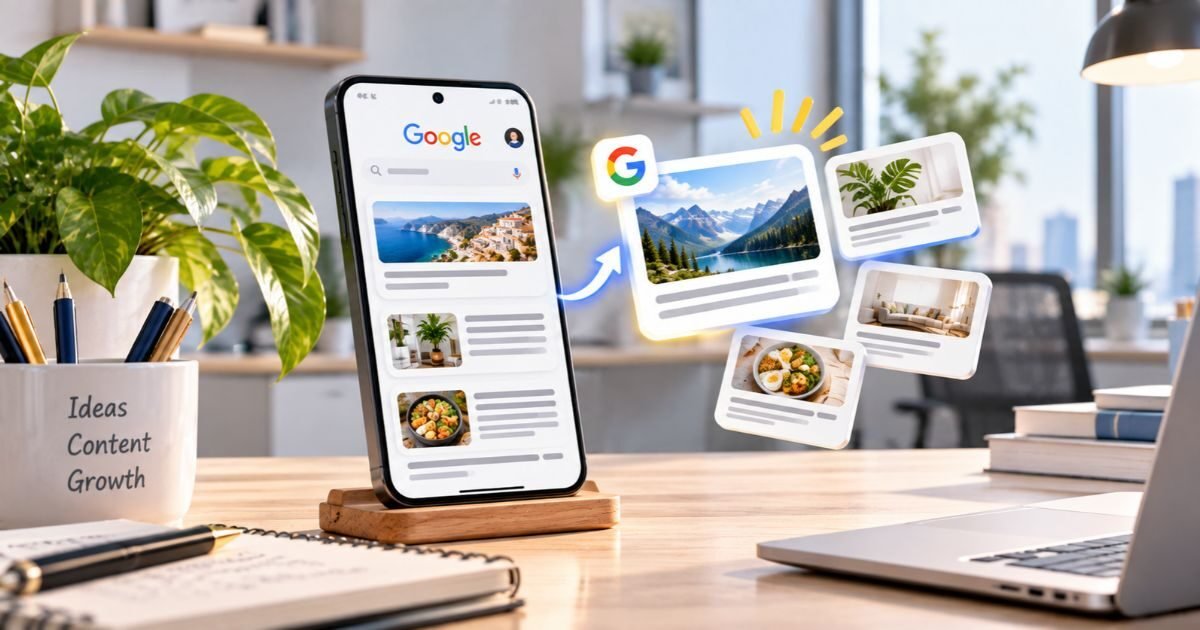
Google Discover is the personalised feed of articles that appears in the Google app and on Google’s mobile surfaces. Nobody searches for anything there. Google predicts what each reader will find interesting based on their activity and shows matching articles, often with a large image.
Google Discover optimization is everything you do to make your content eligible for that feed and more likely to be chosen. According to Google’s own Discover documentation, content is automatically eligible once it is indexed and meets Google’s content policies, so there is no application form. The work is in removing technical blockers and publishing the kind of content Discover likes to show.
Google Discover Optimization vs Normal SEO
Google Discover optimization shares a foundation with normal SEO, but the rules of the game are different. The biggest shift is that you cannot target a keyword, because readers never type one.
| Factor | Google Search | Google Discover |
|---|---|---|
| How people find you | They type a search query | Google shows it in a feed, no query |
| What decides visibility | Relevance to the query, links, quality | Reader interests, quality, freshness |
| Main technical must-have | Indexable, crawlable pages | Indexable page plus max-image-preview:large |
| Role of images | Helpful, rarely decisive | Often the first thing a reader sees |
| Traffic pattern | Steady, compounds over time | Spiky and hard to predict |
| Where it appears | Desktop and mobile results | Mainly the Google app on phones |
Source: Google Search Central, Get on Discover, as of September 2026.
Because of these differences, good Google Discover optimization is less about keywords and more about readiness: a technically eligible page, a strong image and content people genuinely want to read today.
Google Discover Requirements: The Technical Checklist
These are the technical requirements every article needs before Google Discover optimization can work. Miss one of the first two and your article either cannot appear or can only appear as a small thumbnail.
1. The page must be indexed. No noindex tag, a normal HTTP 200 response, and a canonical tag that points to itself. Google explains how noindex works in its guide to blocking indexing.
2. Allow max-image-preview:large. This robots setting, described in Google’s robots meta tag specifications, gives Google permission to show your image large. In Rank Math, go to Titles & Meta, then Global Meta, then Advanced Robots Meta, and set Max Image Preview to Large. Yoast adds it by default.
3. Use a large featured image. At least 1200px wide, set as your og:image or inside your Article schema.
4. Add Article structured data. Article, BlogPosting or NewsArticle schema with headline, image, date and author, as listed in Google’s Article structured data guide.
5. Keep a working feed. Google’s Follow feature uses RSS and Atom feeds to pick up new posts, so make sure your feed link is in the page head.
Google Discover Checker
Paste any article URL to test all of these requirements in about 10 seconds, see your card on a phone and get exact fixes.
Image Rules for Google Discover Optimization
In Discover, your image usually decides whether someone stops scrolling. Google says large, high quality images are more likely to generate visits from Discover, which makes images the most visible part of Google Discover optimization.
Follow these rules for every featured image. Use the right Google Discover image size: at least 1200px wide, ideally 16:9 such as 1200×675 or 1600×900. Keep faces and key details in the centre, because Discover cards crop the edges. Avoid using your logo as the main image, and prefer original images over stock photos that thousands of other sites also use. Google’s image SEO best practices add useful guidance on file names and alt text.
Large images should not slow your page down. Compress them with the Peplio Image Optimizer before uploading.
Image Resizer
Resize any featured image to 1200×675 or 1600×900 in seconds, right in your browser.
Content That Wins in Google Discover Optimization
Technical setup makes you eligible. Content decides whether you get picked. Google’s helpful content guidance applies fully to Discover, and a few patterns stand out.
Show real experience
Articles written from first-hand experience, with real examples, screenshots or data, send the trust signals Google looks for. Google added experience to its quality framework, as explained in its post on E-E-A-T in the quality rater guidelines.
Be timely, or keep evergreen content fresh
Discover often shows recent content. News, launches and new trends in your niche have the best chance. Evergreen articles can appear too, especially after a genuine update with new information.
Write clear titles, not clickbait
Google warns against titles that exaggerate or withhold key details to force a click. Its guidance on title links applies here too: say exactly what the reader gets. Clickbait might win one click, but it works against Google Discover optimization over time.
Build topic authority
Discover learns what your site is about. Publishing consistently on one clear topic helps Google connect your articles with the right readers.
How to Get on Google Discover: A 30-Day Plan
If you are starting Google Discover optimization from zero, this is the order I would follow:
Day 1
Fix the technical basics
Turn on max-image-preview:large, check indexing, add Article schema and make sure your feed link is in the page head.
Week 1
Upgrade your images
Replace small or square featured images on your best articles with original 16:9 images at least 1200px wide.
Weeks 2 to 3
Publish timely content
Add one article a week on something new in your niche: an update, a launch, a fresh case study with real details.
Week 4 onward
Check, track and refresh
Run every new post through a checker, watch Search Console, and refresh older winners with genuinely new information.
Google Discover Not Showing? 7 Reasons
When articles never appear, it is usually one of these. Work through them in order, because the first three are the most common blockers in Google Discover optimization.
- max-image-preview:large is missing or overridden by another plugin.
- The featured image is too small, often because the theme outputs a resized version as og:image.
- The page is not indexed or is canonicalised to another URL.
- Content is thin or generic and does not add anything new.
- Titles are clickbait, which Discover policies discourage.
- The site is new and Google has not yet built trust or a clear topic picture.
- The page is slow on mobile. Review your Core Web Vitals and Google’s page experience guidance.
Points 1 to 3 take minutes to check with the Google Discover checker. Points 4 to 6 take longer, and they are where most of the real Google Discover optimization work happens.
How to Track Google Discover Optimization Results
Open Google Search Console and look for the Discover report under Performance. It shows impressions, clicks and click-through rate from the feed. Google only shows this report once your site reaches a minimum number of Discover impressions, so if you cannot see it yet, you have not had meaningful Discover traffic.
Compare articles that appeared with those that did not. The winners usually share a strong image, a clear title and a timely angle, and that pattern is the best guide for your next round of Google Discover optimization. If you are new to Search Console, our Search Console beginner guide walks through the reports.
Comic lesson: Episode 4 of the Peplio comic series explores the same idea behind Discover: reach that arrives in a sudden wave feels great, but lasting growth comes from getting the basics right every time.
Sougan’s Take
Treat Discover as a bonus you prepare for, not a plan you depend on.
When Peplio’s clicks started climbing, I seriously considered writing mainly for Discover. I decided against it. Discover traffic comes in waves you cannot schedule, while search traffic keeps building. So I keep most of my time on search content and spend a few minutes per post on Google Discover optimization: correct settings, a strong 16:9 image and an honest title. That way I never miss a Discover wave because of something I could have fixed.
Learn SEO through stories
Peplio explains digital marketing through comics. Start with the comic series, where Episode 4 covers going viral, or read the Peplio comic eBooks for longer lessons.
Summary
- Google Discover optimization starts with eligibility: indexed page, max-image-preview:large and a 1200px image.
- Use original 16:9 images and keep key details in the centre.
- Timely, experience-based content with honest titles gets picked most often.
- If Discover is not showing your articles, check the three technical blockers first.
- Track results in the Search Console Discover report and repeat what works.
People also asked
Is Google Discover traffic worth chasing?
It is worth being ready for, not worth building your whole strategy around. Discover traffic comes in spikes and is hard to predict, while search traffic compounds over time. Make every article eligible, then keep your main effort on search content like our on-page SEO checklist describes.
Does Google Discover work on desktop?
Discover is mainly a mobile experience, shown in the Google app and on Google’s mobile surfaces. That is why mobile speed matters so much for Google Discover optimization. Check yours with the Website Speed Analyzer.
What kind of content does Google Discover show?
Discover favours content that matches a reader’s interests: timely news, practical guides, evergreen explainers and stories with strong visuals. Pages that show real experience and expertise tend to do better, which is the same quality signal covered in our guide to optimizing content for AI Overviews.
Google Discover Optimization FAQ
What is Google Discover optimization?
Google Discover optimization is the process of making your articles eligible and attractive for Google Discover, the personalised feed in the Google app. It covers technical setup such as indexing, max-image-preview:large and large images, plus content quality, timeliness and clear, non-clickbait titles.
How long does it take to get traffic from Google Discover?
There is no fixed timeline. Once an article is indexed and technically eligible it can appear within days, but Discover traffic depends on reader interest and is less predictable than search. Most sites see occasional spikes before any steady pattern.
Do I need Google News approval to appear in Discover?
No. Google News approval is not required. Any indexed page that meets Google’s content policies can appear in Discover, although a trusted, established publisher is more likely to be shown.
What image size is best for Google Discover optimization?
Use a featured image at least 1200 pixels wide, ideally 16:9 such as 1200×675 or 1600×900, and allow max-image-preview:large. For Google Discover optimization, the image is usually the first thing a reader sees, so it should be original and clear.
Why did my Google Discover traffic suddenly drop?
Discover traffic naturally rises and falls because it follows reader interest, not searches. A sudden drop can also come from a technical change, such as a plugin removing max-image-preview:large, so run your articles through a checker before assuming it is only interest.
Does AMP help with Google Discover?
AMP is not required. Normal pages can show large images in Discover as long as they allow max-image-preview:large and use an image at least 1200 pixels wide.
Can small blogs rank in Google Discover?
Yes. Discover is not limited to big publishers. Small blogs with a clear topic focus, original insight and a correct technical setup can appear, especially with timely or practical articles.
Related articles
Sources: Google Search Central: Get on Discover, robots meta tag specifications, blocking indexing with noindex, Article structured data, Google Images best practices, creating helpful content, E-E-A-T update to the rater guidelines, title links, page experience, web.dev Core Web Vitals and Google Search Console. Checked September 2026.
Google Discover optimization helps your articles appear in the Google app feed with large, eye-catching image cards. Start your Google Discover optimization with the technical basics: an indexed page, max-image-preview:large and a featured image at least 1200px wide. Then focus Google Discover optimization on timely, original content with honest titles. Test every article with a free checker so a missing setting never blocks your Google Discover optimization.
Written by Sougan Kumar Mandi, founder of Peplio and Digital Marketing Executive at Demech Chemical Products. Last updated: September 28, 2026
Google Discover optimization means making your articles eligible and appealing for the Discover feed. Technically, the page must be indexed, allow max-image-preview:large and use a featured image at least 1200px wide. After that, Discover rewards timely, original, trustworthy content with clear titles that do not use clickbait.
I run digital marketing for Demech Chemical Products and manage every part of Peplio on my own. Peplio is approved for Google News, and once that happened I spent weeks working out what actually decides whether an article shows up in Discover. The answer surprised me: most of the problems were not about content at all. They were small technical settings that quietly blocked large image cards.
This guide covers everything I learned about Google Discover optimization: the requirements Google publishes, the image rules that matter most, the kind of content Discover prefers, and what to check when your articles never show up. I have kept it practical, with the exact settings for WordPress and a free tool to check your own pages.
In this guide
- What is Google Discover optimization?
- Google Discover optimization vs normal SEO
- Google Discover requirements checklist
- Image rules for Google Discover optimization
- Content that wins in Discover
- How to get on Google Discover: a 30-day plan
- Google Discover not showing? 7 reasons
- How to track Discover performance
- Frequently asked questions
What Is Google Discover Optimization?
Google Discover is the personalised feed of articles that appears in the Google app and on Google’s mobile surfaces. Nobody searches for anything there. Google predicts what each reader will find interesting based on their activity and shows matching articles, often with a large image.
Google Discover optimization is everything you do to make your content eligible for that feed and more likely to be chosen. According to Google’s own Discover documentation, content is automatically eligible once it is indexed and meets Google’s content policies, so there is no application form. The work is in removing technical blockers and publishing the kind of content Discover likes to show.
Google Discover Optimization vs Normal SEO
Google Discover optimization shares a foundation with normal SEO, but the rules of the game are different. The biggest shift is that you cannot target a keyword, because readers never type one.
| Factor | Google Search | Google Discover |
|---|---|---|
| How people find you | They type a search query | Google shows it in a feed, no query |
| What decides visibility | Relevance to the query, links, quality | Reader interests, quality, freshness |
| Main technical must-have | Indexable, crawlable pages | Indexable page plus max-image-preview:large |
| Role of images | Helpful, rarely decisive | Often the first thing a reader sees |
| Traffic pattern | Steady, compounds over time | Spiky and hard to predict |
| Where it appears | Desktop and mobile results | Mainly the Google app on phones |
Source: Google Search Central, Get on Discover, as of September 2026.
Because of these differences, good Google Discover optimization is less about keywords and more about readiness: a technically eligible page, a strong image and content people genuinely want to read today.
Google Discover Requirements: The Technical Checklist
These are the technical requirements every article needs before Google Discover optimization can work. Miss one of the first two and your article either cannot appear or can only appear as a small thumbnail.
1. The page must be indexed. No noindex tag, a normal HTTP 200 response, and a canonical tag that points to itself. Google explains how noindex works in its guide to blocking indexing.
2. Allow max-image-preview:large. This robots setting, described in Google’s robots meta tag specifications, gives Google permission to show your image large. In Rank Math, go to Titles & Meta, then Global Meta, then Advanced Robots Meta, and set Max Image Preview to Large. Yoast adds it by default.
3. Use a large featured image. At least 1200px wide, set as your og:image or inside your Article schema.
4. Add Article structured data. Article, BlogPosting or NewsArticle schema with headline, image, date and author, as listed in Google’s Article structured data guide.
5. Keep a working feed. Google’s Follow feature uses RSS and Atom feeds to pick up new posts, so make sure your feed link is in the page head.
Google Discover Checker
Paste any article URL to test all of these requirements in about 10 seconds, see your card on a phone and get exact fixes.
Image Rules for Google Discover Optimization
In Discover, your image usually decides whether someone stops scrolling. Google says large, high quality images are more likely to generate visits from Discover, which makes images the most visible part of Google Discover optimization.
Follow these rules for every featured image. Use the right Google Discover image size: at least 1200px wide, ideally 16:9 such as 1200×675 or 1600×900. Keep faces and key details in the centre, because Discover cards crop the edges. Avoid using your logo as the main image, and prefer original images over stock photos that thousands of other sites also use. Google’s image SEO best practices add useful guidance on file names and alt text.
Large images should not slow your page down. Compress them with the Peplio Image Optimizer before uploading.
Image Resizer
Resize any featured image to 1200×675 or 1600×900 in seconds, right in your browser.
Content That Wins in Google Discover Optimization
Technical setup makes you eligible. Content decides whether you get picked. Google’s helpful content guidance applies fully to Discover, and a few patterns stand out.
Show real experience
Articles written from first-hand experience, with real examples, screenshots or data, send the trust signals Google looks for. Google added experience to its quality framework, as explained in its post on E-E-A-T in the quality rater guidelines.
Be timely, or keep evergreen content fresh
Discover often shows recent content. News, launches and new trends in your niche have the best chance. Evergreen articles can appear too, especially after a genuine update with new information.
Write clear titles, not clickbait
Google warns against titles that exaggerate or withhold key details to force a click. Its guidance on title links applies here too: say exactly what the reader gets. Clickbait might win one click, but it works against Google Discover optimization over time.
Build topic authority
Discover learns what your site is about. Publishing consistently on one clear topic helps Google connect your articles with the right readers.
How to Get on Google Discover: A 30-Day Plan
If you are starting Google Discover optimization from zero, this is the order I would follow:
Day 1
Fix the technical basics
Turn on max-image-preview:large, check indexing, add Article schema and make sure your feed link is in the page head.
Week 1
Upgrade your images
Replace small or square featured images on your best articles with original 16:9 images at least 1200px wide.
Weeks 2 to 3
Publish timely content
Add one article a week on something new in your niche: an update, a launch, a fresh case study with real details.
Week 4 onward
Check, track and refresh
Run every new post through a checker, watch Search Console, and refresh older winners with genuinely new information.
Google Discover Not Showing? 7 Reasons
When articles never appear, it is usually one of these. Work through them in order, because the first three are the most common blockers in Google Discover optimization.
- max-image-preview:large is missing or overridden by another plugin.
- The featured image is too small, often because the theme outputs a resized version as og:image.
- The page is not indexed or is canonicalised to another URL.
- Content is thin or generic and does not add anything new.
- Titles are clickbait, which Discover policies discourage.
- The site is new and Google has not yet built trust or a clear topic picture.
- The page is slow on mobile. Review your Core Web Vitals and Google’s page experience guidance.
Points 1 to 3 take minutes to check with the Google Discover checker. Points 4 to 6 take longer, and they are where most of the real Google Discover optimization work happens.
How to Track Google Discover Optimization Results
Open Google Search Console and look for the Discover report under Performance. It shows impressions, clicks and click-through rate from the feed. Google only shows this report once your site reaches a minimum number of Discover impressions, so if you cannot see it yet, you have not had meaningful Discover traffic.
Compare articles that appeared with those that did not. The winners usually share a strong image, a clear title and a timely angle, and that pattern is the best guide for your next round of Google Discover optimization. If you are new to Search Console, our Search Console beginner guide walks through the reports.
Comic lesson: Episode 4 of the Peplio comic series explores the same idea behind Discover: reach that arrives in a sudden wave feels great, but lasting growth comes from getting the basics right every time.
Sougan’s Take
Treat Discover as a bonus you prepare for, not a plan you depend on.
When Peplio’s clicks started climbing, I seriously considered writing mainly for Discover. I decided against it. Discover traffic comes in waves you cannot schedule, while search traffic keeps building. So I keep most of my time on search content and spend a few minutes per post on Google Discover optimization: correct settings, a strong 16:9 image and an honest title. That way I never miss a Discover wave because of something I could have fixed.
Learn SEO through stories
Peplio explains digital marketing through comics. Start with the comic series, where Episode 4 covers going viral, or read the Peplio comic eBooks for longer lessons.
Summary
- Google Discover optimization starts with eligibility: indexed page, max-image-preview:large and a 1200px image.
- Use original 16:9 images and keep key details in the centre.
- Timely, experience-based content with honest titles gets picked most often.
- If Discover is not showing your articles, check the three technical blockers first.
- Track results in the Search Console Discover report and repeat what works.
People also asked
Is Google Discover traffic worth chasing?
It is worth being ready for, not worth building your whole strategy around. Discover traffic comes in spikes and is hard to predict, while search traffic compounds over time. Make every article eligible, then keep your main effort on search content like our on-page SEO checklist describes.
Does Google Discover work on desktop?
Discover is mainly a mobile experience, shown in the Google app and on Google’s mobile surfaces. That is why mobile speed matters so much for Google Discover optimization. Check yours with the Website Speed Analyzer.
What kind of content does Google Discover show?
Discover favours content that matches a reader’s interests: timely news, practical guides, evergreen explainers and stories with strong visuals. Pages that show real experience and expertise tend to do better, which is the same quality signal covered in our guide to optimizing content for AI Overviews.
Google Discover Optimization FAQ
What is Google Discover optimization?
Google Discover optimization is the process of making your articles eligible and attractive for Google Discover, the personalised feed in the Google app. It covers technical setup such as indexing, max-image-preview:large and large images, plus content quality, timeliness and clear, non-clickbait titles.
How long does it take to get traffic from Google Discover?
There is no fixed timeline. Once an article is indexed and technically eligible it can appear within days, but Discover traffic depends on reader interest and is less predictable than search. Most sites see occasional spikes before any steady pattern.
Do I need Google News approval to appear in Discover?
No. Google News approval is not required. Any indexed page that meets Google’s content policies can appear in Discover, although a trusted, established publisher is more likely to be shown.
What image size is best for Google Discover optimization?
Use a featured image at least 1200 pixels wide, ideally 16:9 such as 1200×675 or 1600×900, and allow max-image-preview:large. For Google Discover optimization, the image is usually the first thing a reader sees, so it should be original and clear.
Why did my Google Discover traffic suddenly drop?
Discover traffic naturally rises and falls because it follows reader interest, not searches. A sudden drop can also come from a technical change, such as a plugin removing max-image-preview:large, so run your articles through a checker before assuming it is only interest.
Does AMP help with Google Discover?
AMP is not required. Normal pages can show large images in Discover as long as they allow max-image-preview:large and use an image at least 1200 pixels wide.
Can small blogs rank in Google Discover?
Yes. Discover is not limited to big publishers. Small blogs with a clear topic focus, original insight and a correct technical setup can appear, especially with timely or practical articles.
Related articles
Sources: Google Search Central: Get on Discover, robots meta tag specifications, blocking indexing with noindex, Article structured data, Google Images best practices, creating helpful content, E-E-A-T update to the rater guidelines, title links, page experience, web.dev Core Web Vitals and Google Search Console. Checked September 2026.
Google Discover optimization helps your articles appear in the Google app feed with large, eye-catching image cards. Start your Google Discover optimization with the technical basics: an indexed page, max-image-preview:large and a featured image at least 1200px wide. Then focus Google Discover optimization on timely, original content with honest titles. Test every article with a free checker so a missing setting never blocks your Google Discover optimization.