
Core Web Vitals Explained — How to Improve Your Scores Free (2026)
Sources: Google Search Central Core Web Vitals documentation (developers.google.com/search/docs/appearance/core-web-vitals), web.dev/vitals, Google Search Console Core Web Vitals report, tested on Peplio.com by Sougan, June 2026
Core Web Vitals are three specific metrics Google uses to measure how fast, stable, and responsive your website feels to real users on real devices. They became an official Google ranking signal in 2021, which means poor core web vitals scores can directly suppress your rankings — even if your content is excellent.
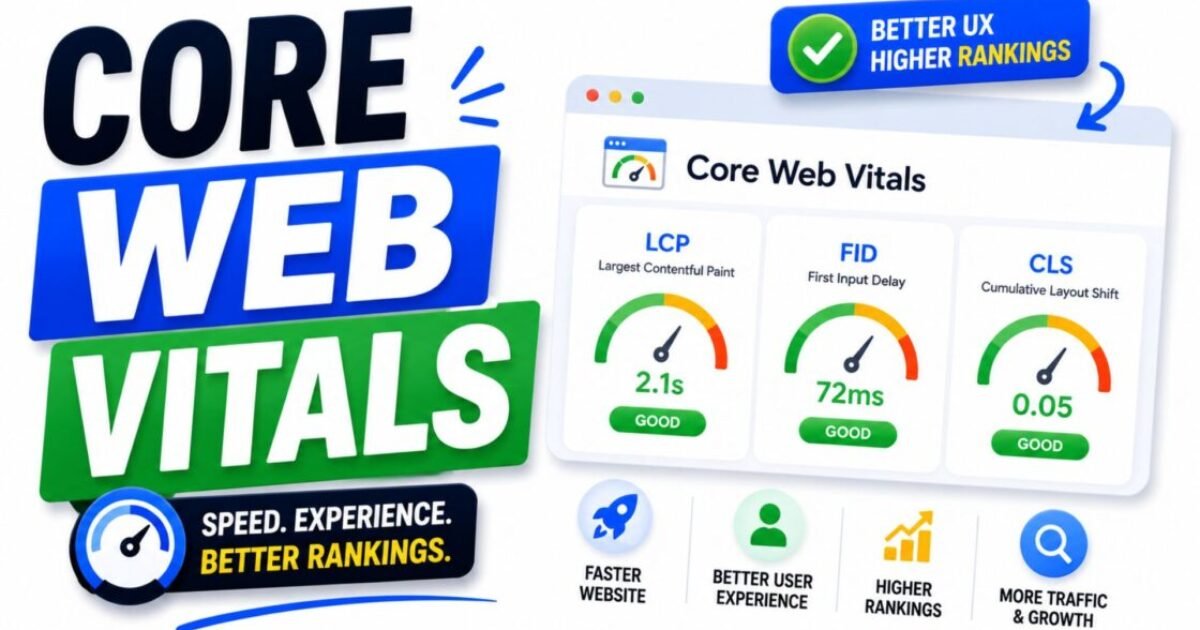
The three core web vitals are LCP (how fast your main content loads), INP (how quickly your page responds to interactions), and CLS (how much your layout shifts while loading). Each one has a specific threshold for Good, Needs Improvement, and Poor — and Google reports your site’s core web vitals status directly in Google Search Console, broken down by page, so you always know exactly where you stand.
I have fixed core web vitals issues on Peplio multiple times — most recently reducing our mobile LCP from 4.2 seconds (Poor) to 2.1 seconds (Good) through a combination of image optimisation and render-blocking script fixes. In this guide I am going to explain what each core web vitals metric means, how to check your own scores for free, and the specific fixes that actually move the needle on WordPress sites. For context on how core web vitals fit into the broader technical SEO picture, see my guide on technical SEO for beginners.
In Episode 3 of Peplio Originals, Sougan said a website works 24/7 unlike a physical shop — but a slow website works 0/7. Core Web Vitals is exactly what decides whether your site is fast enough to actually work for you around the clock.
- What are Core Web Vitals and why do they matter for SEO?
- LCP — Largest Contentful Paint explained
- INP — Interaction to Next Paint explained
- CLS — Cumulative Layout Shift explained
- How to check your Core Web Vitals scores free
- How to fix poor LCP scores
- How to fix poor INP scores
- How to fix poor CLS scores
- Core Web Vitals fixes specific to WordPress
- FAQ — Core Web Vitals
What Are Core Web Vitals and Why Do They Matter for SEO?
Core Web Vitals are a subset of Google’s Page Experience signals — a set of real-world performance measurements that Google collects from actual Chrome users visiting your site through its Chrome User Experience Report (CrUX). Unlike lab metrics measured in a controlled environment, core web vitals data reflects how your pages actually perform for real visitors on real connections and real devices.
Google made core web vitals an official ranking factor in June 2021. This means that two pages with identical content quality, backlink profiles, and on-page SEO can rank differently if one has good core web vitals and the other has poor ones. In competitive niches, core web vitals can be the tiebreaker that separates a position 3 ranking from position 7.
The practical importance of core web vitals goes beyond rankings. Pages with poor core web vitals scores — particularly slow LCP and high CLS — have measurably higher bounce rates. According to Google’s web.dev research, sites that meet all three core web vitals thresholds see 24% fewer page abandonments than sites that fail all three. That is both a UX problem and a traffic problem.
Your core web vitals scores are reported in two places: Google Search Console (real-user data, grouped by URL) and Google PageSpeed Insights (a mix of lab data and real-user data, per URL). Both are free. I will show you how to use both below. Understanding your core web vitals is also essential context for reading the Google Search Console Experience reports correctly.
LCP — Largest Contentful Paint Explained
LCP (Largest Contentful Paint) measures how long it takes for the largest visible content element on the page to fully render within the viewport. In plain language: how long before the main thing on your page — usually your hero image, featured image, or H1 heading — is visible to the user.
Core Web Vitals thresholds for LCP:
- ✅ Good: Under 2.5 seconds
- ⚠️ Needs Improvement: 2.5 – 4.0 seconds
- ❌ Poor: Over 4.0 seconds
LCP is almost always the hardest core web vitals metric to pass on image-heavy sites — which includes most content blogs like Peplio. The most common LCP element is the featured image at the top of a blog post. If that image is large, uncompressed, or loading from a slow server, your LCP score suffers.
The LCP element is not always an image. For some pages, the LCP element is the H1 heading, a large block of text, or a video thumbnail. Google PageSpeed Insights tells you exactly which element is being measured as your LCP — always check this before assuming it is your hero image.
INP — Interaction to Next Paint Explained
INP (Interaction to Next Paint) measures how quickly your page visually responds after a user interacts with it — clicking a button, tapping a menu, submitting a form. It replaced FID (First Input Delay) as the official core web vitals interactivity metric in March 2024, as announced on Google’s Web.dev blog.
Core Web Vitals thresholds for INP:
- ✅ Good: Under 200 milliseconds
- ⚠️ Needs Improvement: 200 – 500 milliseconds
- ❌ Poor: Over 500 milliseconds
INP is a more comprehensive measure than its predecessor FID because it tracks all interactions throughout the page session, not just the first one. A page that responds quickly on the first click but slows down after a few interactions will show a worse INP score than FID would have captured.
For most WordPress content sites, INP issues are caused by heavy JavaScript — page builder scripts, chat widgets, social sharing plugins, or advertising scripts that block the main thread and delay visual responses. The fix almost always involves removing or deferring non-critical JavaScript.
CLS — Cumulative Layout Shift Explained
CLS (Cumulative Layout Shift) measures how much your page layout unexpectedly shifts while loading. If you have ever been reading a page and the text suddenly jumps down because an image or ad loaded above it, that is exactly what CLS measures — and it is one of the most frustrating experiences for users.
Core Web Vitals thresholds for CLS:
- ✅ Good: Under 0.1
- ⚠️ Needs Improvement: 0.1 – 0.25
- ❌ Poor: Over 0.25
CLS is scored as a cumulative number rather than a time measurement. A CLS of 0 means no layout shift at all. A CLS of 0.5 means significant instability — elements are moving around noticeably as the page loads.
The most common causes of high CLS on WordPress sites are images without defined width and height attributes (the browser does not know how much space to reserve before the image loads), ads that inject dynamically into the content area, and web fonts that cause text to reflow when they finish loading (called Flash of Unstyled Text or FOUT).
How to Check Your Core Web Vitals Scores Free
There are two free tools for checking your core web vitals, and you should use both — they show different things:
Tool 1 — Google PageSpeed Insights (Per-URL Lab + Field Data)
Go to pagespeed.web.dev, enter any URL on your site, and click Analyse. PageSpeed Insights shows two sections:
- Field data (top): Real-user core web vitals from the Chrome User Experience Report — this is the data Google actually uses for ranking. Only available if your URL has enough traffic to appear in CrUX data.
- Lab data (below): Simulated measurements from a controlled environment. Useful for diagnosing specific issues even if your field data is not yet available.
Always check PageSpeed Insights on mobile first — Google uses mobile-first indexing, so your mobile core web vitals scores are the ones that affect your rankings. A perfect desktop score with a poor mobile score means poor core web vitals as far as Google is concerned.
Tool 2 — Google Search Console Core Web Vitals Report (Site-Wide Field Data)
In Google Search Console, go to Experience → Core Web Vitals. This report groups all your pages into Good, Needs Improvement, and Poor based on real-user field data, and tells you which specific core web vitals metric is failing for each group. This is where you prioritise — fix the Poor pages first, particularly your highest-traffic pages.
How to Fix Poor LCP Scores
Poor LCP is the most common core web vitals failure for content sites. Here are the fixes in order of impact:
- Compress and resize your images before uploading — the single highest-impact LCP fix for most WordPress sites. Use a tool like Squoosh (free, browser-based) to compress images to WebP format before uploading. A hero image that is 2MB as a JPG can often be reduced to 80–120KB as a WebP with no visible quality loss. That alone can cut 1–2 seconds off your LCP.
- Add the “fetchpriority=high” attribute to your LCP image — this tells the browser to load this image as a priority before other resources. In WordPress, you can add this via your theme’s functions.php or a plugin like Perfmatters.
- Enable lazy loading on non-hero images only — lazy loading (loading images only when they scroll into view) is beneficial for below-the-fold images, but should never be applied to your hero/LCP image. Check that your WordPress theme or image plugin is not applying lazy loading to the first image on the page.
- Use a fast hosting provider with servers close to your audience — server response time (TTFB) contributes to LCP. If your server takes 800ms to respond before the browser can even start loading anything, your LCP will struggle regardless of image optimisation.
- Enable a CDN for static assets — Cloudflare’s free plan delivers your images from servers geographically closer to your visitors, reducing load time. This is especially impactful if your audience is in the US/UK and your server is in India.
How to Fix Poor INP Scores
Poor INP on WordPress sites is almost always a JavaScript problem. Here are the specific fixes:
- Identify and remove unused plugins — every active WordPress plugin adds JavaScript to your pages, even if you are not using its interactive features on that page. Deactivate plugins you do not need and test whether your INP improves. Use the Chrome DevTools Performance panel to see which scripts are running on the main thread.
- Defer non-critical JavaScript — plugins like Perfmatters or WP Rocket allow you to delay JavaScript from loading until after the page is interactive. This dramatically reduces main thread blocking and improves INP scores.
- Replace heavy page builder elements with lightweight alternatives — some Themify Ultra modules load significant JavaScript. If a section of your page is built with a heavy interactive module but just displays static content, replacing it with plain HTML/CSS eliminates that JavaScript cost entirely.
- Remove or delay chat widgets and social proof scripts — third-party scripts like live chat widgets, social proof popups, and retargeting pixels run JavaScript on your pages. Each one contributes to main thread blocking. Load them after user interaction using a trigger-based approach rather than on page load.
How to Fix Poor CLS Scores
CLS fixes are the most straightforward of the three core web vitals — most issues trace back to a small number of common causes:
- Add explicit width and height to all images in HTML — this is the number one CLS fix for content sites. When the browser knows an image’s dimensions before it loads, it reserves the correct space and the surrounding text does not shift. In WordPress, make sure width and height attributes are present on every img tag. Modern WordPress (5.5+) adds these automatically, but older uploads and some plugins strip them.
- Set minimum height on ad slots and dynamic embed containers — if you run ads or embed social media posts, these elements load asynchronously and push content down when they appear. Set a CSS min-height on the container div equal to the expected ad or embed size. This reserves the space before the content loads.
- Use font-display: swap or optional for web fonts — web fonts that load after the initial render cause text to reflow when the custom font replaces the fallback system font. Adding
font-display: swapin your CSS tells the browser to show the fallback font immediately and swap it when the custom font is ready, reducing the visual impact of the font swap. - Avoid inserting content above existing content dynamically — banners, cookie notices, and sticky headers that appear above the page content after load push everything else down. If you use a cookie consent banner, size it to not affect the content layout, or show it in a corner overlay rather than a top bar.
I ignored Core Web Vitals for 8 months on Peplio. That was 8 months of rankings being suppressed for no reason.
My mobile LCP was sitting at 4.2 seconds — solidly Poor — the entire time I was writing content and building backlinks. Everything I was building was being undermined by a slow foundation. The fix took one afternoon: compressed images to WebP using Squoosh, enabled Cloudflare, turned on WP Fastest Cache. LCP dropped to 2.1 seconds within 48 hours. The GSC field data took 28 days to reflect it — but rankings started moving before that. Fix the foundation first. Always. Content built on a slow site is like a shop with the shutters half down.
Core Web Vitals Fixes Specific to WordPress
If you run WordPress (as Peplio does on Hostinger with Themify Ultra), here are the specific free tools and settings that improve core web vitals most reliably:
- WP Fastest Cache (free) — enables page caching, minification of CSS and JavaScript, and browser caching. Caching alone often cuts LCP by 0.5–1 second by serving pre-built HTML instead of generating it dynamically on each request.
- Smush (free tier) or ShortPixel (free credits) — bulk compress all existing images in your media library to WebP. Run this on your full library before worrying about other core web vitals fixes.
- Cloudflare (free plan) — set up Cloudflare as your DNS proxy to enable CDN delivery, automatic image optimisation via Polish, and HTTP/2. The free plan is genuinely effective for LCP improvement.
- Autoptimize (free) — aggregates and minifies CSS and JavaScript files, reducing the number of render-blocking resources that delay LCP. Pair with WP Fastest Cache for combined effect.
- RankMath’s schema output — RankMath adds structured data via JSON-LD which loads asynchronously and does not contribute to core web vitals bloat. No action needed here — it is already optimised.
The most effective free stack for core web vitals on WordPress in 2026 is: Cloudflare (CDN + DNS) + WP Fastest Cache (caching) + Smush or ShortPixel (image compression) + Autoptimize (script/CSS minification). This combination addresses the root cause of poor scores on all three core web vitals metrics without paid plugins.
- ✅ Check scores first — PageSpeed Insights (pagespeed.web.dev) + GSC Core Web Vitals report
- ✅ Fix LCP — compress images to WebP, add fetchpriority=high to hero image, enable CDN
- ✅ Fix INP — remove unused plugins, defer non-critical JavaScript, audit third-party scripts
- ✅ Fix CLS — add width/height to all images, set min-height on ad containers, use font-display: swap
- ✅ WordPress free stack — Cloudflare + WP Fastest Cache + Smush + Autoptimize
- ✅ Always test mobile first — Google ranks based on mobile core web vitals, not desktop
- ✅ Recheck after fixes — field data in GSC takes 28 days to update after improvements
Frequently Asked Questions — Core Web Vitals
What are Core Web Vitals in simple terms?
Core Web Vitals are three measurements Google uses to assess how good the experience of using your website feels to a real visitor. LCP measures how fast your page’s main content loads. INP measures how quickly the page responds when someone interacts with it. CLS measures how much the page layout jumps around while loading. All three have specific score thresholds — Good, Needs Improvement, and Poor — and Google uses them as a ranking signal. A page with poor core web vitals scores can rank lower than a comparable page with good scores, even if the content quality is identical.
Do Core Web Vitals affect Google rankings?
Yes — core web vitals became an official Google ranking signal in June 2021 as part of the Page Experience update. Google has confirmed that core web vitals are used as a tiebreaker between pages of similar content quality. In practice, this means core web vitals matter most in competitive niches where multiple pages have similar content depth and backlink profiles. For new sites with weak competition in their niche, core web vitals fixes are less urgent than publishing quality content — but they should be addressed once you are publishing consistently. For a full picture of how core web vitals fit alongside other ranking factors, see my guide on how SEO works.
What replaced FID in Core Web Vitals?
INP (Interaction to Next Paint) replaced FID (First Input Delay) as the official core web vitals interactivity metric in March 2024. FID only measured the delay before the browser could begin processing the first user interaction — it did not measure how long the actual response took or capture subsequent interactions. INP is more comprehensive: it measures the full time from interaction to visual response, and it tracks all interactions throughout the session rather than just the first one. If your existing documentation or tools still reference FID as a core web vitals metric, that information is outdated as of March 2024.
How do I check my Core Web Vitals for free?
Use two free tools together. First, go to pagespeed.web.dev and enter your URL — this gives you both lab data (instant diagnostic) and field data (real-user measurements from Chrome) for that specific page. Second, check your Google Search Console under Experience → Core Web Vitals — this shows you which of your pages are Good, Needs Improvement, or Poor based on real-user data, grouped by issue type. Use PageSpeed Insights to diagnose specific pages and GSC to prioritise which pages to fix first across your whole site.
How long does it take for Core Web Vitals improvements to show in Google Search Console?
Core Web Vitals field data in Google Search Console reflects real-user measurements collected over the previous 28-day period. After implementing fixes, it typically takes 28–35 days for your improved scores to fully appear in the GSC Core Web Vitals report. Do not panic if your GSC report still shows Poor scores a week after implementing fixes — the data lags behind reality by up to a month. Use PageSpeed Insights’ lab data to confirm your fixes are working immediately after implementing them, then wait for the GSC field data to update.
What is a good Core Web Vitals score for a WordPress blog?
Passing all three core web vitals thresholds is the goal: LCP under 2.5 seconds, INP under 200ms, and CLS under 0.1. For a typical WordPress blog on shared hosting without caching or image optimisation, mobile LCP scores of 4–8 seconds and CLS scores above 0.1 are common starting points — both in Poor territory. After implementing the free stack (Cloudflare + caching + image compression + script deferral), most WordPress blogs can reach Good scores on CLS and Needs Improvement or Good on LCP. INP is usually already passing on content-focused sites with minimal JavaScript. The on-page SEO work you do — making sure your on-page SEO checklist is complete — is separate from core web vitals but works best when both are addressed together.
- Technical SEO for Beginners — The Complete Checklist (2026)
- What Is SEO and Why Is It Important? (Complete 2026 Guide)
- Google Search Console for Beginners — Complete Setup Guide (2026)
- On-Page SEO Checklist — Everything to Check Before You Publish
- How Does SEO Work? A Plain-Language Explanation (2026)
- Why Is My Page Indexed But Not Ranking? (Fix Guide 2026)


